Telestream Vantage: Automating Adobe-Based Media Workflows at Scale

POSTED 27th OF Mar, 2026, Posted by Summer Magdaraog

Telestream Vantage: Automating Adobe-Based Media Workflows at Scale Telestream Vantage: Automating Adobe-Based Media Workflows at Scale

Why Manual Adobe Workflows Become a Bottleneck

For many production teams, tools like Adobe Premiere Pro and Adobe Media Encoder are central to content creation.

However, as output volume increases, workflows often rely on repetitive manual steps:

  • Exporting files manually
  • Renaming and organizing assets
  • Configuring encoding settings per project
  • Uploading and distributing content across platforms

These steps introduce:

  • Delays in turnaround time
  • Inconsistencies in output formats
  • Increased risk of human error

This is where workflow automation becomes critical, not as a replacement for creative tools, but as an operational layer that connects them.


What Telestream Introduced

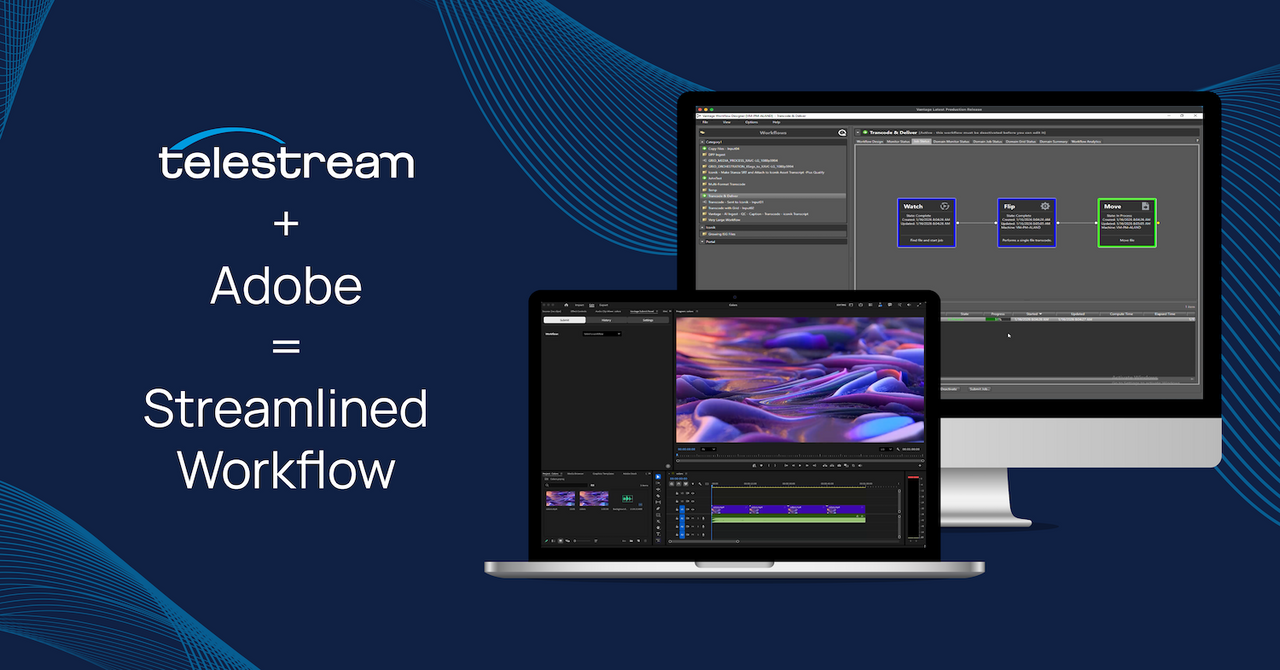
Telestream has expanded the capabilities of Vantage to support a more integrated, Adobe-centric media pipeline.

The goal is straightforward:

Replace fragmented, manual workflows with a single, automated system for processing, encoding, and delivery.

This approach allows teams to continue using Adobe tools while automating the processes that happen after editing.


How the Automated Workflow Functions

Instead of treating editing, encoding, and delivery as separate stages, Vantage connects them into one continuous pipeline.

Traditional Workflow

  1. Export from Premiere Pro
  2. Manually rename files
  3. Configure encoding in Media Encoder
  4. Upload or transfer files
  5. Deliver to distribution channels

Automated Workflow with Vantage

  1. Trigger workflow based on predefined conditions
  2. Apply encoding presets automatically
  3. Process files using rule-based logic
  4. Route content to the correct destination
  5. Deliver without manual intervention

The difference is not just speed, it's process consistency and scalability.


Key Capabilities of the Adobe-Centric Pipeline

1. Workflow Triggers and Automation

Workflows can start automatically based on:

  • File creation in watch folders
  • Project completion
  • File uploads from collaboration tools like Frame.io

Once triggered, the system executes predefined steps without requiring manual input.

2. Integrated Encoding and Processing

Encoding is embedded directly into the workflow:

  • Presets are applied automatically
  • Output formats are standardized
  • No need to configure settings per export

This ensures consistent delivery specifications across all outputs.

3. Rule-Based File Handling

Files are processed using defined logic:

  • Automatic naming conventions
  • Metadata-based decisions
  • Conditional routing to different destinations

This removes variability and ensures predictable results.

4. Seamless Integration with Adobe Tools

Editors continue working within Adobe environments.

Behind the scenes:

  • Vantage integrates with Media Encoder
  • Connects with collaboration platforms
  • Handles processing and delivery

This maintains existing creative workflows while improving operational efficiency.


Where This Delivers the Most Value

This type of automation is most relevant for teams that:

  • Produce high volumes of video content
  • Require consistent output across formats and platforms
  • Operate under tight delivery timelines
  • Manage multi-step post-production workflows

Typical environments include:

  • Broadcast and media organizations
  • Post-production studios
  • Enterprise content teams

Operational Impact of Workflow Automation

Faster Turnaround Times

Automation removes delays caused by manual handling and processing.

Consistent Output Quality

Standardized workflows ensure all deliverables meet defined specifications.

Reduced Manual Errors

Fewer human touchpoints reduce the likelihood of mistakes.

Scalable Production

Workflows can handle increased output without proportional increases in workload.


Adobe Tools vs Workflow Automation: Clarifying the Roles

A common misconception is that automation replaces creative tools.

In practice:

  • Adobe tools handle content creation and editing
  • Vantage handles processing, orchestration, and delivery

This separation allows each system to perform its role more effectively.


Example: Before vs After Automation

Before Automation

  • Editor exports multiple versions manually
  • Encoding settings are adjusted per file
  • Files are renamed and uploaded individually
  • Delivery is handled separately for each platform

After Automation

  • Export triggers a predefined workflow
  • Encoding presets are applied automatically
  • Files are processed and routed without intervention
  • Delivery is completed within the same pipeline

This reduces repetitive work while improving reliability.


When to Consider Workflow Automation

Automation becomes necessary when:

  • Manual processes slow down production
  • Output inconsistencies affect delivery quality
  • Teams struggle to scale workflows efficiently
  • Turnaround time becomes a competitive constraint

At this stage, adding more tools does not solve the problem connecting workflows does.


A Practical Shift in Media Workflows

As content production grows, manual workflows become increasingly inefficient.

By integrating automation into Adobe-based environments, teams can:

  • Reduce operational complexity
  • Maintain consistent output standards
  • Scale production without increasing manual workload

Telestream positions Vantage as the layer that enables this transition from disconnected tasks to a unified, automated pipeline.


See It in Action at NAB 2026

Telestream will showcase this integrated Adobe-centric workflow at NAB Show 2026.

  • Booth: W1503
  • Free Exhibit Pass Code: NS8888

This is an opportunity to see how Vantage operates within real-world production environments and how automation can be applied across media workflows.

Share: