
 Account

Pulldownit 6 for Autodesk 3ds Max: What’s New and Why It Matters
POSTED 30th OF Jun, 2025, Posted by Summer

POSTED 30th OF Jun, 2025, Posted by Summer


If you've ever worked on destruction simulations in 3ds Max, you probably know the process can get frustrating fast. Making things break the right way takes a lot of trial and error, and when clients want quick revisions, it’s even harder.
That’s where Pulldownit 6 steps in.
The newest version of this powerful plugin for Autodesk 3ds Max is focused on making destruction easier and faster to control. It's not just about a few new tools; it’s a shift in how you can work with fractures and dynamics inside 3ds Max.
Before this update, once you shattered a model, your options were limited. If you wanted to move the model, scale it, or apply modifiers, things would break (in the bad way).
Now, Pulldownit supports a non-destructive workflow. You can shatter a model, adjust the shape, orientation, or even apply 3ds Max modifiers, and the fractures will update automatically. That alone saves a ton of time.
You also get instant dynamics computation, meaning you don’t have to wait for a full bake just to see how the simulation behaves. It’s faster feedback, less guesswork.
With the new Edge Fracture Tool, you can add detail to fragment edges like small chips and cracks by selecting them right in the viewport.
It works interactively: click a fragment, apply edge damage, and play the simulation to see how it looks. If you don’t like it, undo or reset and try again. No need to start from scratch.
One of the pain points in destruction scenes is managing materials. In Pulldownit 6, cut materials can now be replaced even after simulation keys are baked. It works well with jaggy fragments too.
Pulldownit also assigns a different base color to new materials, making it easier to identify updated fragments in the scene.
Exporting fractured geometry, especially with thousands of pieces, used to be painfully slow. With Pulldownit 6, the new Alembic exporter is up to 20x faster. It can handle massive scenes in seconds.
Even better, the plugin can auto-load the exported Alembic file right back into your 3ds Max scene. From there, you can apply original shaders or simply delete the export if you want to revert.
From edge chipping to real-time fracture editing, we’ll show you exactly how Pulldownit 6 works and why it matters.
Create smarter, faster destruction inside Autodesk 3ds Max—try Pulldownit 6 now and take full control of every fracture.
If you're wondering about Pulldownit price, it varies depending on your license type and whether you're upgrading. Visit our official website for pricing details, bundle options, and discounts for commercial or educational use.
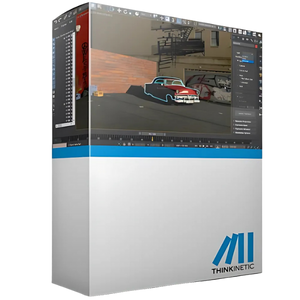
Pulldownit for 3ds Max supercharges your destruction workflow with fast, realistic fracture simulations and effortless object shattering—all powered by a rock-solid dynamics engine built for Autodesk 3ds Max.
Shop NowBring your destruction scenes to life with Pulldownit featuring an easy-to-use Voronoi shatter tool, smart pre-cutting, and a powerful solver that lets you simulate everything from cracked terrain to collapsing structures, all perfectly integrated with Autodesk 3ds Max.
Shop Now
Unleash powerful destruction effects and lifelike simulations with the Pulldownit Bundle for 3ds Max and Maya, your all-in-one solution for shattering, cracking, and controlling complex dynamics inside Autodesk’s leading 3D tools.
Shop NowShare: