
 Account

Veras 5.2: From Reference Images to Editable 3D Models
POSTED 16th OF Oct, 2026, Posted by Summer Magdaraog

POSTED 16th OF Oct, 2026, Posted by Summer Magdaraog

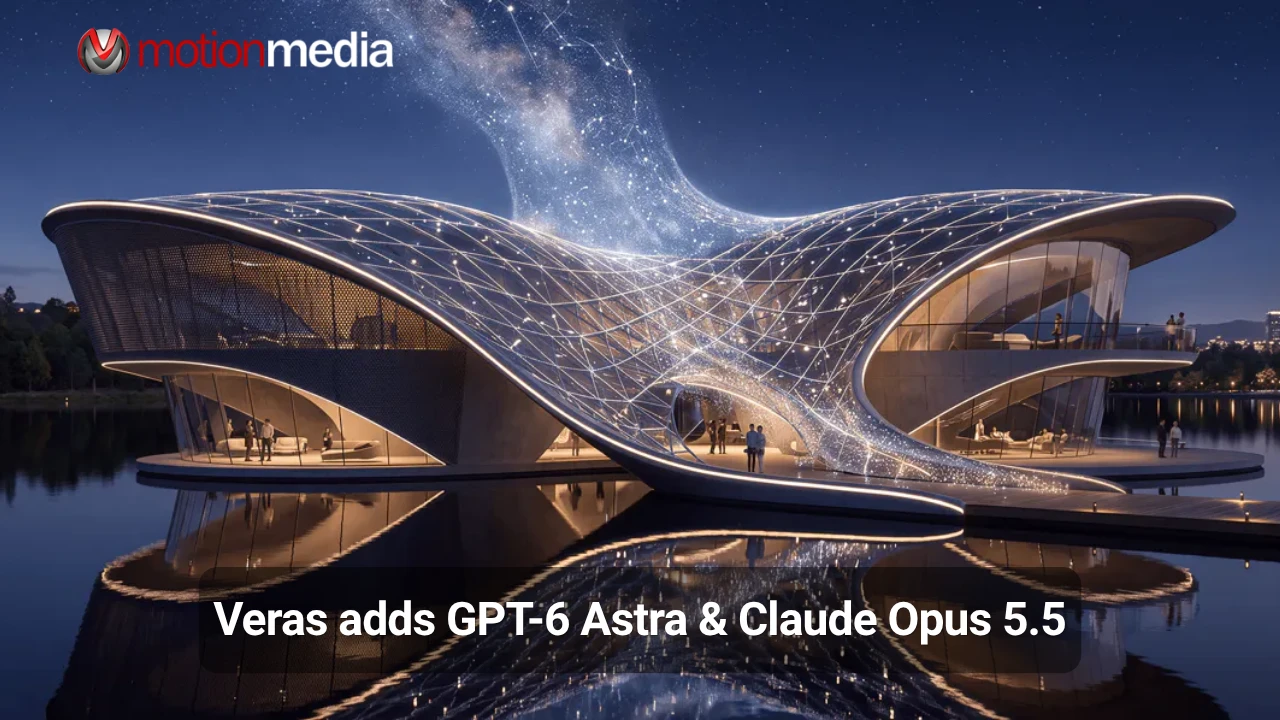
AI visualization can help architects and designers explore a concept, but turning that visual direction into an editable 3D model introduces another challenge. Veras 5.2 expands AI-assisted design with an Agent mode that builds structured 3D scenes from reference images and transfers the resulting geometry directly into Revit, Rhino, or SketchUp.
The workflow uses GPT-6 Astra as the default modeling agent, with Claude Opus 5.5 available as an alternative. Instead of stopping at a generated image, users can bring the resulting scene into their design application and continue refining it as editable geometry.
For professionals working in architectural design, interior design, and 3D visualization, the key change is the connection between visual references and a model they can continue to edit.
Veras 5.2 introduces Agent mode for constructing 3D scenes from visual inputs. Users can provide up to 12 reference images, including renderings, photographs, sketches, the current host-application view, and snapshots from the 3D viewer.
Combining multiple views gives the agent more information about the space and its visible features.
Users can choose between two modeling agents:
The agent builds the scene step by step, creating elements such as walls, floors, roofs, doors, windows, openings, cameras, and furniture. It can also handle more complex forms, including curved walls, tilted and swept solids, profiles, section roofs, and openings cut through solids.
Veras also compares its work against the supplied references and attempts to correct discrepancies. When a detail cannot be determined from the available information, a question-mark marker identifies the assumption directly in the model.
This gives designers a more practical starting point for developing a visual concept into geometry they can inspect and refine. The generated model should still be reviewed for dimensional accuracy, design intent, and project-specific requirements before further use.
The main difference between generating an image and generating a structured model is what happens after the initial result. An image can communicate the appearance of a design, but it does not provide the same editing capabilities as geometry inside a modeling application.
Veras 5.2 uses its BAKE function to transfer the generated scene directly into a supported host application as native, editable geometry. This eliminates the need for an intermediate export-and-convert step.
The output depends on the application:
Native baking is supported in Revit, Rhino, and SketchUp.
For designers, this means the generated scene can serve as a foundation for further modeling rather than remaining an isolated image or a single generated object. The extent of further editing required will depend on the references, model complexity, and intended use.
Creating geometry is only part of building a scene. Furniture, finishes, and other visual elements also contribute to how a space is presented.
Veras 5.2 can use Chaos Cosmos during model construction to incorporate available assets, including furniture and other scene elements. Rather than creating everything from scratch, the selected agent can search for suitable content in the Cosmos library.
It can also look for materials that match surfaces in the scene, including brick and oak flooring. These materials can then be baked into the host model.
This connection between geometry, assets, and materials helps bring more of the scene-building process into a single workflow. Designers can then review and adjust the generated result in their preferred modeling application.
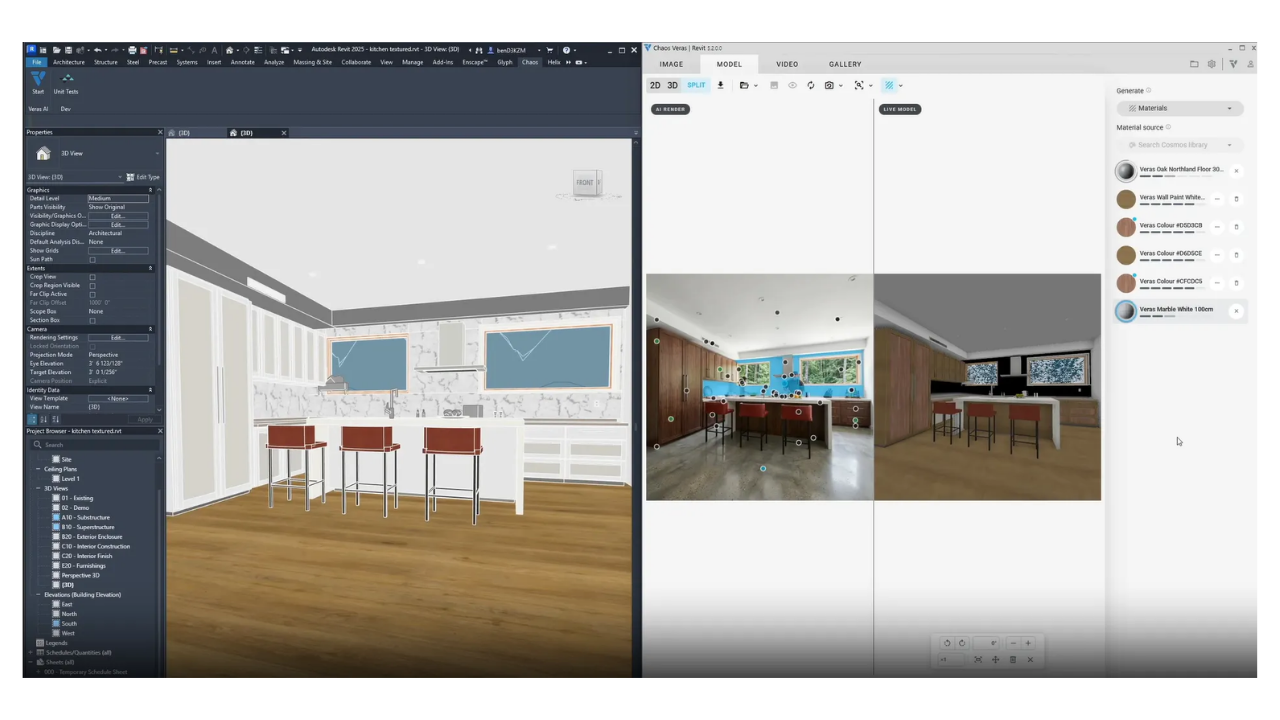
Alongside Agent mode and native baking, Veras 5.2 adds tools for material creation, asset reuse, and model navigation.
The Material Generator allows users to find matching materials in Chaos Cosmos or generate new ones through Chaos Cloud Material Gen. Materials can be applied to surfaces and baked into Revit, Rhino, or SketchUp.
Proxy Bake helps keep the host model lightweight by baking a proxy instead of the full detailed asset. Veras and Enscape retain the full asset for visualization, allowing users to work with a lighter scene while keeping the detailed content available for rendering.
Previously created 3D assets can be reused through the Gallery instead of being generated again. Users can search by name, category, or engine and place assets at the appropriate size and orientation.
Veras 5.2 adds GPT Image 2.5, GPT Image 2, and Grok Imagine 2, along with additional reference-image and quality options for supported generation workflows.
The updated 3D viewer includes a first-person walkthrough mode with keyboard controls, allowing users to move through the scene and inspect the model from within the 3D environment.
Together, these tools extend the workflow beyond initial model creation, supporting material exploration, asset reuse, and scene review.
Although AI-assisted modeling can help establish a starting point, the quality of the result depends on the available references and the complexity of the scene.
Before incorporating a generated model into a larger project, review:
Veras 5.2 provides a way to move from reference-based concepts to editable geometry, but it does not eliminate the need for design review. Treat the generated model as a starting point for professional refinement rather than assuming that every detail is automatically correct.
Chaos announced a limited-time offer providing 2,000 free GPT-6 Astra model-generation credits throughout October 2026.
Based on Chaos' stated average usage of approximately 500 credits per model, the offer could cover around four models. Actual credit consumption varies according to model complexity, so the number of models users can generate may differ.
Existing Veras, Enscape, V-Ray, and Corona users can check their available updates to access Image to 3D and the broader Veras 5.2 feature set. Users exploring the software for the first time can also review the available trial.
The credit offer is time-limited. Check the official Veras updates page for current availability and applicable terms before redeeming the offer.
Veras 5.2 brings reference-based AI modeling closer to the everyday design workflow. With Agent mode, native geometry, Chaos Cosmos integration, and tools for materials and asset reuse, designers can move from visual concepts to editable scenes within supported applications.
Motion Media is an authorized Chaos reseller, and Chaos Veras licenses and other Chaos software licenses are available through our online store.
Explore the Chaos Veras named annual license, view the Chaos Veras floating annual license, or browse Chaos software licenses to find an option that fits your workflow.
Share: