
 Account

Free Cinema 4D and Redshift Mask Selection Tool Pack (9 Procedural Mask Tools)
POSTED 1st OF Jun, 2026, Posted by Summer Magdaraog

POSTED 1st OF Jun, 2026, Posted by Summer Magdaraog
A free procedural masking tool pack is available for Cinema 4D and Redshift. It provides nine node-based mask generators designed for shading, material blending, and texture control inside Redshift.
The tools generate grayscale masks based on geometry attributes, spatial data, surface direction, and camera or object distance. These outputs are used directly in Cinema 4D and Redshift node-based material workflows.
Compatibility:
The tool pack includes nine procedural mask generators:
Each tool outputs a grayscale mask (0–1 range) that can be used in Redshift materials, Cinema 4D shaders, or vertex-based workflows.
All tools are designed to replace or reduce manual mask creation by generating procedural selections directly in the node editor.
The masks are used for:
The system is procedural, meaning outputs update automatically when scene geometry, camera position, or object transforms change.
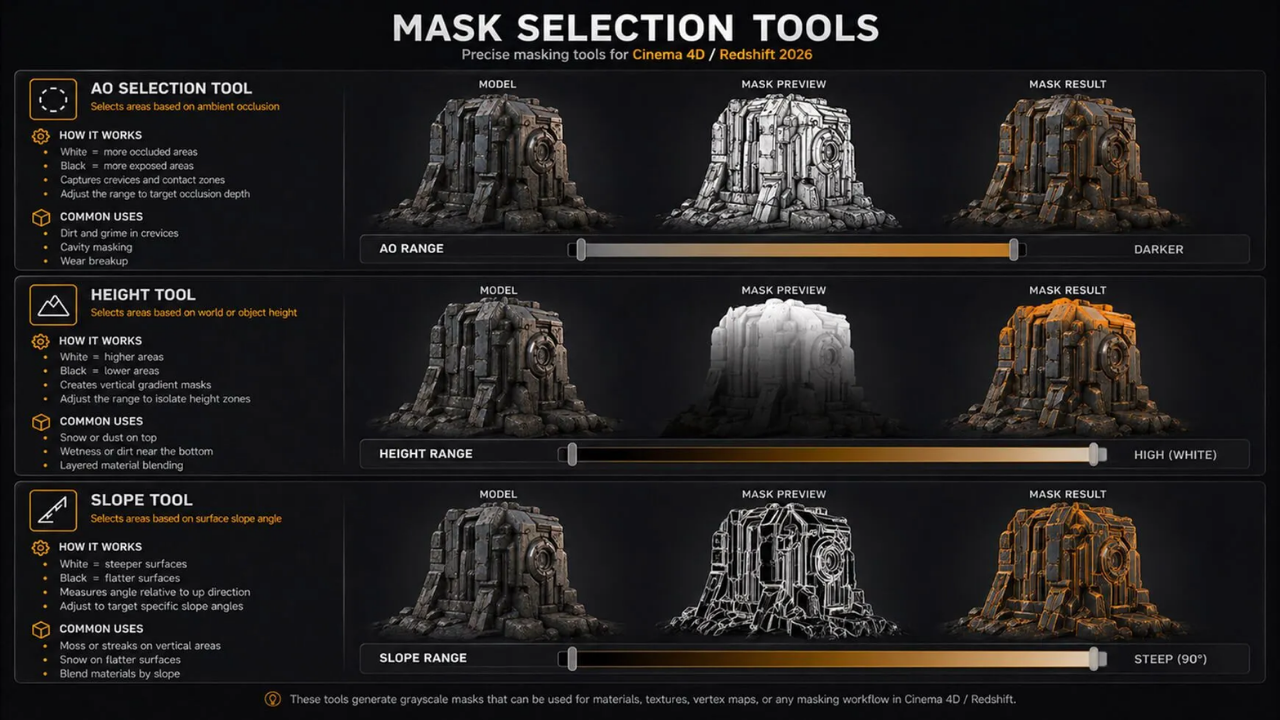
Generates masks based on ambient occlusion.
Used for:
Generates masks based on world or object-space height.
Used for:
Generates masks based on surface angle relative to the up axis.
Used for:
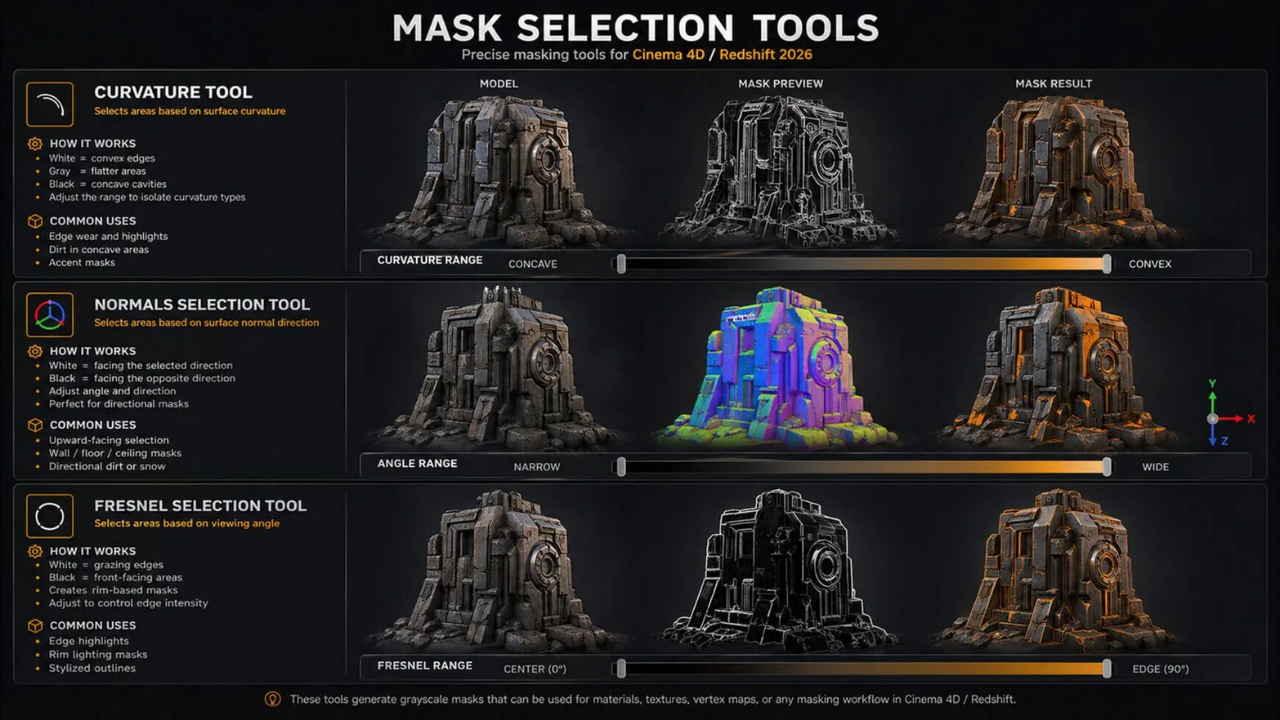
Generates masks based on surface curvature.
Used for:
Generates masks based on surface normal direction.
Used for:
Generates masks based on viewing angle.
Used for:
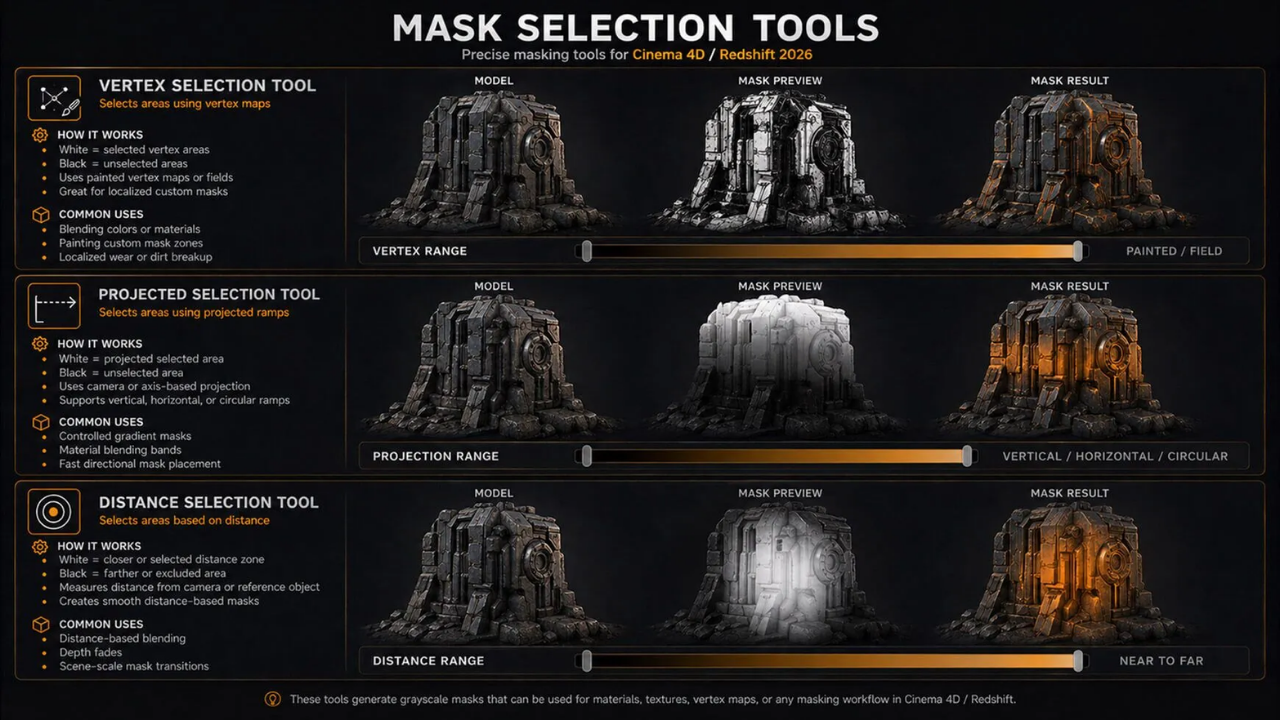
Uses vertex maps or vertex paint data as mask input.
Used for:
Generates masks using projection-based gradients.
Supports:
Used for:
Generates masks based on distance from camera or reference object.
Used for:
The tool pack integrates directly into Cinema 4D and Redshift node systems.
Key behavior:
The tool pack provides nine procedural mask generators for Cinema 4D and Redshift. Each tool produces grayscale masks based on geometry attributes, spatial position, surface direction, or camera distance. These masks are used for procedural shading, material blending, and surface control inside node-based workflows.
These procedural workflows are built for modern Cinema 4D and Redshift pipelines, where node-based shading and material control are central to production efficiency.
For teams and individual artists working with Cinema 4D and Redshift, having proper licensing and access to the latest updates is essential for stable production workflows.
Motion Media provides official licensing, subscriptions, and renewal options for Cinema 4D and Redshift.
You can use Motion Media as a direct source for:
If you are integrating procedural tools like this mask selection pack into production work, Motion Media serves as a centralized licensing and procurement point for Cinema 4D and Redshift workflows.
Share: