
 Account

What's New in Redshift 2026.8? Features, Performance Improvements, and Compatibility Updates
POSTED 24th OF Jul, 2026, Posted by Summer Magdaraog

POSTED 24th OF Jul, 2026, Posted by Summer Magdaraog

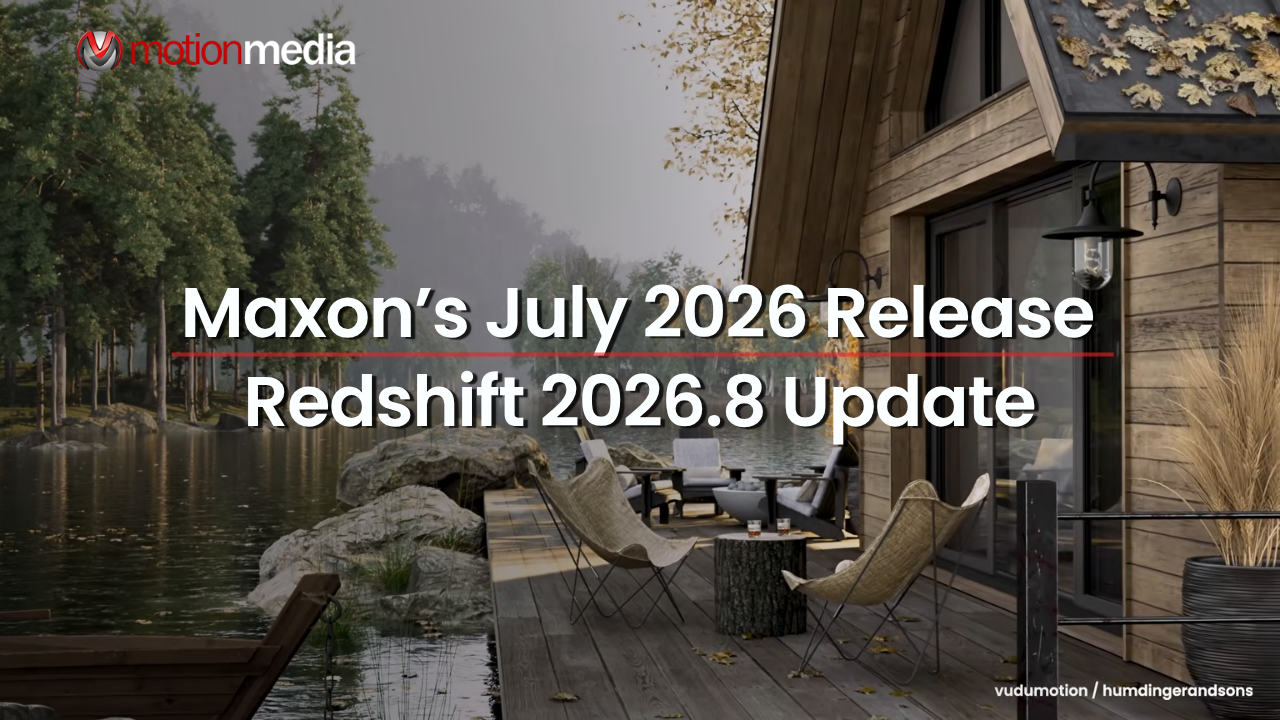
Maxon has released Redshift 2026.8, introducing new rendering capabilities, workflow enhancements, and compatibility updates across supported host applications. The release adds a new procedural shader, improves rendering performance, updates color management with ACES v2 support, and includes numerous stability improvements for Cinema 4D, Maya, 3ds Max, Houdini, Hydra, USD, and other supported integrations.
Here's a closer look at what's included in this release.
The July 2026 update focuses on improving both rendering workflows and production stability. Key additions include:
Redshift 2026.8 introduces a new Scratches shader node, giving artists another procedural option for creating worn or weathered surfaces.
Instead of relying entirely on image-based scratch textures, the new node generates surface imperfections directly within the material graph. Because it is procedural, the effect can be adjusted and reused across different materials while remaining fully editable throughout the shading workflow.
This addition is particularly useful for creating reusable material libraries where procedural control is preferred over baked textures.
Performance improvements are a major focus of this release.
Redshift 2026.8 reduces CPU renderer initialization time and improves Interactive Preview Render (IPR) responsiveness when moving geometry. These optimizations help shorten iteration times when making adjustments during look development or lighting.
The update also improves performance in several other areas, including:
While these changes don't introduce new rendering features, they contribute to a smoother day-to-day workflow, particularly in larger production scenes.
Studios using color-managed pipelines will find an important update in Redshift 2026.8.
The release includes a new OpenColorIO (OCIO) configuration that adds support for ACES v2.0, improved file rules, and compatibility with OCIO v2.4 profiles. These updates help align Redshift with current industry color management standards while providing a more consistent workflow across supported applications.
Redshift 2026.8 expands its environmental rendering capabilities with support for high-altitude cloud layers, allowing cloud systems to be placed at higher elevations within atmospheric scenes.
The release also addresses several issues affecting volumetric rendering, including:
These improvements help deliver more reliable results when working with volumetric effects and atmospheric environments.
Redshift Live receives several updates aimed at improving responsiveness and reliability.
New support for trace depths provides additional rendering control, while backend improvements reduce material shader compilation time and improve scene updates as objects are added or modified.
The release also resolves several platform-specific issues, including:
Together, these changes improve the overall experience when working with live rendering workflows.
Cinema 4D users receive several workflow improvements in Redshift 2026.8.
The RenderView interface has been updated by moving menus beside the burger menu, creating more vertical workspace within the window. Particle Groups also gain new controls for selecting the scale or radius source, providing greater flexibility when working with particle-based effects.
Additional improvements include:
Redshift 2026.8 supports:
Important: Redshift 2026.8 is not compatible with Cinema 4D 2026.0, 2026.1, or 2026.2. Users running these versions will need to update Cinema 4D before installing this release.
Redshift 2026.8 includes several updates that improve stability and usability for Maya users, particularly during interactive rendering.
One of the most noticeable changes is that the Material Viewer can now remain open while a main render, Interactive Preview Render (IPR), or material preview is running, allowing artists to continue reviewing materials without interrupting their workflow.
The update also resolves issues affecting rendering accuracy for several shader nodes, including Redshift Surface Tangent, Redshift State, and OpenPBR materials. In addition, post effects connected to either the Render Options node or camera nodes are now displayed correctly in the Render View.
Several stability improvements have also been made, addressing crashes related to displacement nodes, Motion Blur, unsupported volume types, and opening new scenes while IPR or the Material Viewer is active.
For 3ds Max, Redshift 2026.8 introduces improvements to material previews, color management, and rendering workflows.
Users can now preview Redshift Color Correct nodes directly in the Material Editor and viewport, making it easier to evaluate material adjustments without starting a render.
The release also adds support for IFL image sequences in Optical Bokeh, Optical Distortion, and Background settings, expanding options for animated camera effects.
Other improvements include:
Redshift 2026.8 expands compatibility with the latest Houdini production build by adding support for Houdini 21.0.729 while discontinuing support for 21.0.631.
Hydra integration also receives several updates, including support for cusp smoothing angles in Redshift Render Geometry Settings and support for orphan materials in Hydra 2.0. This allows global shaders to be used without requiring placeholder material assignments.
Additional fixes improve rendering stability, threading, and RenderVar output, while reducing the likelihood of crashes in scenes where multiple objects share the same material.
For USD workflows, the command-line renderer now supports rendering multiple render products in a single operation. The update also fixes issues affecting environment, contour, and volume shaders.
Architectural visualization tools receive one of the largest sets of workflow enhancements in this release.
Scatter tools are now more flexible, with new options to:
Navigation has also been refined by separating Walk and Fly movement speeds, making it easier to work in scenes of different scales.
Other workflow improvements include:
Maxon has also resolved several usability issues affecting the Material Manager, Storyboard, View Manager, navigation tools, and synchronization with supported host applications.
In addition to new features, Redshift 2026.8 includes a broad range of fixes that improve reliability across supported platforms.
Highlights include:
The release also includes platform-specific fixes for Vectorworks, Revit, Hydra, and Redshift Live, further improving stability across production environments.
Before updating to Redshift 2026.8, verify that your host application is supported.
| Host Application | Compatibility |
| Cinema 4D | 2023, 2024, 2025, and 2026.3 or later |
| Maya | Supported with the latest Redshift integration |
| 3ds Max | Supported |
| Houdini | Added support for 21.0.729 |
| Hydra | Updated with new rendering and material support |
| USD | Added support for multiple render products |
Important: Redshift 2026.8 is not compatible with Cinema 4D 2026.0, 2026.1, or 2026.2.
Redshift 2026.8 focuses on improving production workflows rather than introducing sweeping changes to the renderer. The release adds a new procedural Scratches shader, updates color management with ACES v2 support, improves rendering performance, and expands compatibility across supported host applications.
For artists using Cinema 4D, Maya, 3ds Max, Houdini, or USD-based pipelines, the update also delivers a wide range of workflow refinements and stability fixes that make day-to-day rendering more reliable.
If you're planning to update, be sure to confirm that your host application meets the compatibility requirements particularly if you're using Cinema 4D, where Redshift 2026.8 requires version 2026.3 or later.
Looking to add Redshift to your production pipeline or upgrade your existing license?
As an authorized Maxon reseller, Motion Media provides genuine Redshift, Cinema 4D, and Maxon One licenses for creative professionals, studios, educational institutions, and businesses. Whether you're choosing a new subscription or confirming compatibility with your current workflow, our team can help you find the right licensing option.
Explore our Redshift solutions or contact Motion Media to learn more about the latest Maxon releases.
Share: