
 Account

Krotos Studio 3.0 Adds Searchable Sounds to the Sound Design Workflow
POSTED 29th OF Oct, 2026, Posted by Summer Magdaraog

POSTED 29th OF Oct, 2026, Posted by Summer Magdaraog

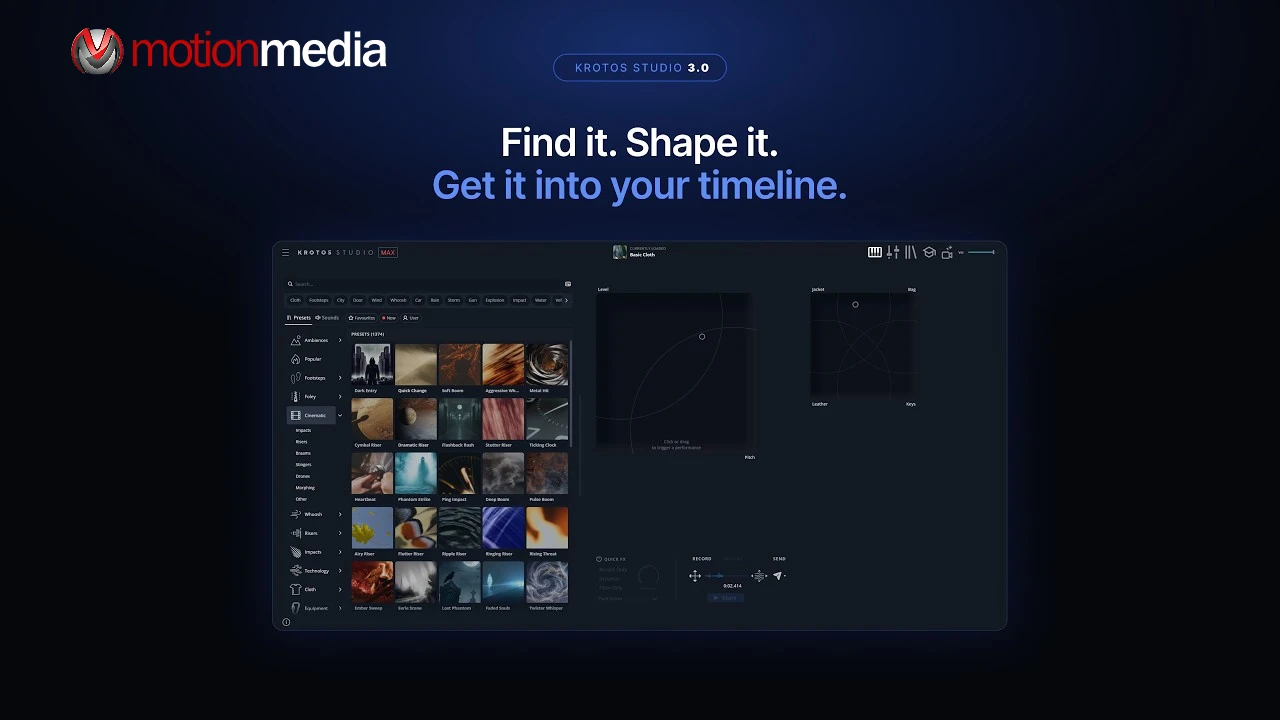
Krotos Studio 3.0 introduces a searchable sound library alongside its existing sound-performance tools, allowing users to find individual recordings, audition and adjust them, and transfer sounds into their editing sessions. The update also adds a resizable standalone interface, expanded sound categorization, and browser access to additional creative tools.
Available to Krotos Studio, Krotos Studio Pro, and Krotos Studio Max subscribers, version 3.0 combines two approaches to sound design: selecting individual recordings from the Krotos library and performing customized sounds to match the action on screen.
The main change in Krotos Studio 3.0 is the addition of individual sound recordings to the application's browser. Users can now search for, audition, adjust, and place recordings from the Krotos library without leaving the app.
This gives sound designers and editors more flexibility when choosing how to build a sound effect. They can select an individual recording when it fits the scene or load a preset and perform a custom sound when they need more control over how the effect responds to the action on screen.
Both approaches are available within the same workflow, bringing sound selection and sound performance together in Krotos Studio.
Krotos Studio 3.0 brings individual recordings and presets together in the browser, allowing users to search for sounds and compare options in one place.
The workflow follows four steps:
This workflow provides an alternative to switching between separate sound-search and sound-creation processes. Users can choose an existing recording or create a performance depending on the needs of the project.
Beyond the searchable sound library, version 3.0 introduces updates to library navigation, interface customization, and access to creative tools.
The Krotos Studio 3.0 announcement lists the following library sizes by subscription:
According to Krotos, every plan can audition every sound. The listed library size varies by subscription.
Version 3.0 also includes more than 300 subcategories across presets and individual sounds. Combined with the updated browser, these categories give users additional ways to navigate the available recordings and presets.
The standalone application window is now resizable, including a compact perform-only panel that can sit beside an editing workspace.
This allows users to adapt the interface to their available screen space while working in another application. They can keep the performance controls accessible without needing to dedicate the entire workspace to Krotos Studio.
The update also introduces a darker default appearance, with Classic and Graphite themes. Sound and preset results can be displayed using list, card, or grid thumbnails.
Krotos Studio 3.0 brings the AI Ambience Generator and Image to Preset into the browser.
These tools are now accessible alongside the application's sound-search and preset-browsing workflow, giving users access to additional creative options without leaving the browser.
Krotos states that new sounds and presets are added every month. The company describes this content as royalty-free for commercial use.
However, the types of projects permitted depend on the subscription. Users should check the applicable license terms before using sounds in productions with specific broadcast, film, video game, or commercial distribution requirements.
Krotos Studio 3.0 supports standalone and plugin workflows, but two features are specific to the standalone application: resizing the window and sending audio directly to Pro Tools using the Send button or S key.
The other version 3.0 features work in the standalone, VST, AU, and AAX versions.
For Pro Tools users working in the standalone application, the Send function places audio at the current cursor position. For other DAWs and NLEs, Krotos describes a drag-and-drop workflow for transferring sounds to the timeline.
Understanding this distinction helps users determine how Krotos Studio 3.0 fits into their existing editing setup.
Krotos Studio 3.0 supports both direct sound selection and performed sound creation. The appropriate approach depends on the sound and the scene.
Use an individual recording when an existing sound fits the project. Search the library, audition the available options, adjust pitch and volume, and place the recording in the session.
Perform a sound when you need to shape it to the picture. Load a preset and perform the effect when the timing or action on screen calls for a customized take rather than a fixed recording.
This flexibility lets sound designers and editors choose between existing recordings and performed sounds within one application. The searchable library broadens the ways users can work with Krotos Studio, while its performance tools remain available for creating sounds that respond to the picture.
Although Krotos describes its sounds and presets as royalty-free for commercial use, permitted usage depends on the subscription tier.
Under Krotos's current license terms, Krotos Studio covers personal projects, freelance and client content, and digital and social media advertising. Its standard Studio tier does not include use in television, cinema, broadcast media, video games, or large-scale commercial distribution. Krotos Studio Pro and Krotos Studio Max cover broader production uses, including the relevant film, television, game audio, and broadcast rights specified in their terms.
Review the current license terms and subscription details before selecting a plan for a particular production.
Krotos Studio 3.0 brings searchable sound recordings, preset browsing, sound performance, and new interface options into a more integrated workflow. For sound designers, video editors, and other audio professionals, the update offers more flexibility in finding, adjusting, and placing sounds within a production.
Ready to add Krotos Studio to your workflow? Explore Krotos Studio at Motion Media to review the available subscriptions and choose an option that fits your sound-design requirements.
Share: