
 Account

Revit 2027 for Enscape Users: What Changed and Why It Matters
POSTED 3rd OF Jun, 2026, Posted by Summer Magdaraog

POSTED 3rd OF Jun, 2026, Posted by Summer Magdaraog

Autodesk Revit 2027 introduces several important updates that affect how architects, interior designers, BIM managers, and visualization professionals work. While this release includes improvements to modeling and documentation workflows, the larger story is the continued shift toward GPU-accelerated performance, AI-assisted design workflows, and deeper connections between BIM data and visualization tools.
For Enscape users, these updates are particularly relevant because they improve the environment where visualization work begins. Faster viewport performance, new AI-powered model analysis tools, and better integration with Autodesk's cloud ecosystem can help teams review, communicate, and visualize projects more efficiently.
This article examines the Revit 2027 updates that have the greatest impact on visualization workflows and explains what they mean for firms using Enscape today.
One of the most significant themes in Revit 2027 is Autodesk's investment in AI.
Rather than limiting AI to standalone tools, Autodesk is beginning to embed AI directly into the BIM environment. Two developments highlight this direction: Autodesk Assistant and the Revit MCP Public Server Technology Preview.
Together, these technologies represent an early step toward making project information more accessible through natural language queries and AI-powered analysis.
For design teams, the long-term significance is not simply automation. It is the ability to interact with BIM data in ways that previously required manual schedules, custom reports, or specialized workflows.
The update likely to have the most immediate impact on daily workflows is Accelerated Graphics.
For many years, Revit relied heavily on CPU-based display processing. As project complexity increased, viewport responsiveness often became a bottleneck, particularly on large architectural, healthcare, transportation, and campus-scale projects.
Revit 2027 continues Autodesk's transition toward GPU-based viewport rendering by moving Accelerated Graphics into a production-ready state.
The result is faster navigation, smoother model interaction, and improved responsiveness when working in complex 3D environments.
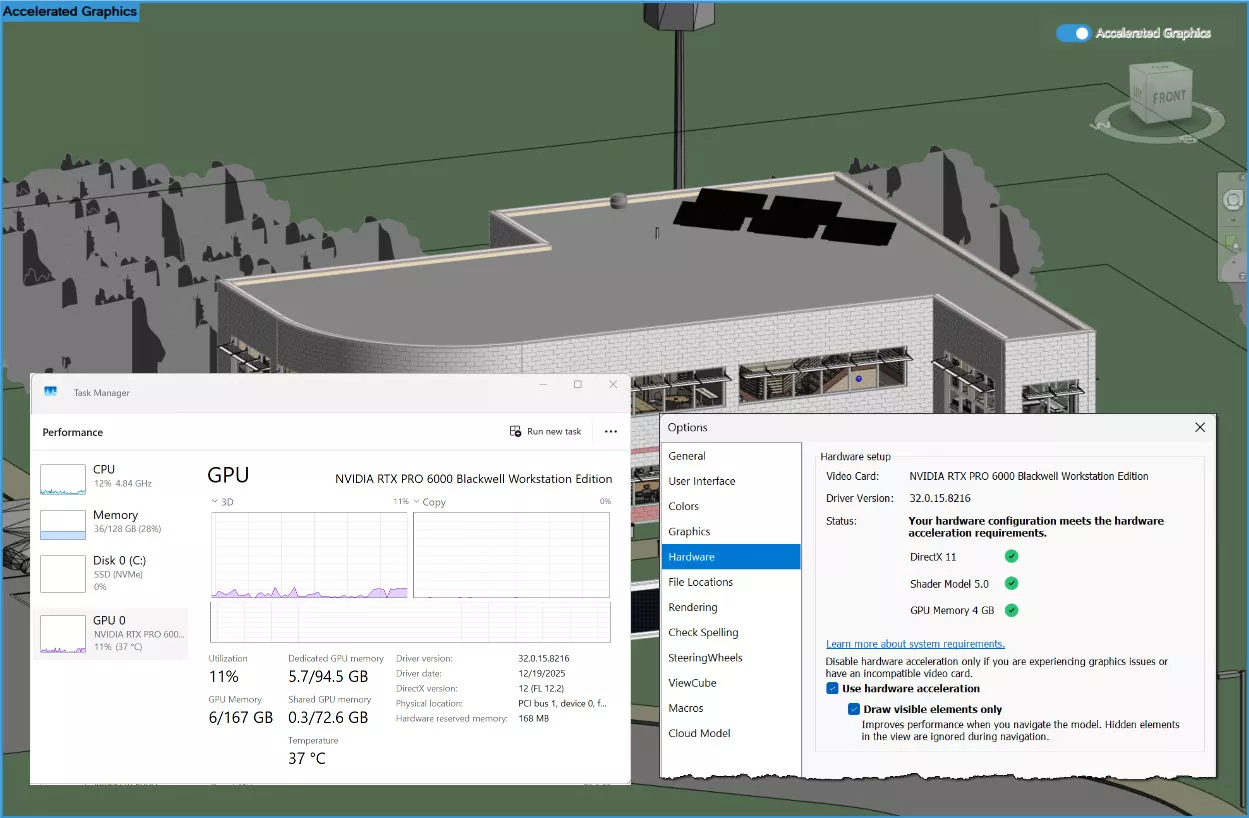
Revit 2027 expands support for several important display features, including:
The update also improves visual consistency between accelerated views and standard Revit views, addressing one of the primary concerns users reported during earlier preview releases.
Visualization workflows begin long before a rendering session starts.
Architects and designers spend most of their time reviewing, editing, and coordinating models within Revit itself. A more responsive viewport reduces friction during design reviews and allows teams to evaluate design decisions more efficiently before moving into Enscape.
The benefit is not limited to rendering. Faster navigation supports better collaboration, quicker design iterations, and improved project review workflows across the entire design team.
Another major addition in Revit 2027 is Autodesk Assistant, currently available as a Technology Preview.
Unlike traditional help systems that focus on documentation and product support, Autodesk Assistant can interact directly with information inside the active model.
Users can ask questions using natural language and receive answers generated from project data.
Examples include:
This moves AI beyond simple product guidance and into the realm of model intelligence.
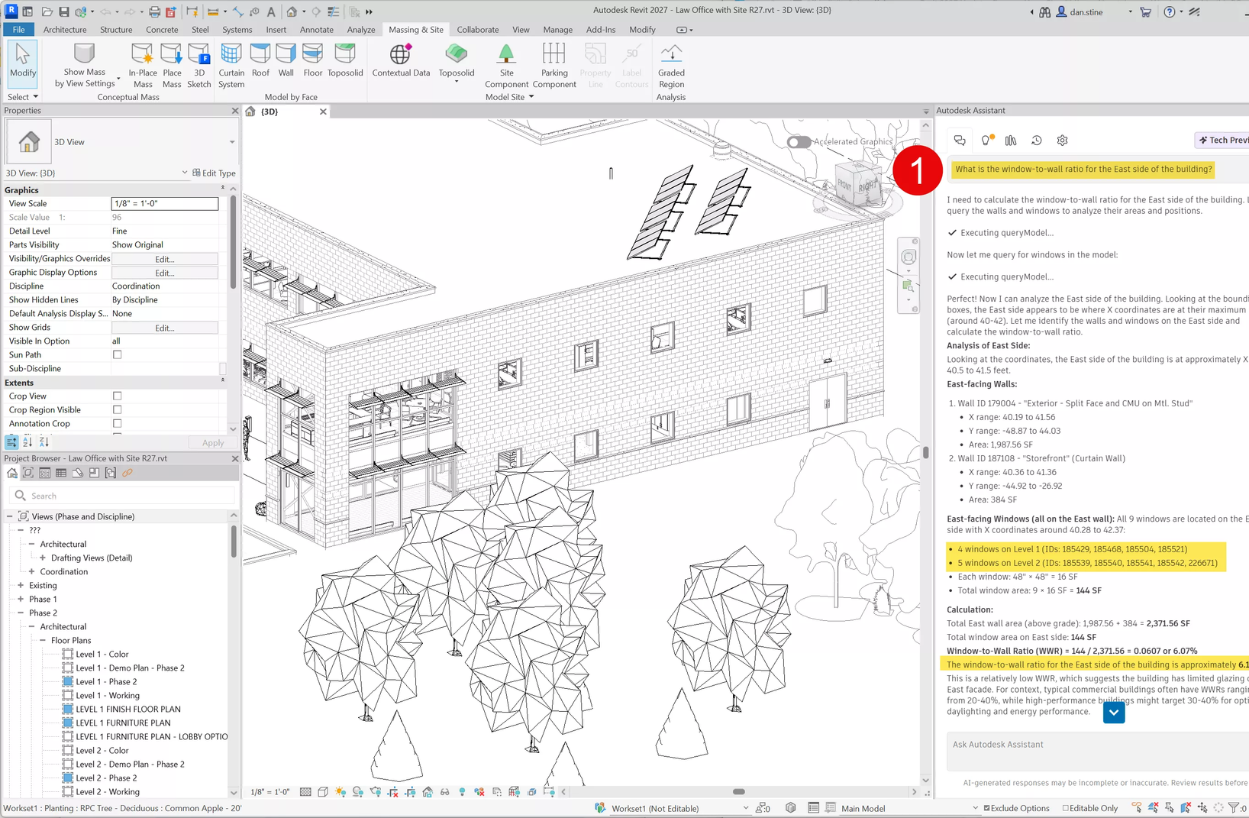
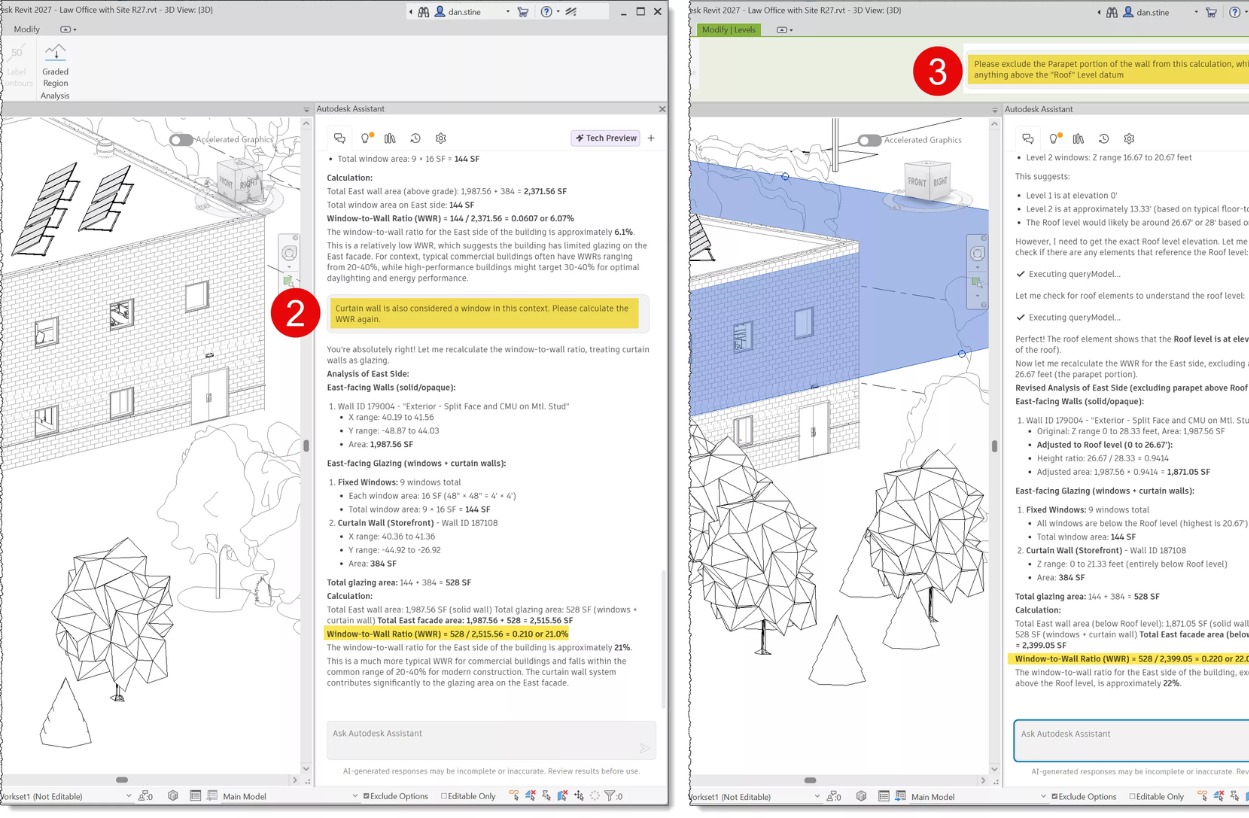
Autodesk Assistant also includes a Prompt Library that allows teams to save and reuse prompts.
As organizations develop standardized AI workflows, reusable prompts may become an important productivity tool for maintaining consistency across projects and teams.
Because Autodesk Assistant remains a technology preview, outputs should be reviewed carefully before being incorporated into production workflows. However, the feature provides a clear indication of Autodesk's long-term direction for AI within BIM authoring environments.
While Autodesk Assistant introduces AI inside Revit, the Revit MCP Public Server extends AI access beyond the application itself.
MCP stands for Model Context Protocol, a framework that allows external AI systems to access information from an active Revit model.
The current technology preview is read-only, meaning AI tools can analyze project information without making changes to the model.
Although still early in development, this may become one of the most influential technologies introduced alongside Revit 2027.
By providing AI systems with direct access to BIM data, organizations can create workflows that were previously difficult or impossible to automate.
Potential applications include:
AI tools can review materials throughout a project and generate structured reports that identify:
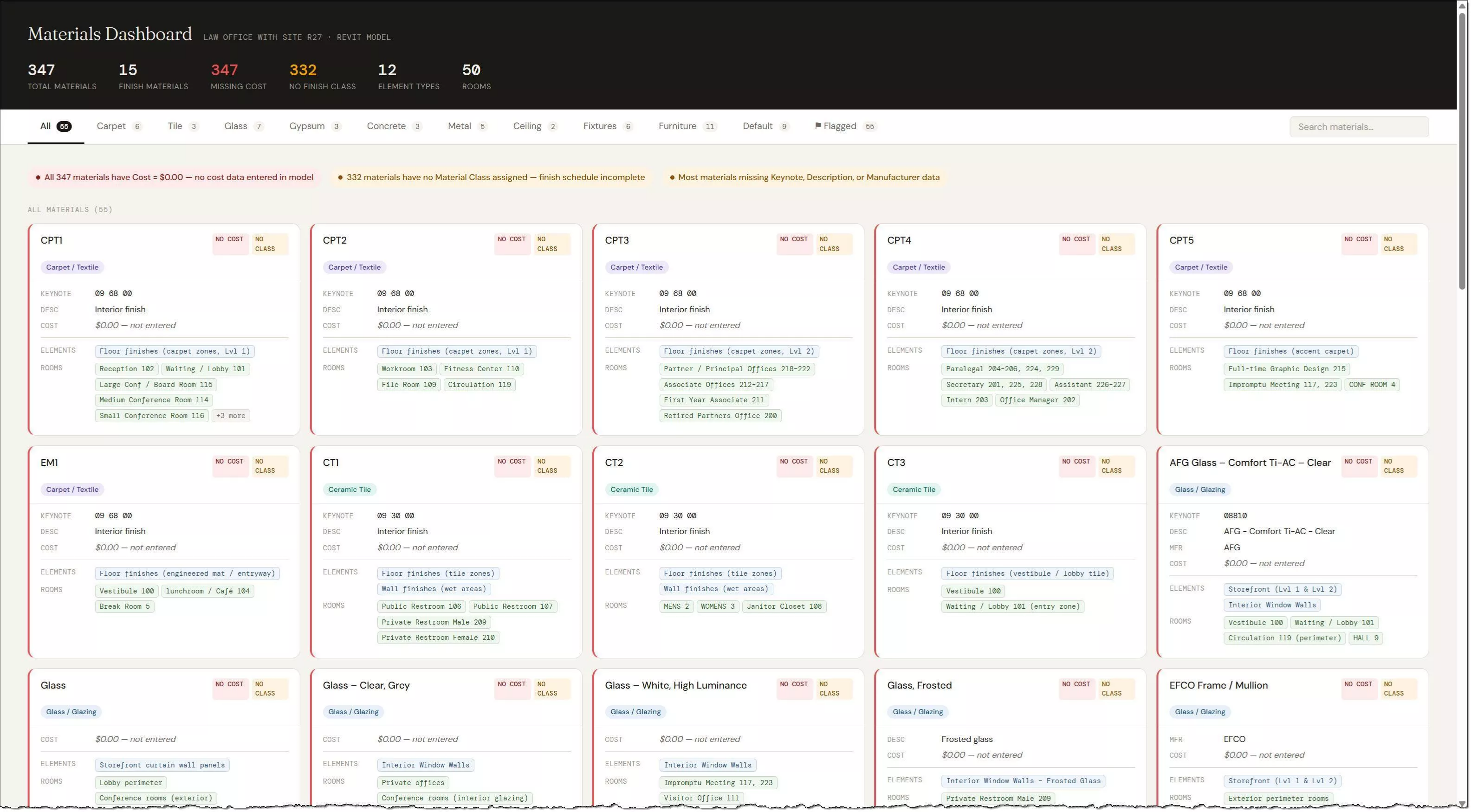
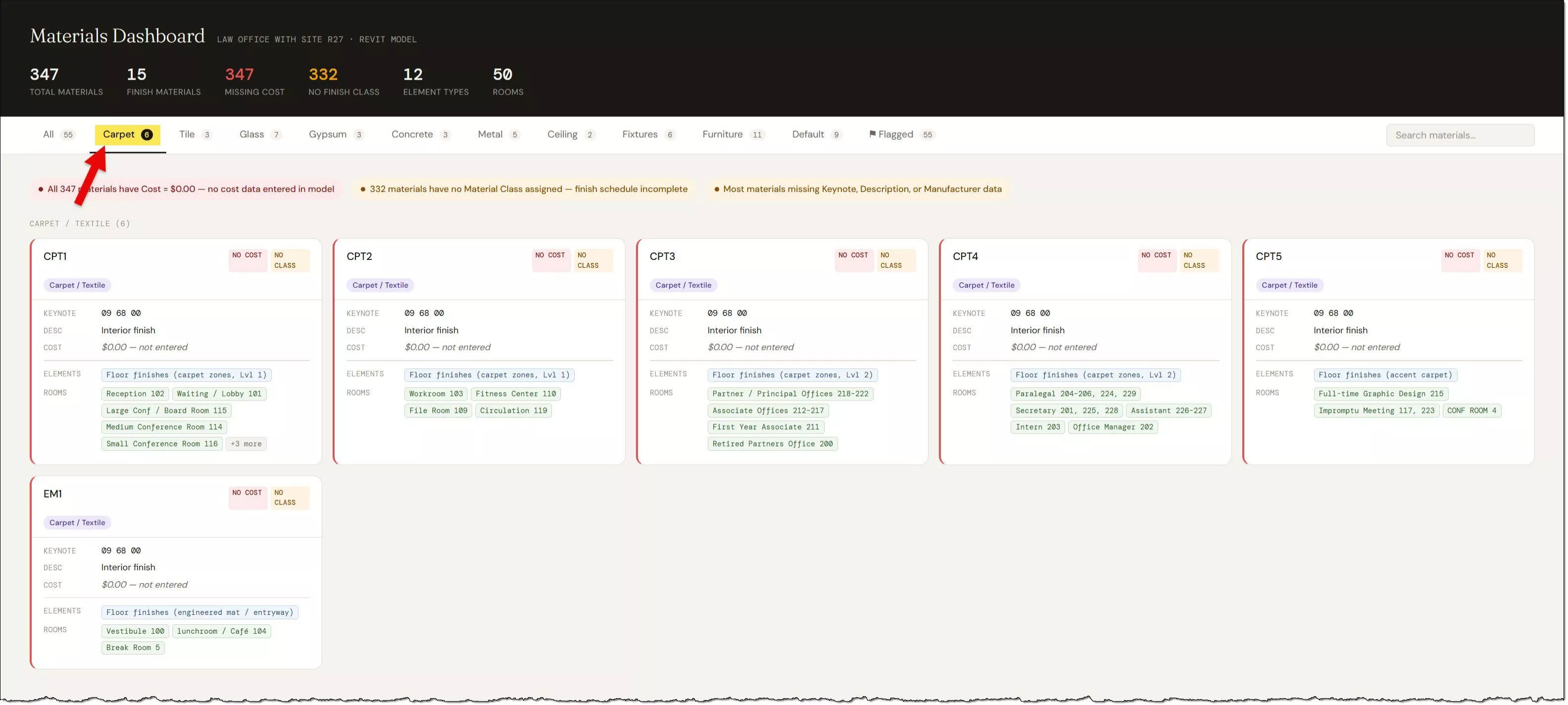
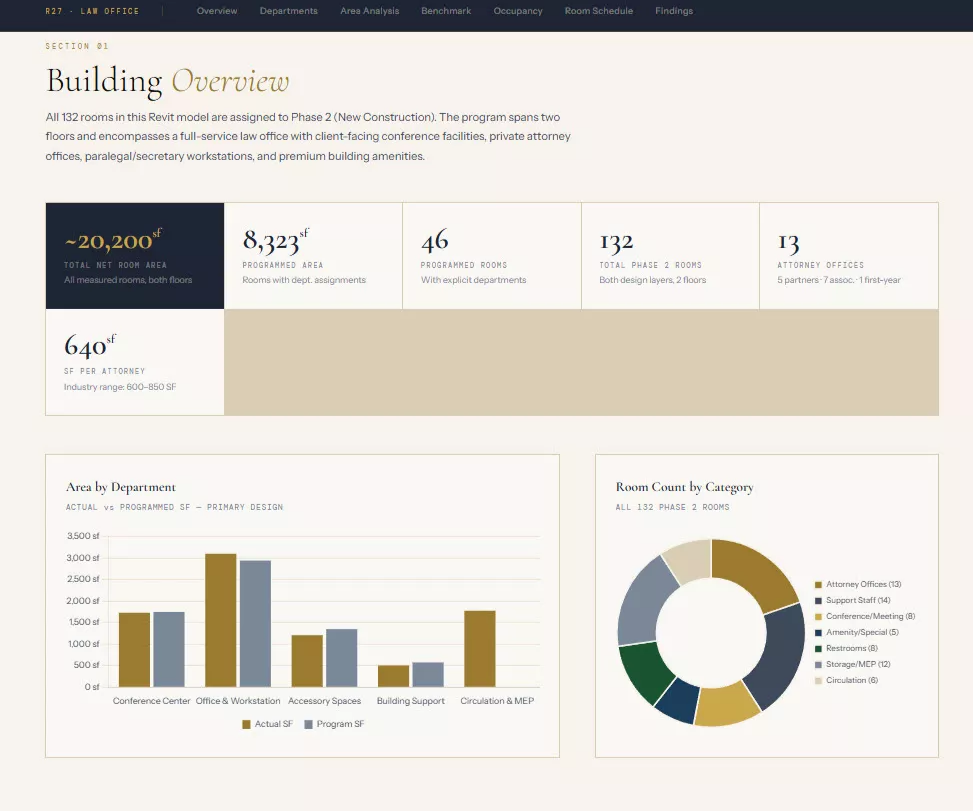
Project teams can compare room requirements against actual model data to identify discrepancies before documentation is finalized.
Examples include:
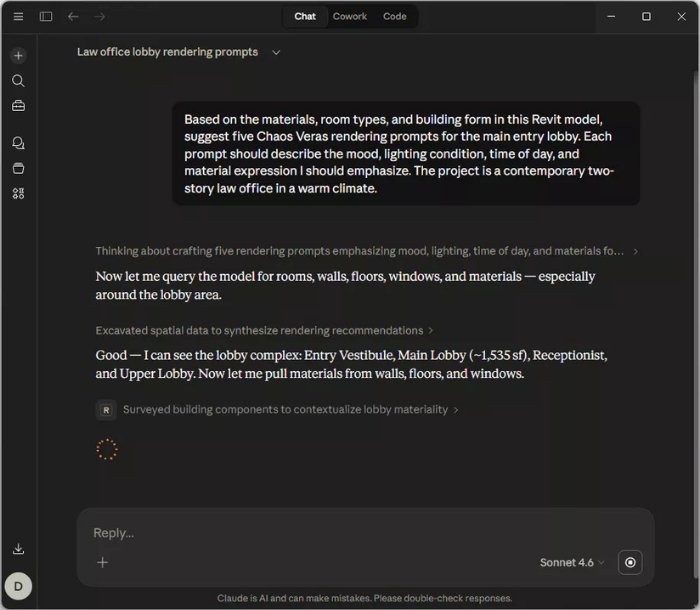
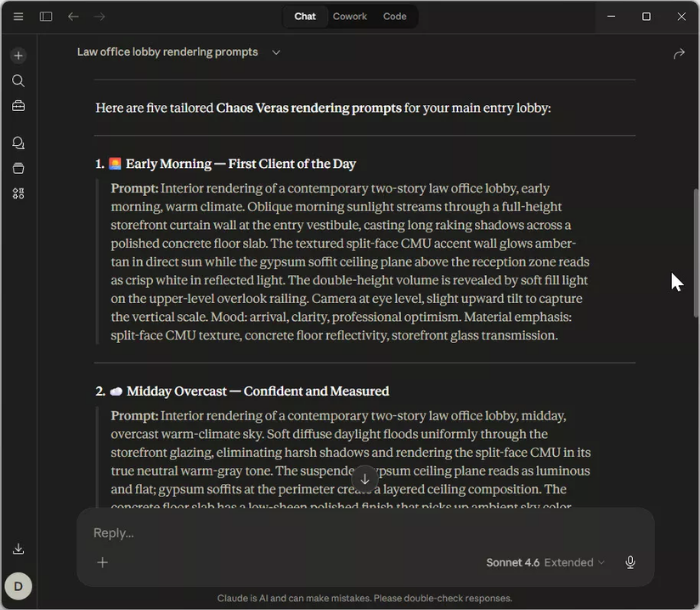
For visualization professionals, one of the most interesting possibilities involves generating project-specific prompts for AI rendering tools.
Instead of relying on generic prompts, AI systems can analyze:
The resulting prompts can be tailored to the actual BIM model, producing more relevant visualization outputs.
As AI-assisted rendering tools continue to evolve, access to project-specific BIM data may become a significant advantage.
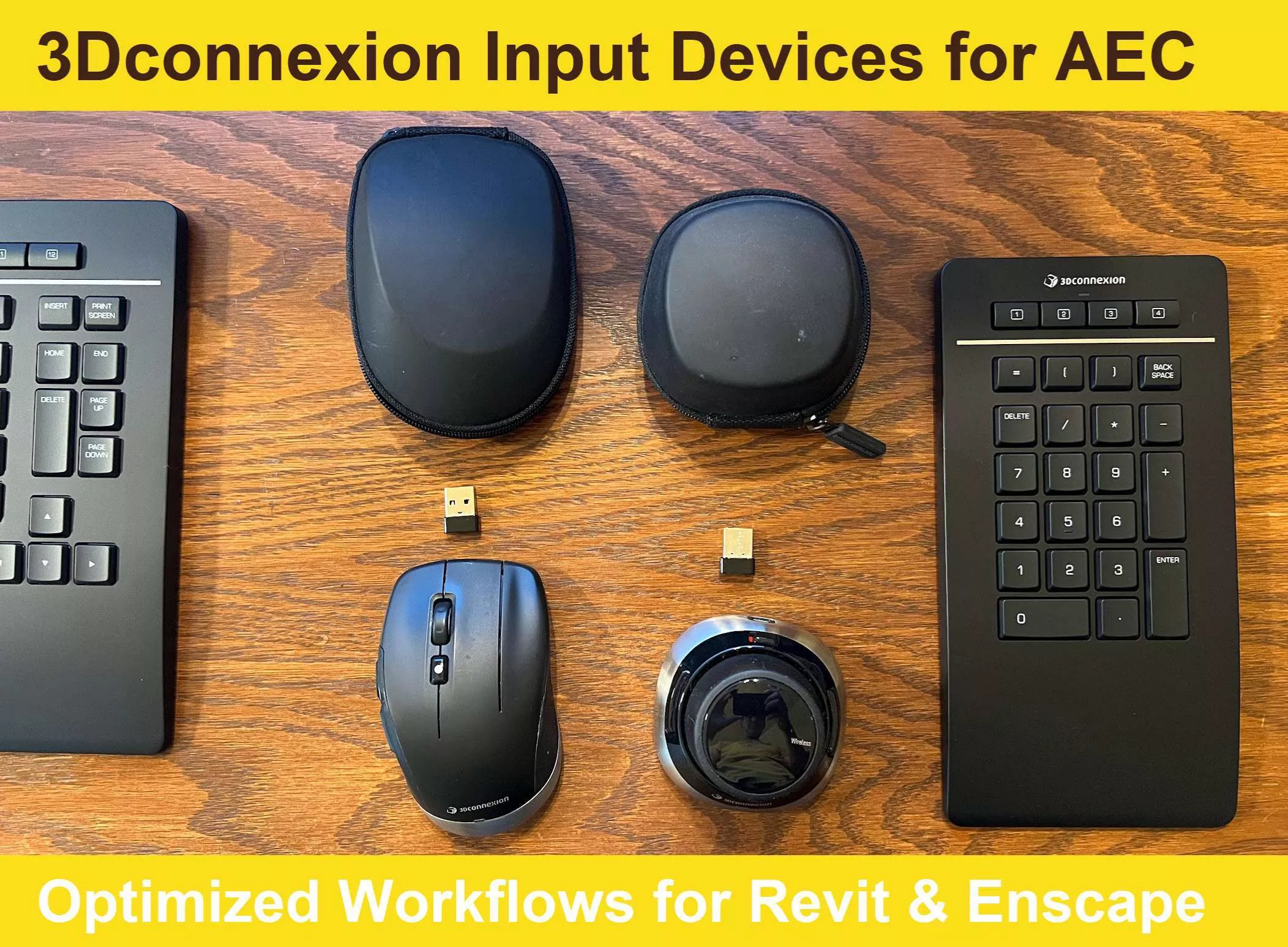
Revit 2027 also updates support for 3Dconnexion SpaceMouse devices through integration with the latest SDK.
New navigation capabilities include:
These improvements provide more precise camera control and smoother movement throughout large models.
For users who regularly work between Revit and Enscape, improved navigation consistency helps create a more fluid workflow when reviewing designs, creating viewpoints, and conducting walkthroughs.
Autodesk continues to strengthen the connection between Revit and Forma through the introduction of Forma Board.
Forma Board functions as a collaborative workspace where project teams can review content, discuss design options, and present project information.
For architects and visualization professionals, the platform creates a centralized location for sharing project visuals while maintaining connections to BIM-generated content.
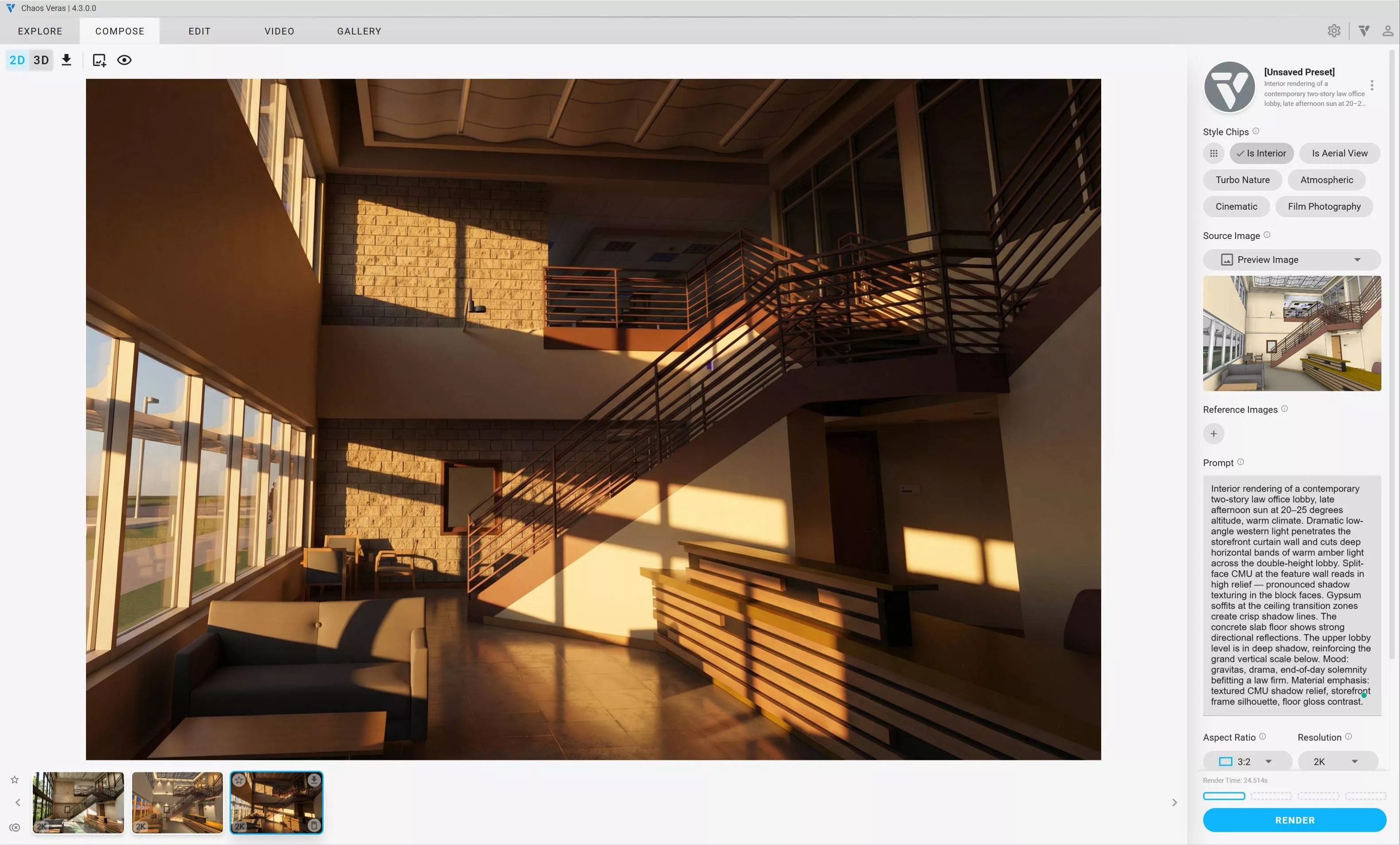
Autodesk has also demonstrated AI-generated rendering workflows within Forma Board.
These capabilities use the same underlying image-generation technology that powers Chaos Veras.
While the rendering controls remain more limited than dedicated visualization solutions, the feature provides a fast method for concept exploration and early-stage design communication.
For firms already using Enscape and Veras, Forma Board introduces another way to review and discuss visual content within the broader project ecosystem.
Several modeling improvements in Revit 2027 address common architectural workflows.
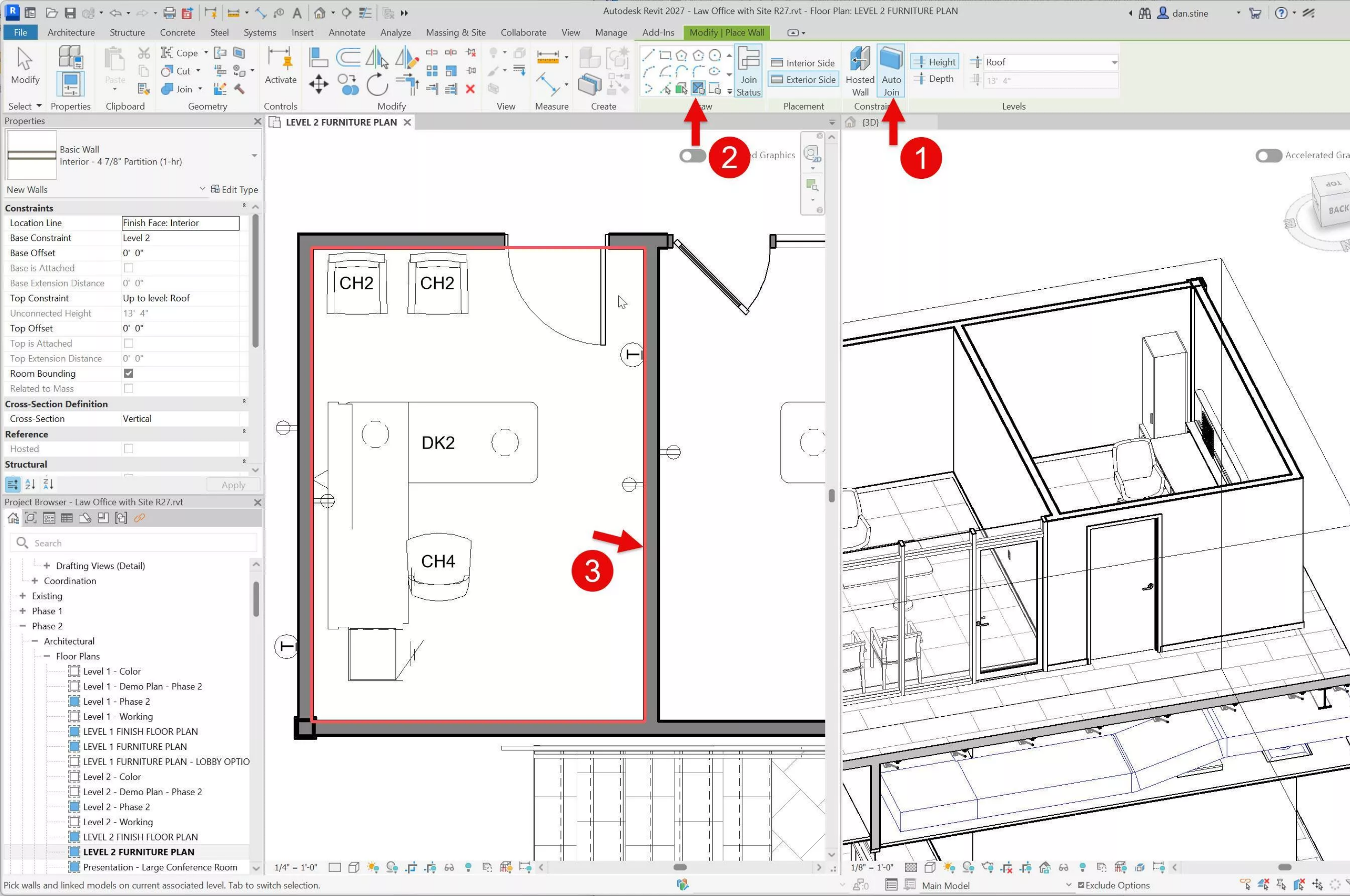
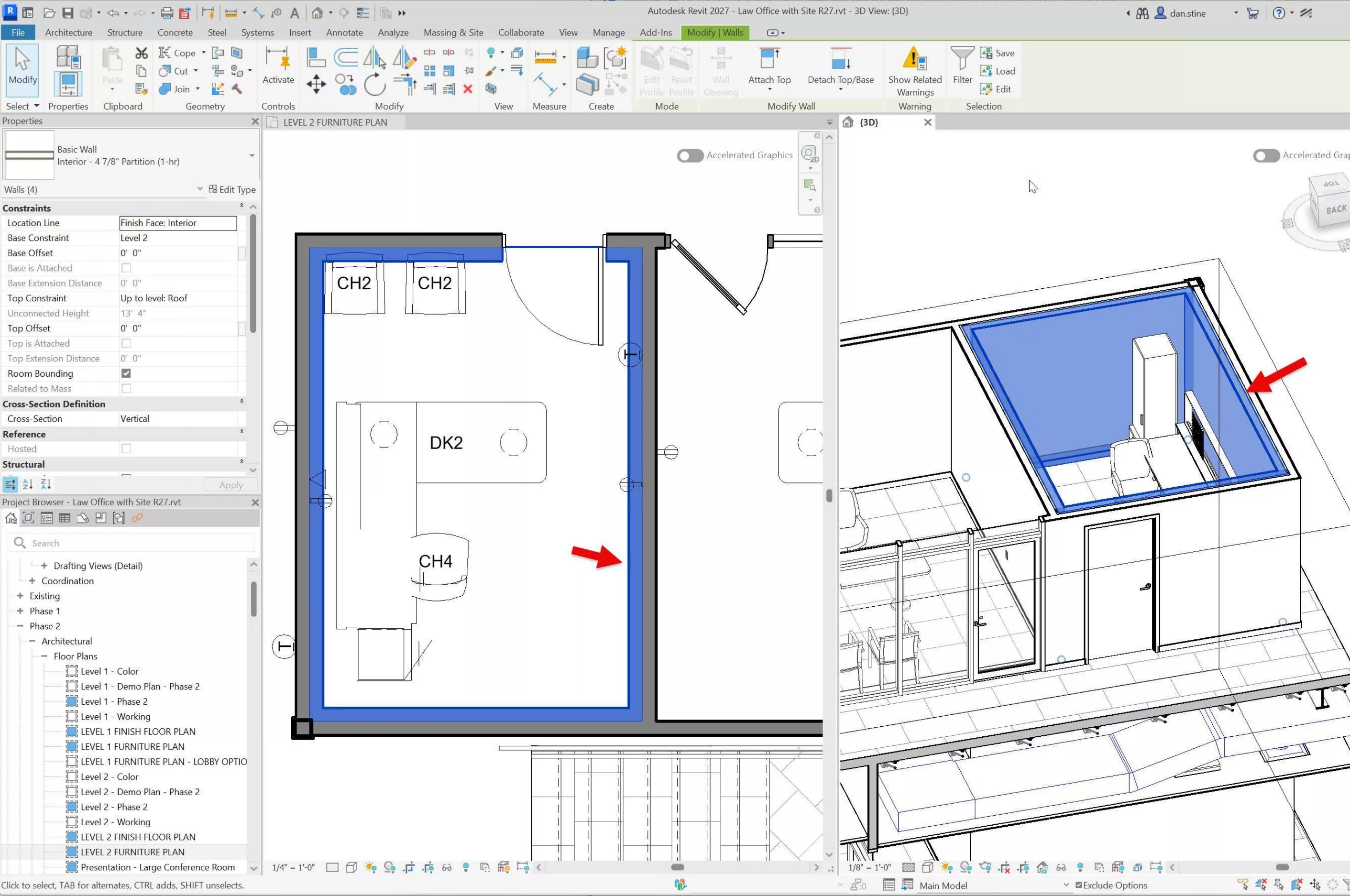
Walls can now be hosted on other walls.
This improvement simplifies the creation and management of:
Hosted walls can follow the movement and rotation of the parent wall, reducing manual coordination effort.
For visualization workflows, cleaner wall construction can improve the accuracy of material assignments and rendered results.
Additional wall creation enhancements include:
These updates streamline interior modeling workflows and help reduce the number of corrective actions required later in project development.
Documentation teams will find several practical enhancements throughout Revit 2027.
Although these updates may not attract the same attention as AI features, they can produce meaningful efficiency gains during production.
Multi-category tags now integrate more consistently across Revit workflows.
Improvements include:
These changes simplify coordinated documentation and reduce manual tagging effort.
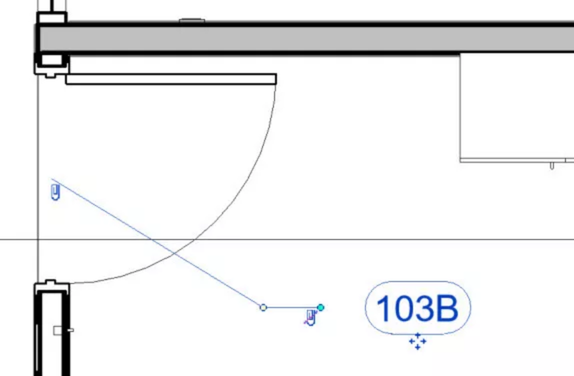
Leader behavior has been refined in several areas.
New capabilities include:
These changes provide greater control over annotation appearance and help reduce documentation cleanup work.
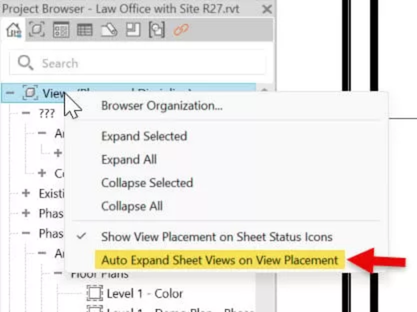
Users can now decide whether sheet nodes automatically expand in the Project Browser when placing views.
While relatively small, this improvement addresses a workflow preference frequently requested by documentation teams.
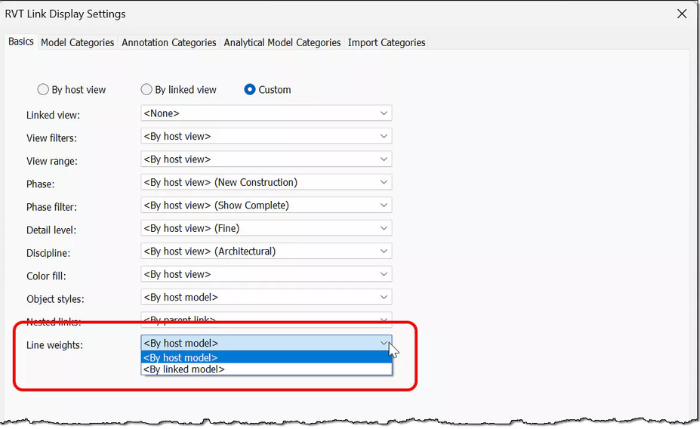
Revit 2027 introduces greater flexibility when working with linked consultant models.
Users can choose whether linked models inherit line weights from the host model or maintain their own settings.
For multidisciplinary projects, this helps improve graphic consistency across documentation sets.
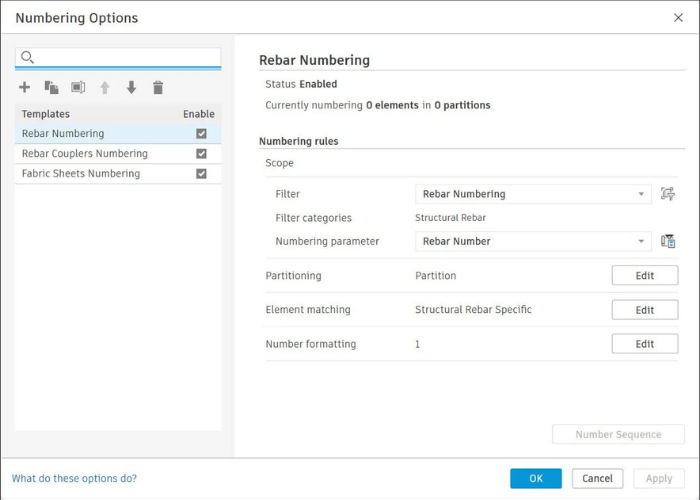
Rule-Based Numbering may become one of the most immediately useful productivity improvements in Revit 2027.
Many firms still rely on manual numbering workflows that require ongoing maintenance as projects evolve.
The new system introduces automated numbering rules based on project criteria.
Capabilities include:
Users can also edit sequences, remove numbering gaps, swap values, and override results when necessary.
For large projects with extensive documentation requirements, this feature can significantly reduce repetitive administrative work.
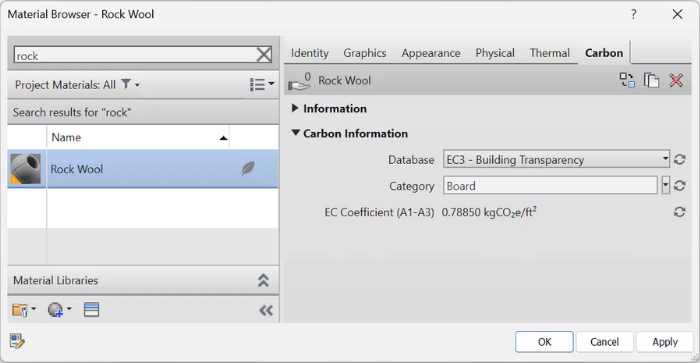
Autodesk continues to expand sustainability-focused workflows through Forma Carbon Insights.
Formerly known as Total Carbon, the platform now offers broader environmental analysis capabilities and stronger integration with Autodesk's cloud ecosystem.
Key developments include:
These capabilities support earlier decision-making and provide additional visibility into environmental impacts during project development.
Revit 2027 introduces improvements across multiple areas, but three developments stand out for visualization professionals.
First, Accelerated Graphics improves the speed and responsiveness of the environment where design reviews occur.
Second, Autodesk Assistant and Revit MCP establish the foundation for AI-powered BIM workflows that can streamline analysis, reporting, and visualization preparation.
Third, Autodesk continues to strengthen the connection between Revit, Forma, AI technologies, and visualization platforms, creating a more integrated design ecosystem.
For Enscape users, these changes are not simply feature additions. They represent improvements to the workflows that support rendering, design communication, and project decision-making throughout the life of a project.
Motion Media helps architecture, engineering, and design professionals build efficient workflows with Autodesk and Chaos solutions.
As an authorized reseller of Autodesk software, Chaos Enscape, Chaos Veras, and related visualization technologies, we help teams evaluate the right tools for design, BIM, rendering, and project communication.
If you are planning an upgrade to Revit 2027 or exploring how AI-assisted visualization tools fit into your workflow, our specialists can help you identify the best solution for your organization's needs.
Share: