
 Account

Redshift 2027.0 Adds Official Support for Archicad 30
POSTED 19th OF Oct, 2026, Posted by Summer Magdaraog

POSTED 19th OF Oct, 2026, Posted by Summer Magdaraog

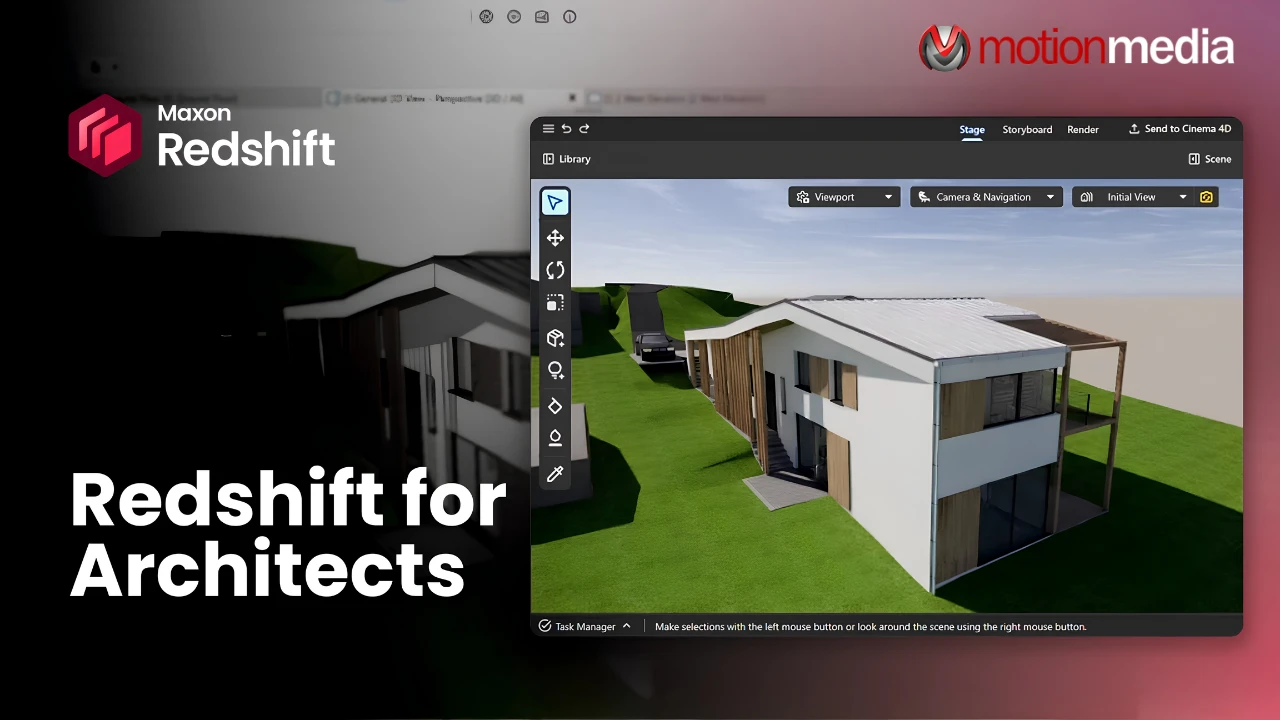
Redshift 2027.0 brings official support for Graphisoft Archicad 30, giving architects a new way to visualize and refine building designs within their existing BIM workflow. Released on October 14, 2026, the update makes Redshift for Archicad commercially available on Windows and macOS, with new rendering features for materials, lighting and camera effects.
The release adds ray-traced refraction, transparent shadows, ray-traced depth of field, custom material creation and a dedicated Light Manager. These tools give architectural teams more flexibility when evaluating designs, preparing client presentations and developing polished visualization assets.
For Archicad users exploring rendering software, the key development is the addition of an officially supported connection to Maxon's broader architectural visualization workflow.
The latest release introduces several capabilities that expand how architects can refine their scenes and evaluate the appearance of a design.
| Feature | What it means for architectural visualization |
| Ray-traced refraction | Helps produce more realistic previews of light passing through glass and other transparent materials. |
| Transparent shadows | Improves the representation of shadows involving transparent surfaces. |
| Ray-traced depth of field | Adds camera-focus effects that can help direct attention within a presentation image. |
| Faster shader compilation | Improves the shader preparation process during interactive work. |
| Custom material creation | Allows users to create materials from scratch using physically based rendering (PBR) controls. |
| Light Manager | Provides dedicated controls for creating, positioning and adjusting supplemental Redshift lights. |
The practical benefit depends on the scene and the intended output, but these updates give users more control over the details that shape an architectural image.
Architectural teams need to make design decisions while also communicating those decisions clearly to clients, project partners and other stakeholders. Rendering can help bridge that gap, particularly when materials, lighting and camera views influence how a proposed space is understood.
Redshift for Archicad connects the current Archicad scene to Redshift for visualization. According to Maxon's Archicad setup documentation, users select the Archicad connection during installation, then start the connection to load the current scene into Redshift.
Camera synchronization can be configured to work in one direction or bidirectionally. This allows users to coordinate viewpoints between the two applications while working on a visualization.
For example, an architect can examine a proposed interior from a particular camera angle, refine its visual presentation and review the result without treating rendering as an entirely separate modeling task.
This connected workflow is especially relevant when a project undergoes frequent design reviews. It gives the team a way to develop presentation visuals alongside the architectural model, rather than relying exclusively on a separate export-and-render process.
Glass façades, windows and transparent partitions can have a noticeable effect on the appearance of an architectural visualization. The way light passes through these surfaces influences reflections, transparency and the overall impression of a space.
Redshift 2027.0 introduces ray-traced refraction and transparent shadows to improve the representation of these interactions in the preview. Ray-traced depth of field adds another tool for controlling camera focus in a scene.
These capabilities are useful when reviewing the visual treatment of an interior or exterior, particularly when a presentation needs to communicate more than the building's shape and layout. They give users additional ways to evaluate how the scene reads before producing a finished image.
The update also includes faster shader compilation, addressing part of the preparation process involved in interactive rendering. Maxon has not specified a universal time saving for every scene, so actual iteration speed will depend on the project and system configuration.
Architectural projects often call for particular finishes, from glazed surfaces and metal panels to wood, stone and interior materials. Existing assets can provide a starting point, but not every project has a suitable material ready to use.
With Redshift 2027.0, users can create custom materials directly in Redshift using physically based rendering controls. This extends the available workflow beyond materials converted from Archicad or selected from the Redshift Library.
For visualization teams, custom material creation offers a way to refine a surface's appearance when an existing option does not meet the requirements of the presentation. Material development can take place within the same visualization environment instead of depending entirely on predefined assets.
This is particularly relevant when the visual qualities of a finish are central to communicating the intended design.
Lighting a building as it is intended to function and lighting an image for presentation are related, but they are not always the same task.
Redshift's Light Manager introduces dedicated controls for supplemental Redshift lights. These lights remain separate from the host CAD model and its construction data, so users can refine presentation lighting without changing the architectural lighting scheme represented in the model.
Lights can be positioned and aimed in the Redshift viewport, with properties such as intensity and color temperature available for adjustment.
This gives architects and visualization specialists more flexibility when shaping the composition of an image. A particular room feature can be emphasized, an interior scene can be given additional depth, or the mood of a presentation can be refined without altering the building model's lighting information.
The distinction matters when a rendering must serve as both a design communication tool and a polished presentation asset.
Not every project needs the same level of visual development. Some require images for an upcoming design review, while others need animation, simulation or more elaborate presentation work.
Redshift for Archicad supports visualization within the BIM workflow. When a project calls for additional creative development, users can extend the workflow into Cinema 4D for advanced modeling, animation, simulation and production rendering.
Maxon's Archicad documentation also describes a Send to Cinema 4D workflow for saving the current project as a Cinema 4D project file. This provides a route for continuing work in Maxon's broader 3D environment.
Cinema 4D is an additional option for projects that need these capabilities, rather than a stated requirement for every Archicad rendering workflow.
Redshift for Archicad became commercially available with Redshift 2027.0 on October 14, 2026.
The release confirms support for:
Before installing or purchasing, confirm that your Archicad version, operating system and hardware meet Maxon's current requirements. The installation process also requires selecting the appropriate host application connection.
For setup instructions and the latest technical information, consult the official Redshift for Architects documentation and Archicad installation guide.
Redshift 2027.0 gives Archicad users more control over interactive visualization, material development and presentation lighting. With official Archicad 30 support, the release expands the applications available within Maxon's architectural visualization workflow.
For architects, BIM specialists and visualization teams evaluating rendering software, the update is worth considering when choosing tools to support both design reviews and finished presentation work.
As an authorized Maxon reseller, Motion Media can help U.S. customers explore available Maxon software and licensing options. Before ordering, confirm which current license includes the Redshift for Architects workflow and Archicad integration you need.
Explore Maxon software at Motion Media or contact our team to discuss licensing for your workflow.
Share: