
 Account

RailClone 7.3.5 Adds MAXScript and XML Access for 3ds Max Workflows
POSTED 25th OF Sep, 2026, Posted by Summer Magdaraog

POSTED 25th OF Sep, 2026, Posted by Summer Magdaraog

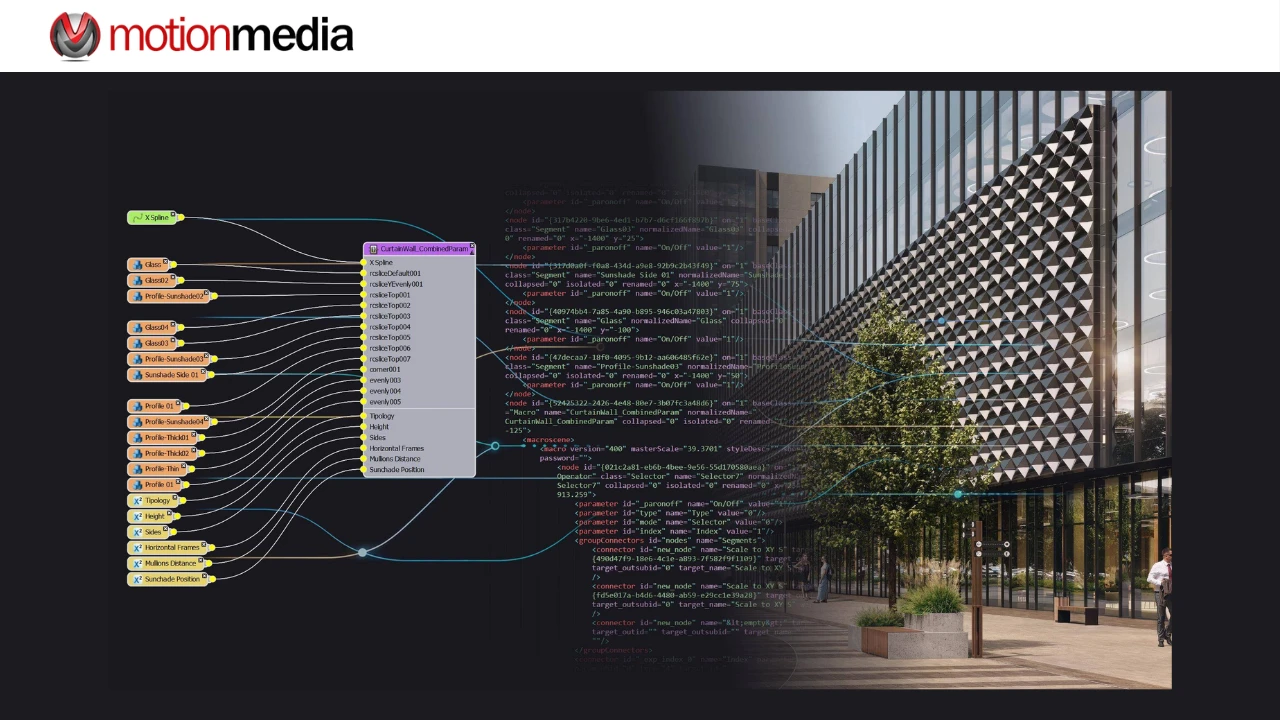
ITOOSOFT has released RailClone 7.3.5, the latest update to its procedural modeling plugin for Autodesk 3ds Max. The release introduces new MAXScript functions that expose RailClone styles and generated output in XML, opening up new possibilities for scripting, graph management, and experimental AI-assisted workflows.
RailClone 7.3.5 also improves RC Slice editing, Evenly distribution, 3D spline offsets, Link node selection, Compose alignment, and animated spline banking, along with several Library Browser and portable-format fixes.
Release: RailClone 7.3.5
Developer: ITOOSOFT
Platform: Autodesk 3ds Max
Key update: MAXScript access to RailClone graphs through XML
Workflow improvements: RC Slice, Evenly distribution, 3D offsets, Compose, spline banking
Additional fixes: Library Browser and .rail portable-format issues
Release date: September 14, 2026
The most significant addition in RailClone 7.3.5 is programmatic access to RailClone graph data through three new MAXScript functions.
| MAXScript function | What it does |
| railclone.getXMLStyle | Retrieves the current RailClone style in XML format. |
| railclone.setXMLStyle <xml> | Applies a RailClone style from XML and returns Ok when successful or an error if the XML cannot be applied. |
| railclone.getXMLOutput | Returns generated output items in XML, including source segments, transformation matrices, bounding boxes, tags, and other information. |
This gives technical artists and developers a way to read, modify, and transfer RailClone graph information through scripts.
It also creates a possible path for AI-assisted RailClone workflows. An external LLM such as ChatGPT or Claude could potentially interpret RailClone's XML structure, inspect an existing style, modify its graph data, or generate a new graph and pass it back to RailClone through a scripted workflow.
This is not a native ChatGPT or Claude integration. ITOOSOFT describes the LLM use case as an experimental possibility enabled by the new programmatic access to RailClone graphs.
RailClone 7.3.5 improves the RC Slice modifier with a clearer editing workflow.
Slice gizmos are now color-coded so users can more easily identify which gizmo belongs to each section. All gizmos also remain visible while the modifier is being edited, rather than appearing only in sub-object mode.
The RC Slice interface also includes clearer labels, making it easier to understand the relationship between modifier settings and the resulting slices.
The Generator > Evenly > Divide by Sections algorithm has been refined to handle additional edge cases.
The calculation takes the geometry at the start, end, and corners of an array into account when determining how segments should be distributed. RailClone 7.3.5 improves the results in configurations where previous versions could produce less-even spacing.
The Simple Y Offset option now applies to the Offset operator when working in 3D mode.
Simple Y Offset provides an alternative method for splines that overlap themselves. This can be useful for shapes such as roads or staircases that double back on themselves, where the standard offset behavior can produce unwanted results.
With 7.3.5, the setting also applies to the Spline Offset operator workflow.
Invisible wires created with the Link node are now excluded from selection while they remain hidden.
RailClone allows links to be hidden to reduce visual clutter in complex graphs. In 7.3.5, those hidden connections cannot be selected until they are made visible again, making multi-node and multi-link editing easier to manage.
RailClone 7.3.5 fixes an alignment issue that could occur when a Compose operator with an even number of segments was connected to a Generator's Corner input.
Previously, the absence of a single middle segment could cause the corner to align with a segment on either side of the center. A workaround was to insert a Null segment to create an odd number of inputs.
That workaround is no longer necessary. Compose output is now centered correctly at the corner regardless of the number or size of connected segments.
Spline banking can now be animated correctly in RailClone 7.3.5.
Previously, changes to animated banking values were not always reflected correctly in the viewport or final render. The update fixes this behavior for animated RailClone setups.
The release also addresses several smaller issues:
RailClone 7.3.5 is available to users with an active Maintenance Plan. Existing users can log in to the ITOOSOFT User Panel and open My Products to access the update.
Users with an expired Maintenance Plan can renew it to regain access to current RailClone versions, libraries, and technical support.
New users can also try RailClone Lite, the free edition of RailClone, which includes many of the core features of RailClone Pro and can be used for commercial projects.
Motion Media is an authorized reseller of ITOOSOFT software, including RailClone Pro for Autodesk 3ds Max.
Share: