
 Account

ForestPack 9.4.4 & RailClone: V-Ray 7.5, Corona 16
POSTED 12th OF Nov, 2026, Posted by Summer Magdaraog

POSTED 12th OF Nov, 2026, Posted by Summer Magdaraog
3D artists using ForestPack and RailClone can continue working with their preferred procedural tools following the release of V-Ray 7.5 and Corona 16. ITOOSOFT has introduced ForestPack 9.4.4 with support for both renderers, while RailClone users now have additional compatibility options and new features to explore through the RailClone 8 beta.
These updates provide greater flexibility for 3ds Max workflows, particularly for artists working on architectural visualization, environment creation, and procedural modeling.
Here's what you need to know about the latest versions, renderer compatibility, and available features.
The required update depends on which plugin and renderer you use.
| Plugin version | Renderer compatibility | Update requirement |
| ForestPack 9.4.4 | V-Ray 7.5 and Corona 16 | Update to version 9.4.4 |
| Existing RailClone versions | Corona 16 | No update required specifically for Corona 16 |
| RailClone 7.3.6 | V-Ray 7.5 | Non-beta compatibility update |
| RailClone 8 beta | V-Ray 7.5 | Optional beta with additional features |
ForestPack 9.4.4 introduces compatibility with V-Ray 7.5 and Corona 16, allowing artists to continue creating and rendering forests, vegetation, and detailed landscapes using either renderer.
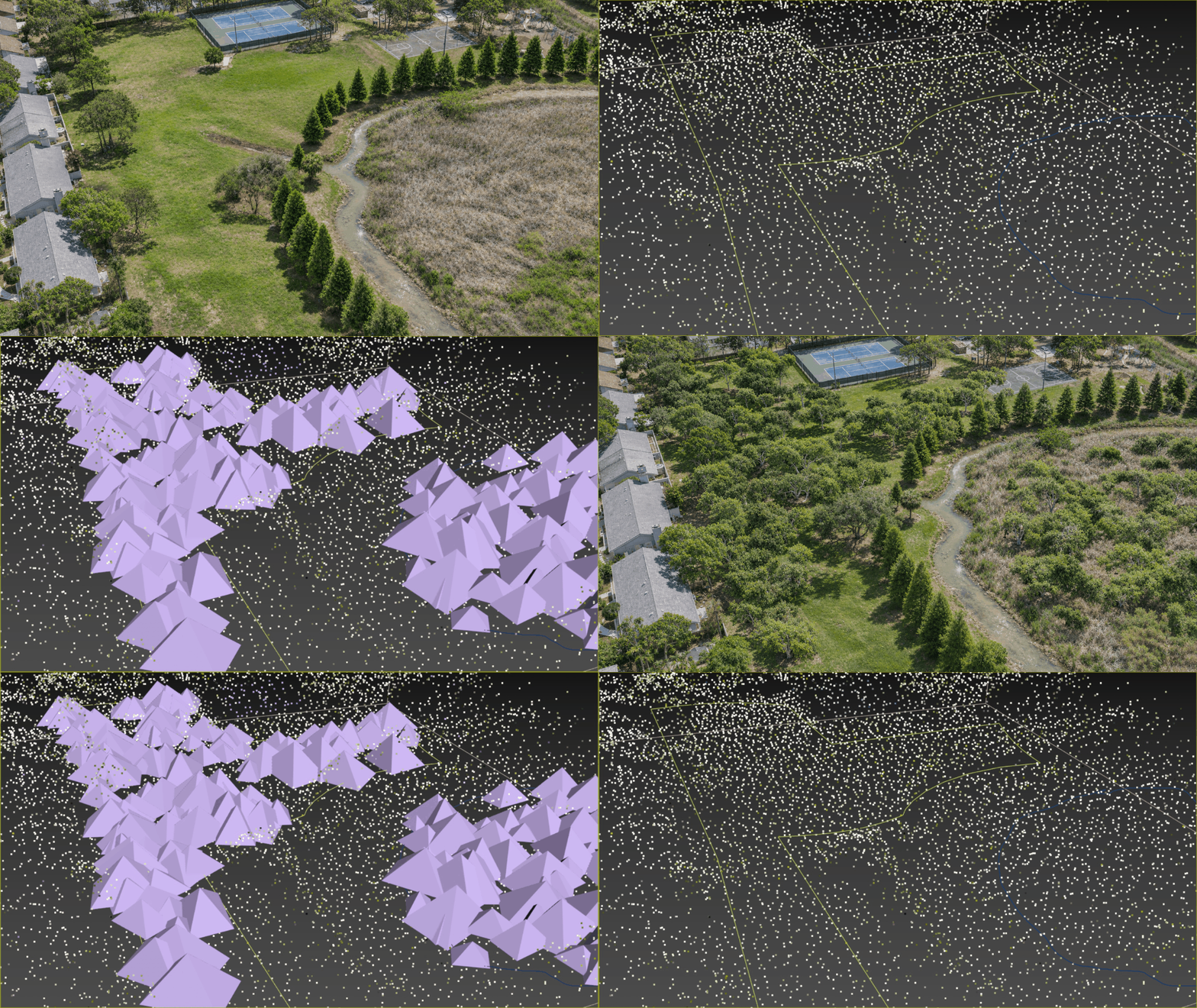
One notable addition is Gaussian splat scattering with Corona 16.
With this capability, users can distribute Gaussian splats directly through ForestPack, making it possible to populate a scene with captured real-world objects without manually positioning each one. This adds another option for incorporating real-world elements into environments while maintaining the flexibility of ForestPack's scattering workflow.
RailClone also supports the latest Chaos renderers, although the required version depends on which renderer you're using.
For Corona 16 users: Existing RailClone versions already support Corona 16. Artists can continue creating procedural elements such as fences, building facades, roofs, and bridges without updating RailClone specifically for this renderer compatibility.
For V-Ray 7.5 users: ITOOSOFT provides two options:
Users who need renderer compatibility without testing a beta can install RailClone 7.3.6. Those interested in the newer tools can explore RailClone 8 beta separately.
Beyond V-Ray 7.5 compatibility, RailClone 8 beta introduces several improvements to procedural modeling, spline handling, and viewport visualization.
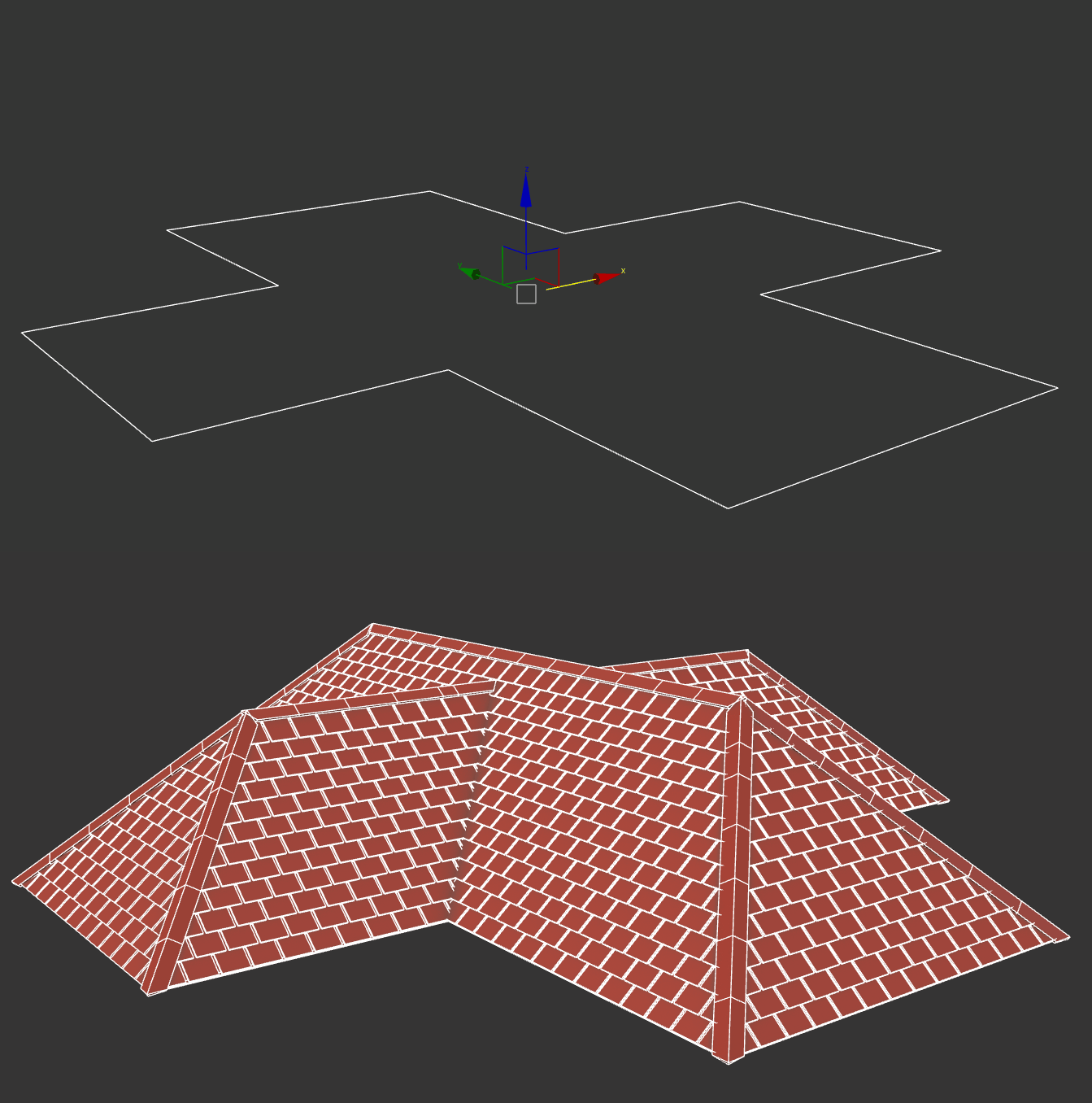
The new Roofing operator generates splines for hipped roofs using either a 2D outline or a plane mesh.
It separates individual roof components through Material IDs, including gutters, roof planes, hips, valleys, ridges, tops, and gables. This makes the different roof sections easier to identify and work with during procedural modeling.
RailClone 8 beta expands the Clipping Area tool with two additional options in Exclude mode:
These controls provide more flexibility when applying clipping and Boolean operations to different areas of a model. They also allow different Boolean effects to be applied to objects on different sides of a model, with projections at angles beyond the three standard axes.
The Spline Basic operator now includes a Welding operation, allowing users to combine splines.
RailClone 8 beta also adds the ability to export splines generated or processed within RailClone using RailClone Tools.
Users can now display assigned Color ID values in both Point-cloud and Quick-Mesh viewport modes.
This makes it easier to distinguish elements through their assigned colors when working with these display options.
Since RailClone 8 is a preview release, ITOOSOFT recommends testing the beta with test scenes and sharing feedback through its official forum before incorporating it into established production workflows.
Access to ForestPack 9.4.4 is available to users with an active ITOOSOFT Maintenance Plan. To download the update, log in to the ITOOSOFT User Panel and navigate to the My Products section.
Users with expired Maintenance Plans can renew them to regain access to the latest software versions, libraries, and technical support. ITOOSOFT allows renewals without additional fees or penalties.
For RailClone users, the available versions have different download instructions:
Keep your 3ds Max production workflows equipped with procedural tools for environment creation and architectural modeling.
As an authorized ITOOSOFT reseller, Motion Media offers ForestPack Pro and RailClone Pro licenses for artists and studios.
For a closer look at how these plugins work together, read our guide to ForestPack and RailClone integration.
Explore ForestPack and RailClone licenses at Motion Media to find the right licensing option for your workflow.
Share: