
 Account

Forest Pack and RailClone Integration: What's New?
POSTED 17th OF Jun, 2026, Posted by Summer Magdaraog

POSTED 17th OF Jun, 2026, Posted by Summer Magdaraog

iToo Software has introduced direct integration between Forest Pack and RailClone, allowing the two plugins to work together in a single procedural workflow for the first time.
The update enables RailClone segments to be used as placement points in Forest Pack. This allows users to create procedural layouts with RailClone and populate those layouts using Forest Pack's object libraries, animation controls, Effects, and optimization tools.
Any changes made to the RailClone style are automatically reflected in Forest Pack, maintaining a live procedural relationship between the two plugins.
RailClone controls the procedural layout and determines where objects should be placed.
Forest Pack uses selected RailClone segments as placement points and controls which objects are distributed to those locations. Once placed, those objects can take advantage of Forest Pack's existing tools for variation, animation, visibility management, optimization, and scene control.
This workflow combines RailClone's procedural modeling capabilities with Forest Pack's scattering and asset management features.
The integration can be used in a wide range of visualization and environment design workflows, including:
Because the connection remains procedural, updates made to the RailClone layout are automatically reflected in Forest Pack.
Objects distributed through the integration can use Forest Pack features that were previously unavailable when working with RailClone alone.
For example, a procedural lighting rig can be generated with RailClone while Forest Pack places the individual light fixtures. Those fixtures can then use Forest Pack's Look At functionality to automatically target a speaker, performer, or other scene object.
Once objects are placed, users can access Forest Pack tools including:
Control object properties using textures and procedural maps, including:
Apply Forest Pack animation features such as:
Remove overlapping objects using Forest Pack's collision checking system.
Manage viewport and render performance using:
Adapt objects to terrain using:
Optimize large scenes using Forest Pack's Level of Detail system.
Apply Forest Color maps, including Tint by Element controls.
Adjust individual placements using the Items Editor while maintaining the procedural workflow.
Use clipping and boundary controls on procedurally generated layouts.
Apply Forest Effects to control:
In this workflow, RailClone controls the layout while Forest Pack provides additional tools for managing and optimizing the objects placed on it.
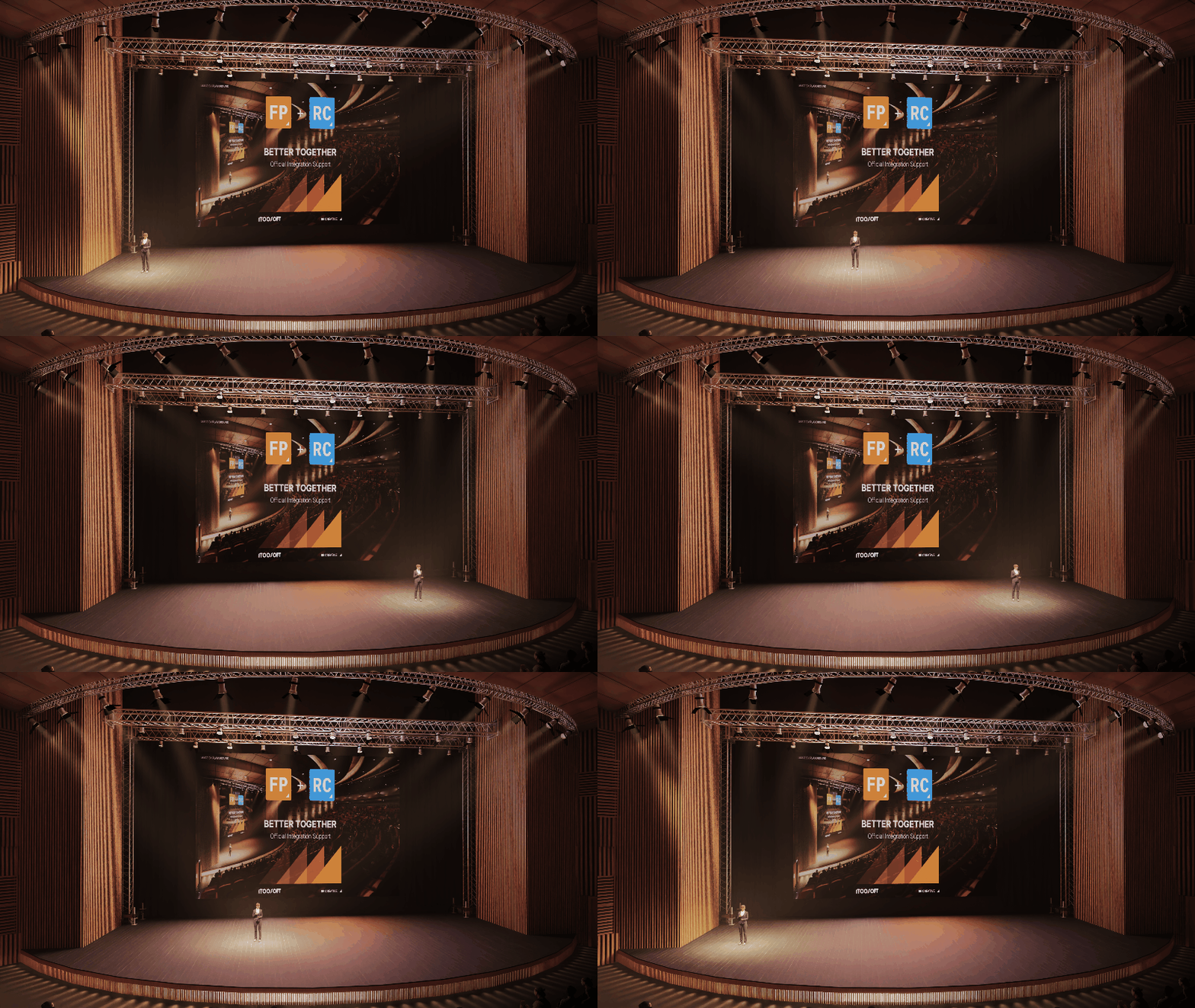
The integration also introduces automatic geometry matching using RailClone Tags.
Different RailClone segment types can automatically place different Forest Pack objects without increasing the complexity of the RailClone graph.
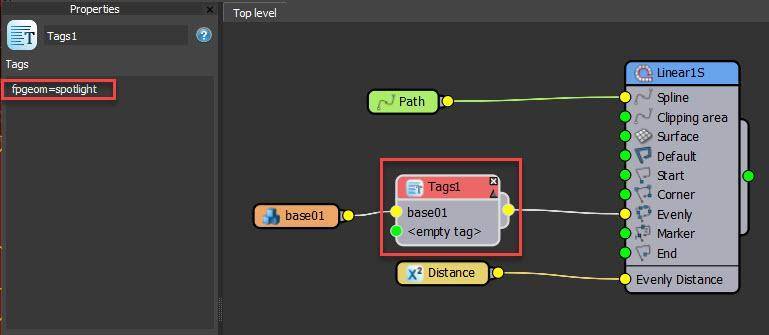
To assign geometry, add a RailClone Tag using:
fpgeom = name
Where name is the text string that will be matched inside Forest Pack.
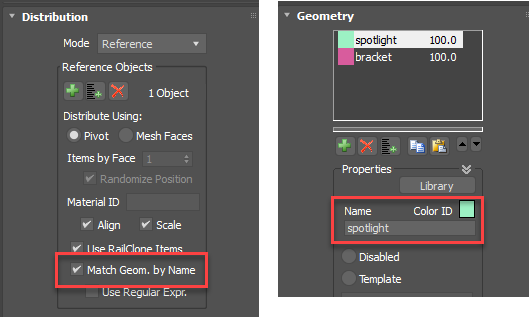
In Forest Pack, enable Match Geometry by Name and ensure the corresponding geometry entry uses the same name.
This allows Forest Pack to automatically assign the correct geometry to specific RailClone segments.
The new workflow allows users to:
The latest versions of Forest Pack and RailClone are available now through the iToo Software User Panel.
The release also includes additional updates and improvements documented in the latest release notes for both products.
Users with an active Maintenance Plan can download the update immediately. If your Maintenance Plan has expired, it can be renewed at any time to restore access to the latest software versions, content libraries, and technical support.
Looking to add Forest Pack or RailClone to your 3ds Max workflow?
Motion Media is an authorized reseller of iToo Software products, providing genuine Forest Pack and RailClone licenses, subscription renewals, and upgrade assistance for studios, visualization professionals, architects, and 3D artists.
Whether you're purchasing a new license, renewing maintenance, or upgrading your existing software, our team can help you find the right option for your workflow and budget.
Contact Motion Media today to get started with Forest Pack and RailClone.
Share: