
 Account

Boris FX Optics 2026.5 Update: New Plugin Support, AI Editing Tools, Film Burn Effects, and More
POSTED 25th OF Jun, 2026, Posted by Summer Magdaraog

POSTED 25th OF Jun, 2026, Posted by Summer Magdaraog


Boris FX has released Optics 2026.5, introducing broader plugin compatibility, new analog film effects, AI-powered portrait editing improvements, expanded creative tools, and workflow enhancements for photographers and digital artists.
One of the biggest updates is expanded plugin support for Apple Photos, Capture One, and Affinity Photo, allowing users to apply Optics effects directly inside more editing applications. The release also introduces the new S_FilmBurn filter, an advanced Color Mixer, enhanced Face ML masking, updated Particle Illusion effects, additional S_Grunge presets, and new handcrafted borders inspired by classic photographic processes.
Whether you're editing portraits, landscapes, composites, or creative photography projects, Optics 2026.5 adds new tools designed to improve both efficiency and creative flexibility.
Here's a quick overview of the new features included in this release:
Optics 2026.5 expands its plugin compatibility by adding support for:
Previously, photographers primarily accessed Optics through Adobe Photoshop and Lightroom. With this update, users working in additional editing applications can now apply Optics filters without leaving their preferred workflow.
One Optics license includes access to the standalone application as well as all supported plugin host applications, so separate licenses are not required for each supported editor.
Photographers can stay inside their existing editing workflow instead of exporting images between multiple applications, helping reduce interruptions during editing.
One of the headline additions in Optics 2026.5 is S_FilmBurn, a new filter designed to recreate the look of damaged analog film.
Rather than relying on simple overlays, S_FilmBurn is built from high-resolution scans of real overexposed film, producing more natural and varied results.
The filter includes adjustable elements such as:
Users can create anything from subtle vintage imperfections to dramatic film burn effects while maintaining full control over the final look.
S_FilmBurn is well suited for photographers creating vintage portraits, editorial imagery, album artwork, cinematic photography, social media content, and other projects that benefit from authentic analog aesthetics.

The S_Grunge filter receives a major update with additional handcrafted texture elements designed to create custom photographic backgrounds.
New texture styles include:
The update also adds:
Instead of relying on physical backdrops or stock textures, photographers can generate custom backgrounds directly inside Optics, making it easier to create portraits and composites with a distinctive visual style.
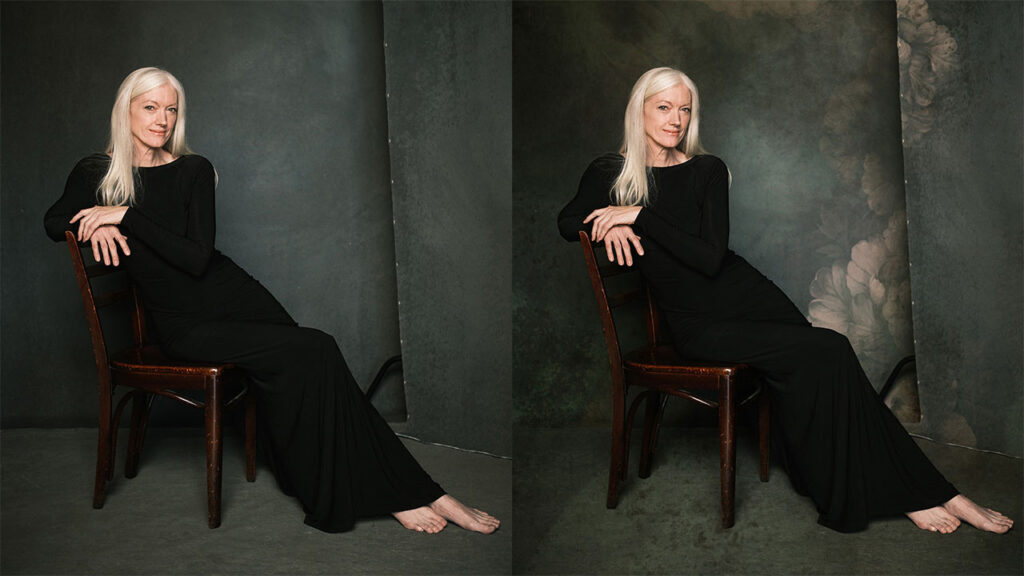
Boris FX Optics 2026.5: Enhanced S_Grunge Presets, photo credit Matt Stagliano
Optics 2026.5 updates Particle Illusion with new particle emitters created specifically for photography workflows.
The update includes:
The updated particle library can be used to add effects such as:
These additions make it easier to create dynamic still images and cinemagraphs without manually compositing multiple assets.
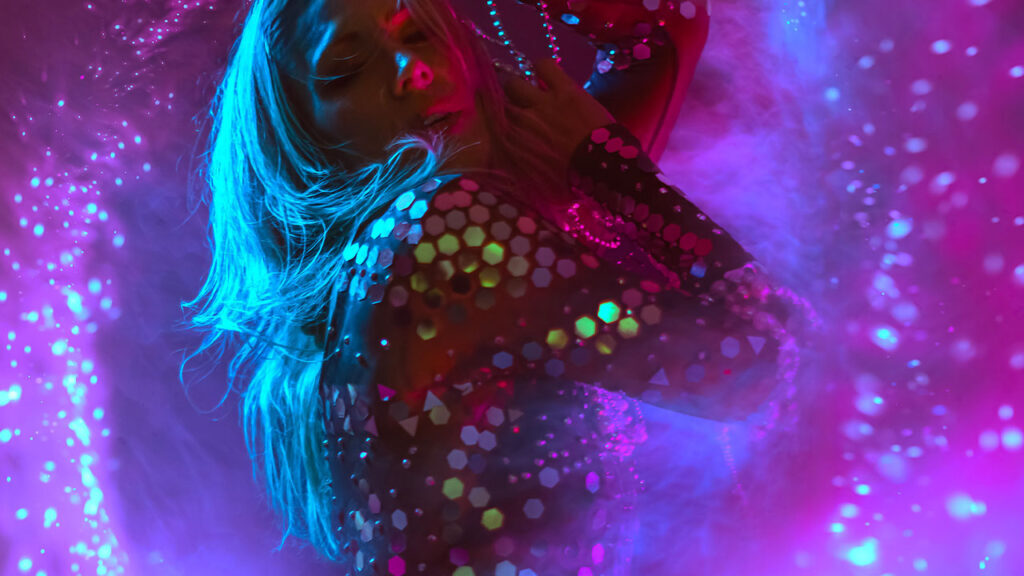
Boris FX Optics 2026.5: Updated Particle Illusion, photo credit Renee Robyn
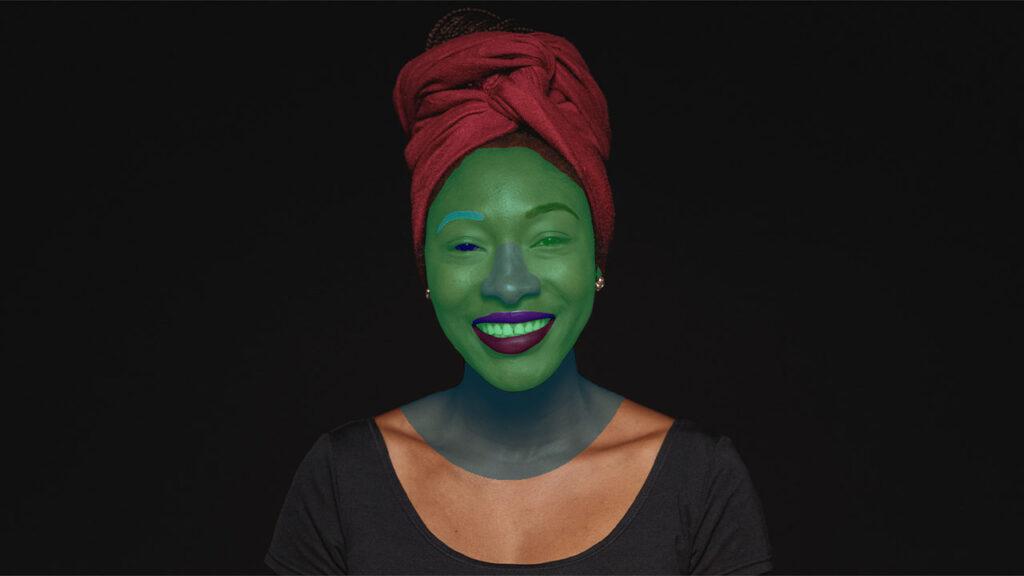
Portrait photographers gain more precise masking with updates to Face ML, Optics' AI-powered facial segmentation tool.
The latest release introduces automatic detection for:
Existing segmentation options include:
Instead of manually painting masks, Face ML automatically separates facial regions into editable selections.
This allows photographers to perform targeted skin retouching, eye enhancements, lip adjustments, selective color grading, and other portrait edits more efficiently.
Optics 2026.5 also includes improvements to the UpRes ML model.
The updated AI model delivers more accurate image enlargement while preserving fine image details, making it useful when preparing photos for high-resolution exports, printing, or cropping.
Optics introduces a brand-new Color Mixer tool for targeted color adjustments.
Instead of applying global color corrections, Color Mixer allows users to modify individual colors using:
The tool features:
Color Mixer makes it easier to refine skin tones, enhance skies, adjust foliage, correct unwanted color casts, and create stylized color grades without affecting the entire image.
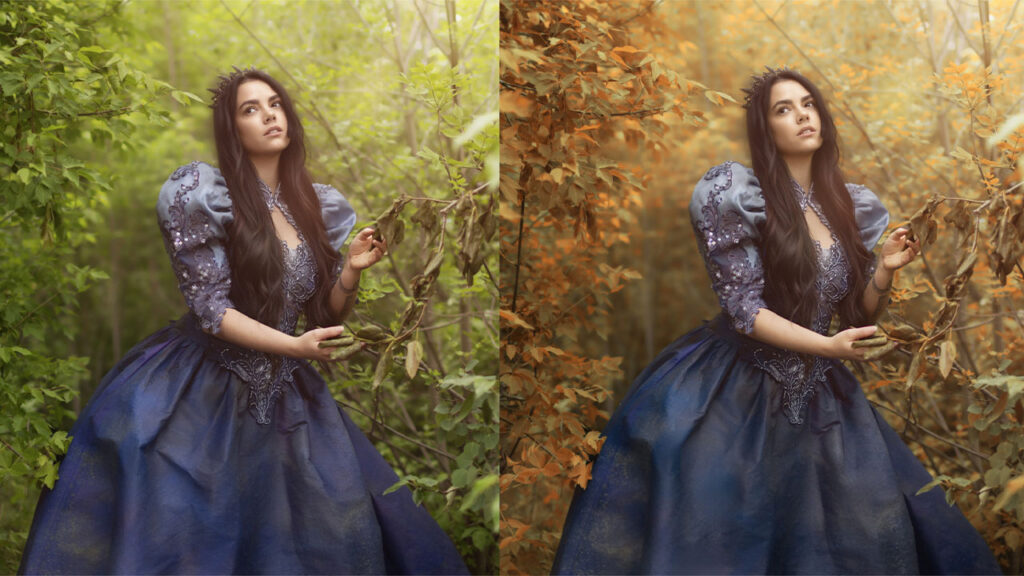
Boris FX Optics 2026.5: New Color Mixer tool, photo credit Renee Robyn
The included Sapphire update expands the creative toolkit with additional cinematic effects.
New additions include:
These additions provide photographers with more options for creating stylized and cinematic photo edits directly within Optics.

Optics 2026.5 expands its border library with handcrafted presets inspired by traditional photographic techniques.
The update includes:
These borders help recreate classic photographic aesthetics while remaining flexible enough for modern editing workflows.
With the 2026.5 release, Boris FX Optics supports editing across multiple applications, including:
A single Optics license includes both the standalone application and all supported plugin host applications.
Optics 2026.5 is a worthwhile upgrade if you:
The combination of expanded plugin compatibility, AI improvements, creative filters, and workflow enhancements makes Optics 2026.5 a practical update for photographers, retouchers, and digital artists.
Looking to upgrade to Boris FX Optics 2026.5 or purchase a new license?
Motion Media is an authorized Boris FX reseller, providing genuine Boris FX licenses for photographers, creative professionals, production studios, educators, and businesses.
Whether you're adding Optics to your creative toolkit or upgrading to the latest release, our team can help you choose the right licensing option for your workflow.
Contact Motion Media today to request a quote or learn more about Boris FX Optics.
Share: