
 Account

Veras 4.5 Adds Smart Selection, Image Rotation, and AI Workflow Updates
POSTED 2nd OF Jun, 2026, Posted by Summer Magdaraog

POSTED 2nd OF Jun, 2026, Posted by Summer Magdaraog

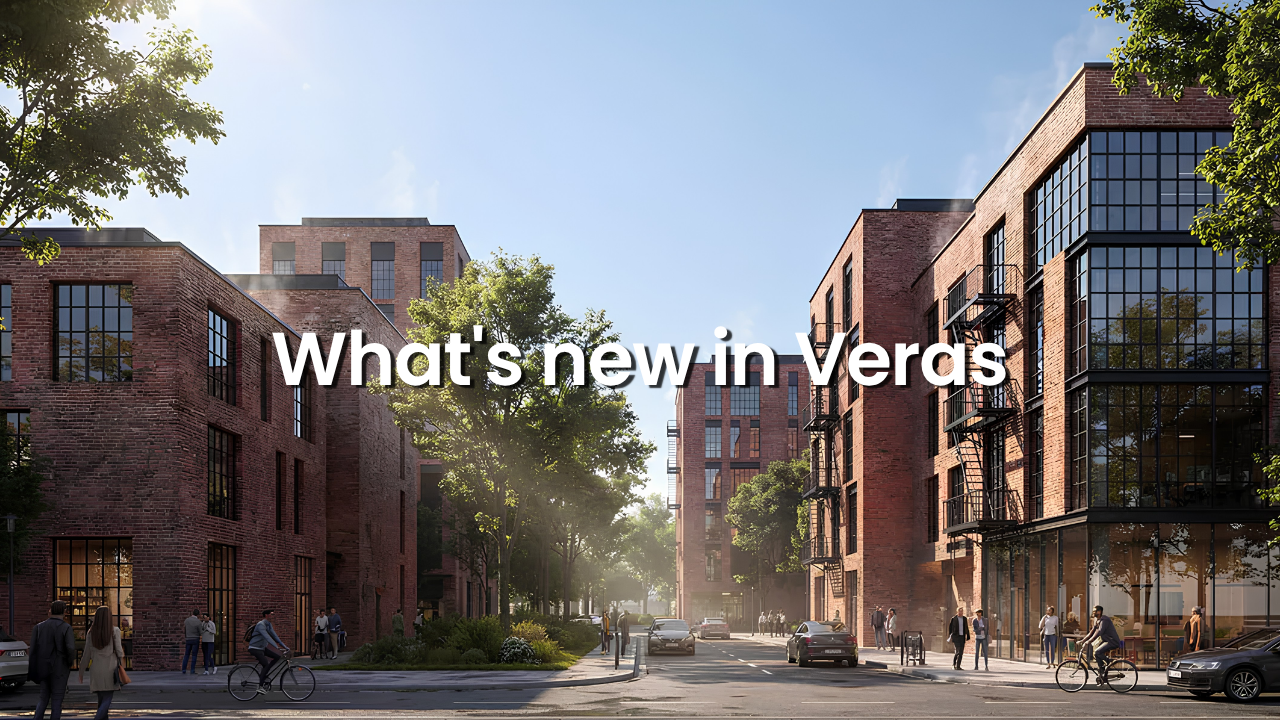
Architects and designers are increasingly using AI visualization software throughout the design process not just for final renderings, but for concept exploration, design reviews, client presentations, and rapid iteration.
The latest Veras releases, versions 4.4 and 4.5, introduce a range of new features focused on giving users more control over AI-generated imagery while reducing the amount of manual work required to edit, refine, and share visualizations.
Key additions include Smart Selection, Rotate Image, Modify and Replace editing modes, background removal, improved sharing capabilities, and workflow enhancements designed to make AI-assisted visualization faster and more practical for architecture and design teams.
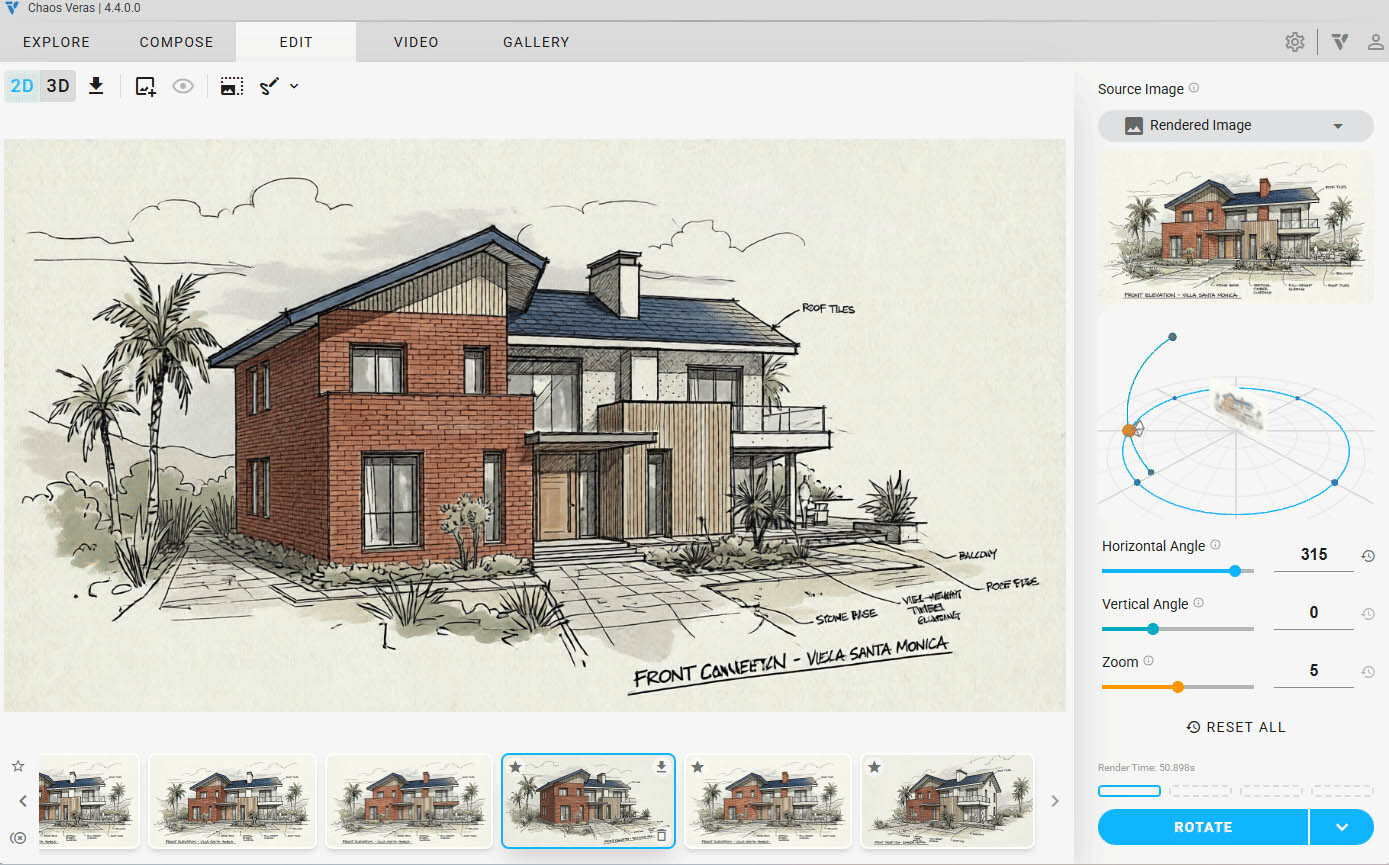
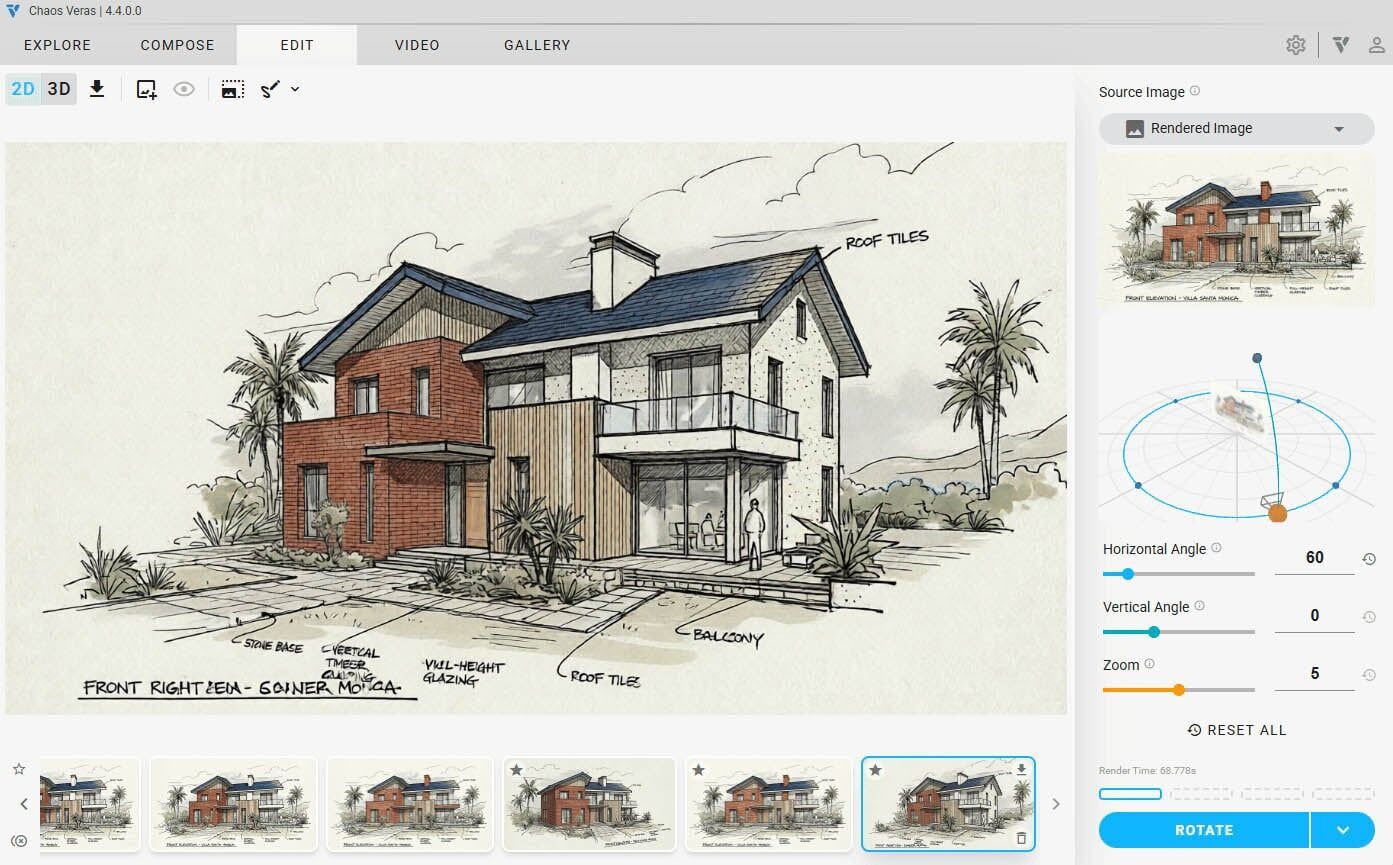
One of the most significant additions in Veras 4.5 is Rotate Image, a new render editing feature that allows users to generate alternative viewpoints from an existing image.
Instead of returning to a 3D model and repositioning cameras, users can rotate a source image in three-dimensional space using pitch, yaw, and roll controls. Veras then generates a new render from the adjusted viewpoint.
This allows architects and designers to explore additional perspectives from a single image, making it easier to evaluate concepts, present alternatives, and generate frames for animation workflows.
The feature includes an interactive rotation preview and slider controls for precise adjustments before rendering.
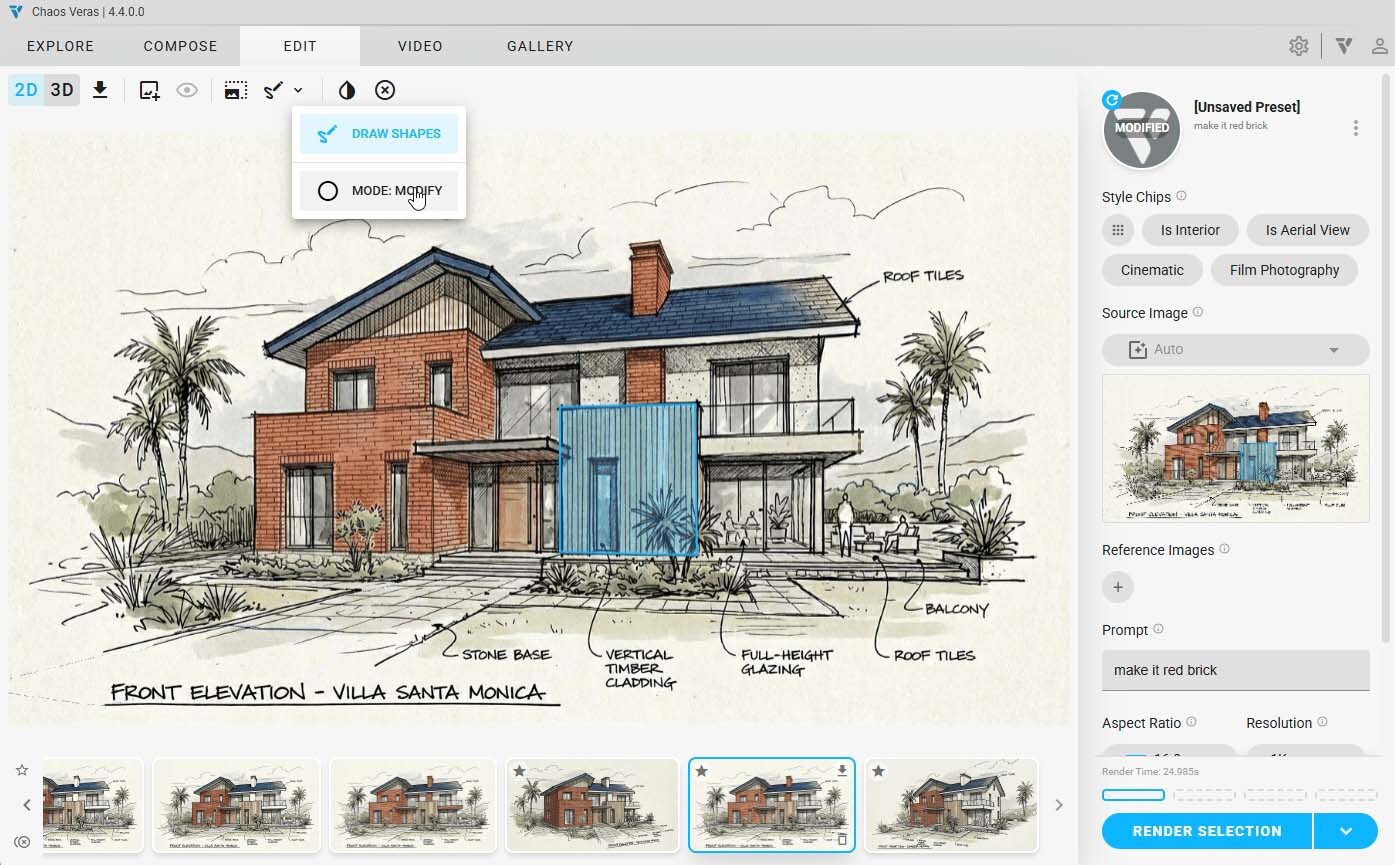
Veras now includes two new selection modes within the Nano Banana rendering engine: Modify and Replace.
These modes give users greater control over how selected areas are interpreted during AI-assisted edits.
Modify mode preserves the existing geometry of the selected area while applying requested changes.
This is useful for updating:
Rather than redesigning the selected area, Veras focuses on refining existing elements while maintaining the original structure.
Replace mode takes a different approach by disregarding the selected area and generating entirely new ideas based on the prompt.
This workflow is particularly useful for:
Together, these modes provide a more controlled approach to AI image editing and design exploration.
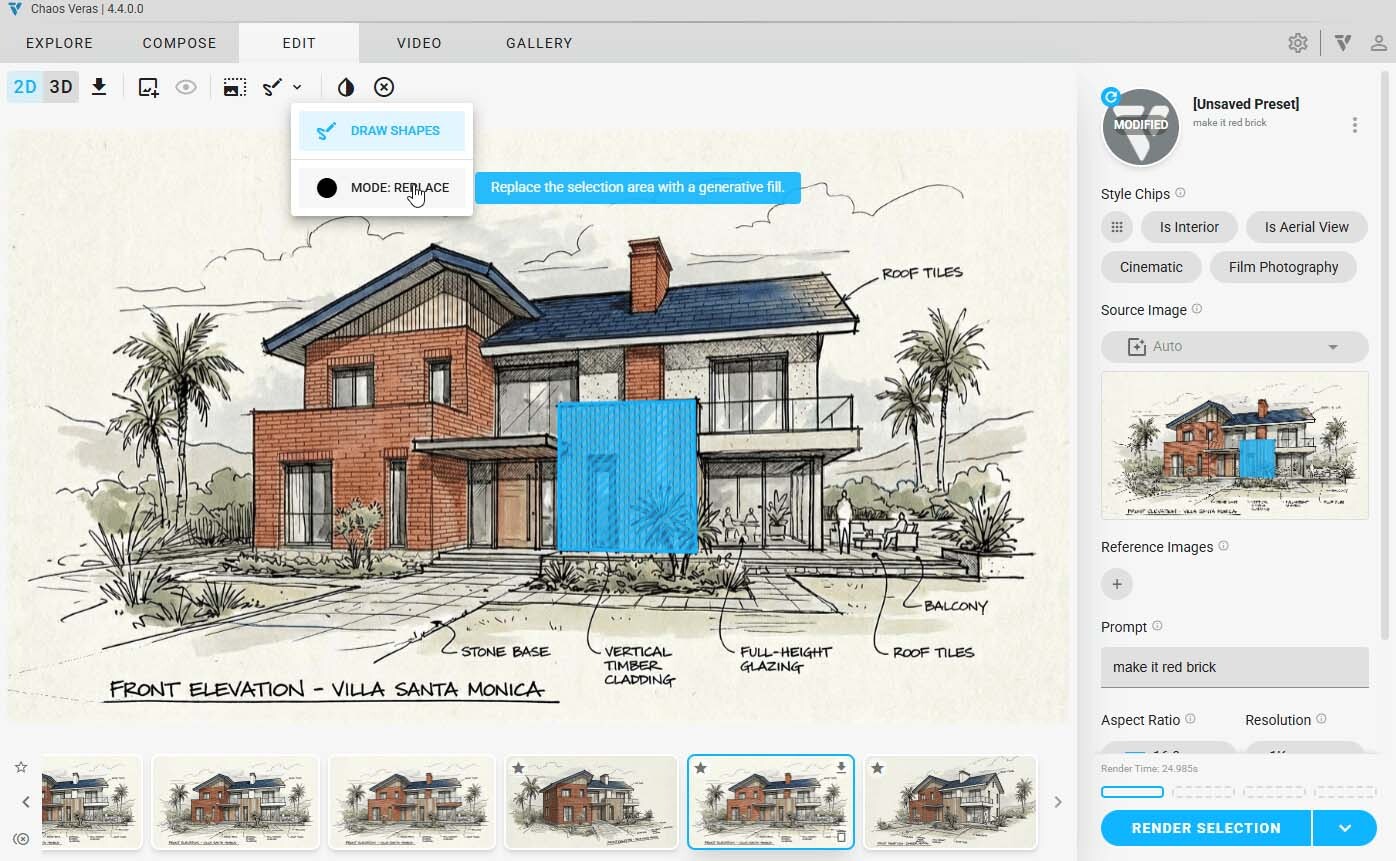
Manual masking can be one of the most time-consuming parts of image-based AI workflows.
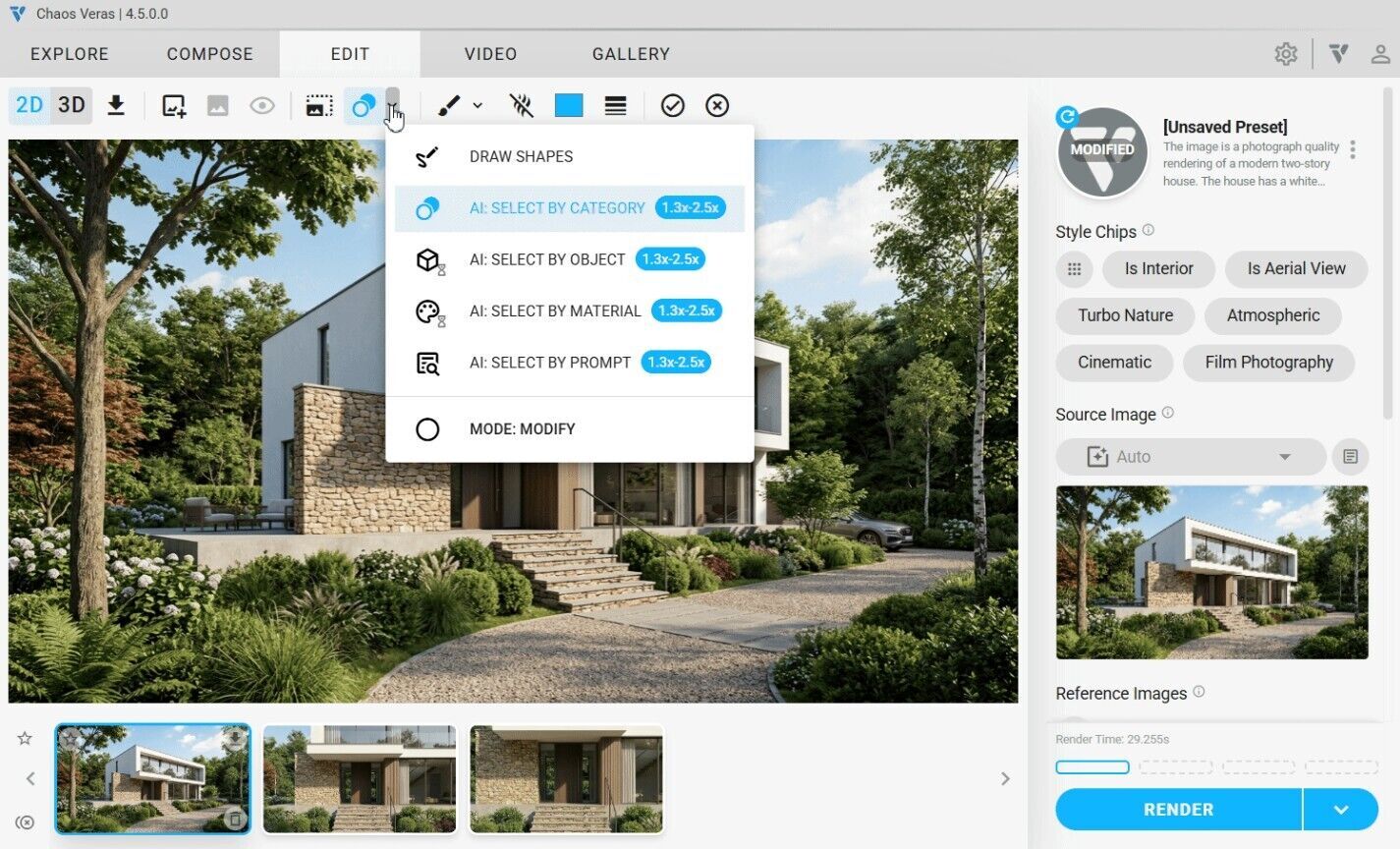
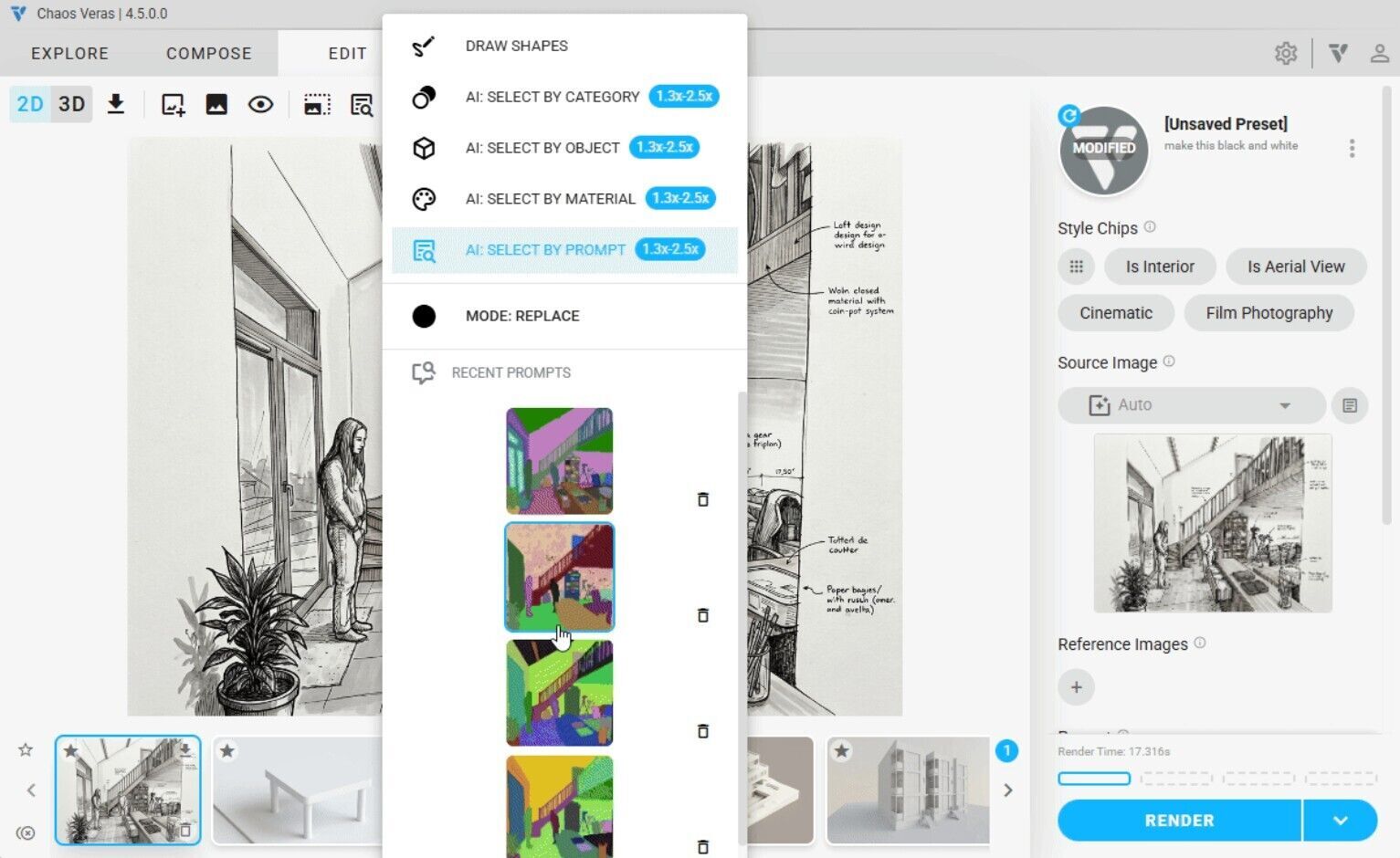
The new Smart Selection feature uses AI to identify objects, materials, and categories within an image, allowing users to make targeted selections with a single click.
Users can select:
For example, designers can select all instances of a particular material or object type across a scene without manually drawing masks.
When combined with Modify and Replace modes, Smart Selection enables more accurate and efficient edits while reducing repetitive work.
Recent selection prompts are stored for reuse, and custom selection maps are cached and synchronized through the cloud to support ongoing design iterations.
Smart Selection is available across all supported Veras integrations, including:
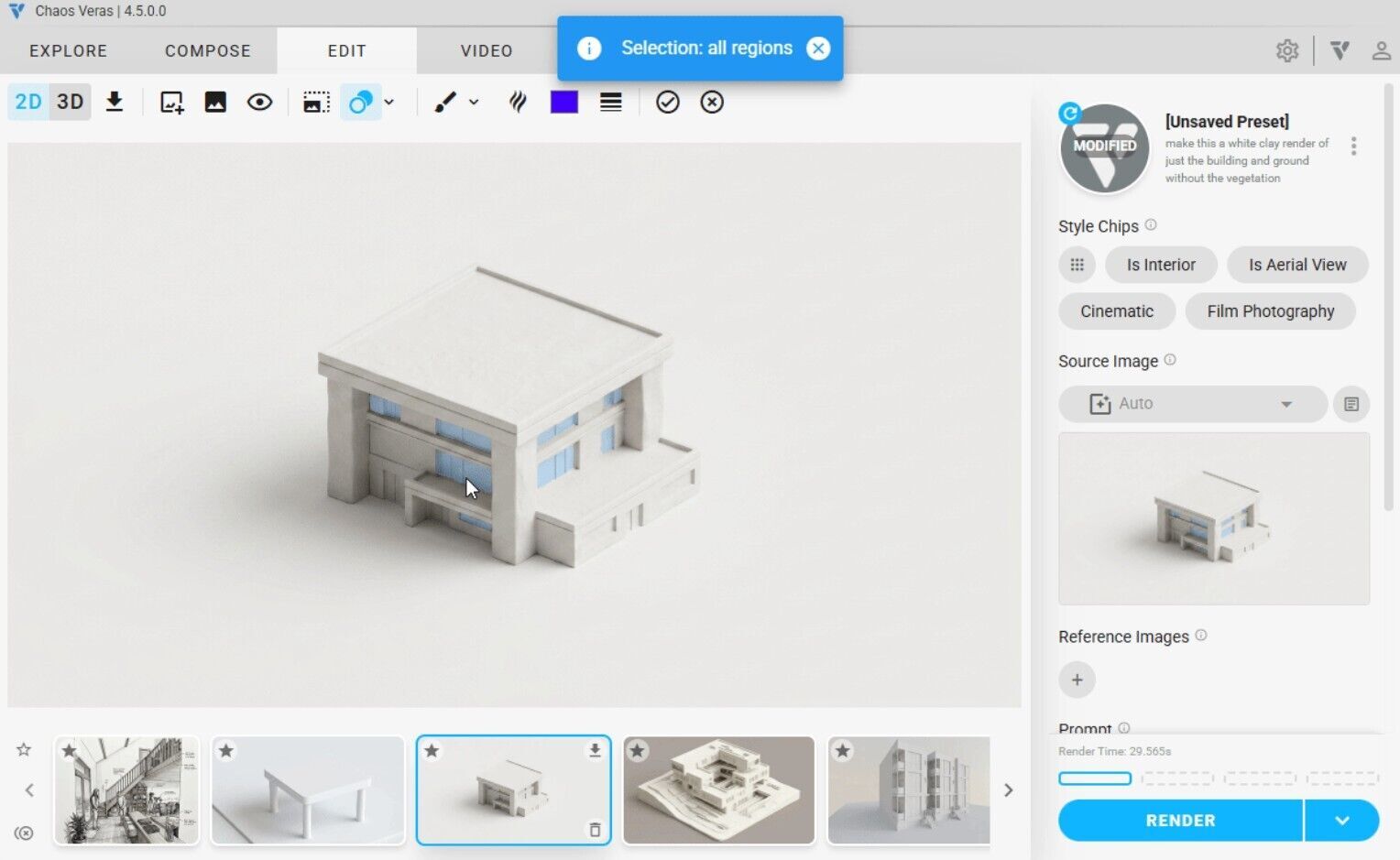
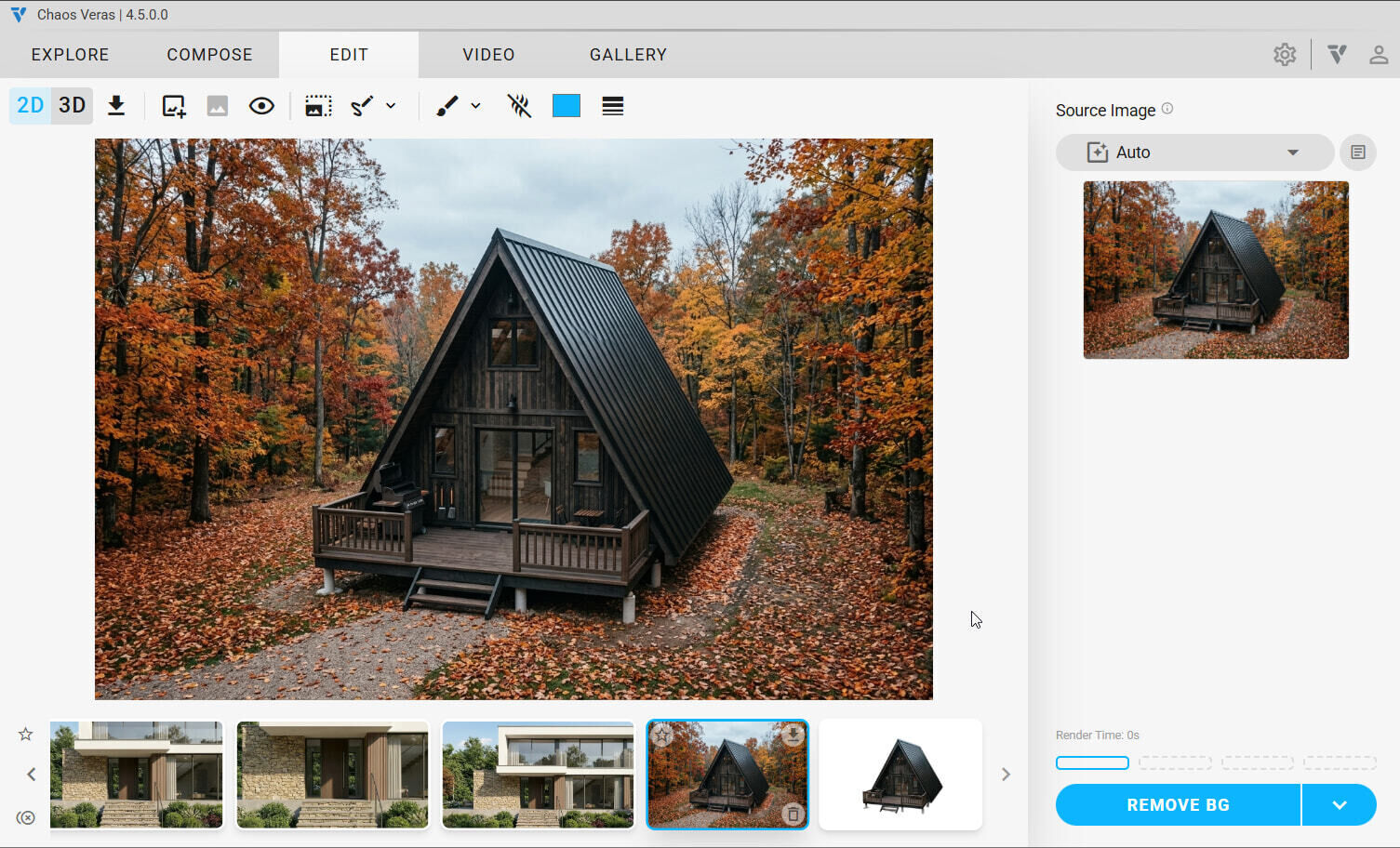
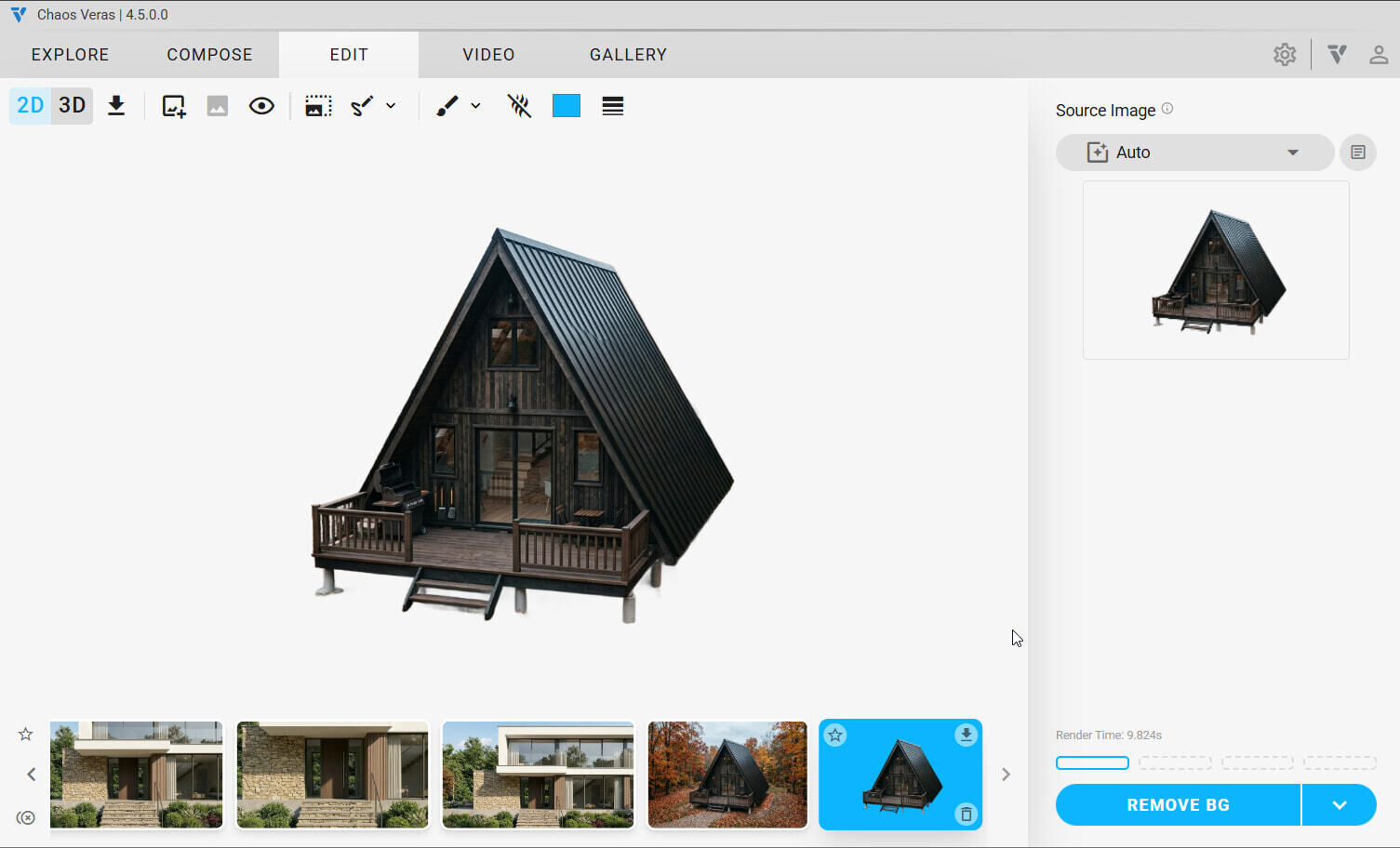
Veras now includes a dedicated Remove Background mode that automatically removes the background from a source image and exports the result as a transparent PNG.
This feature simplifies workflows for:
By generating transparent assets directly inside Veras, users can reduce reliance on external image-editing tools.
Collaboration workflows have also been expanded with new sharing capabilities.
Users can now generate shareable links for renders and gallery items that can be viewed without requiring a Veras account.
Recipients can also clone shared content directly into their own gallery with a single click.
The new Shares panel provides tools for:
Because share codes function as URL parameters, shared content remains accessible across redirects and login sessions.
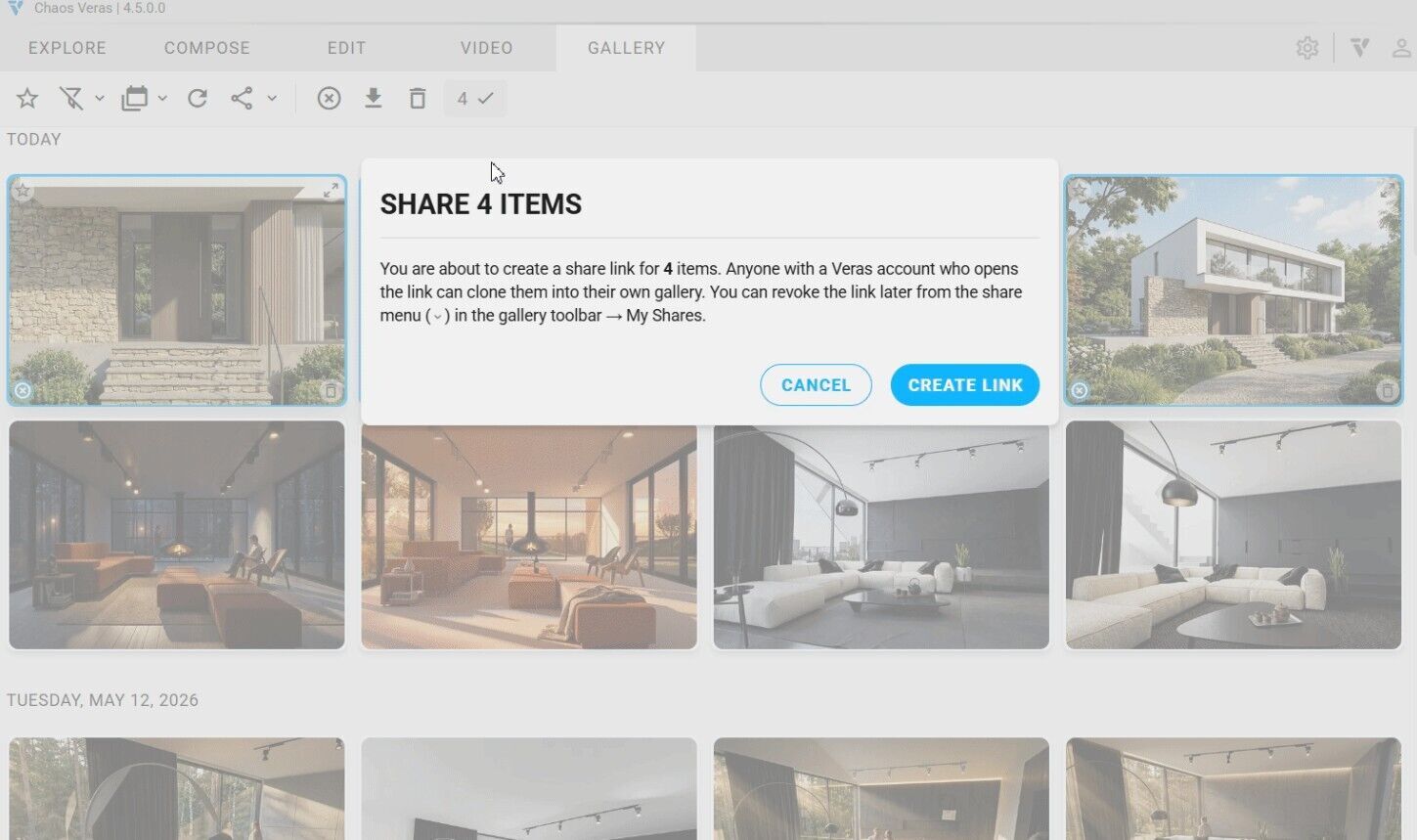
NOTE: Share a render via link, and recipients can preview and clone it into their own gallery
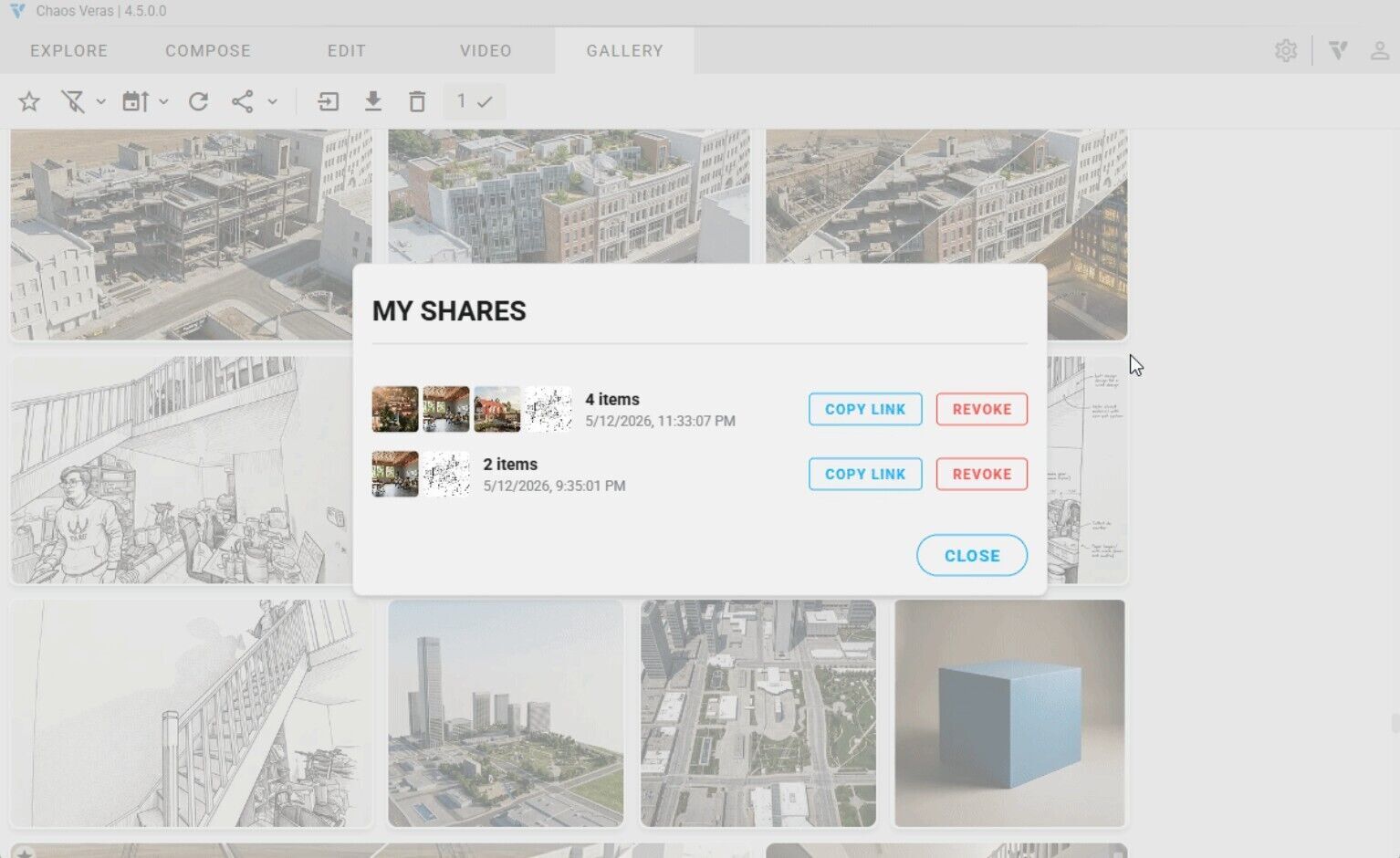
NOTE: Manage all your active shares from one place copy or revoke at any time
Manually uploaded images now behave more like rendered content inside Veras.
Uploaded files are retained during a session and can be revisited using previous and next navigation controls.
Additional improvements include:
This makes it easier to revisit earlier source images without repeatedly importing the same files.
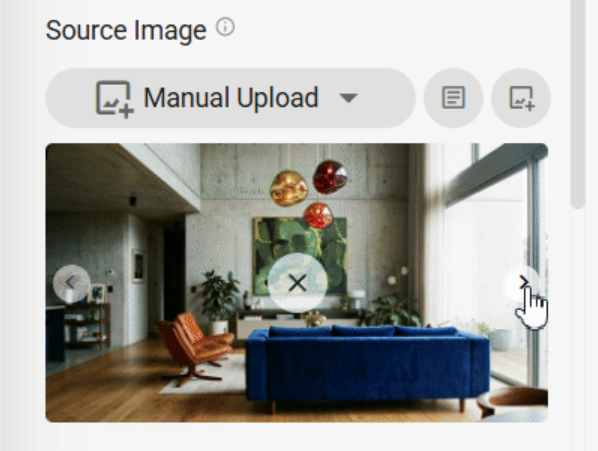
NOTE: Cycle through your manually-uploaded images with the new prev/next arrows
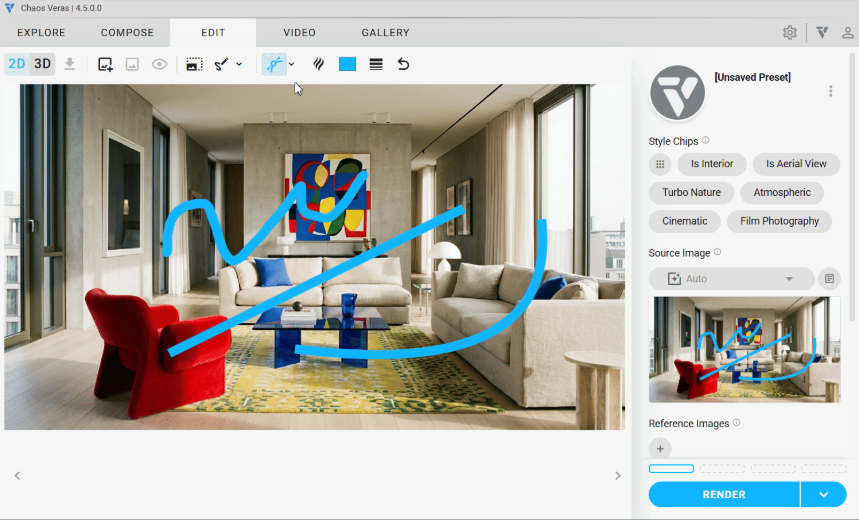
The sketching workflow has been updated with a redesigned toolbar and additional drawing controls.
New tools include:
Click-to-place previews for line and curve tools provide greater precision during concept development and design markup workflows.
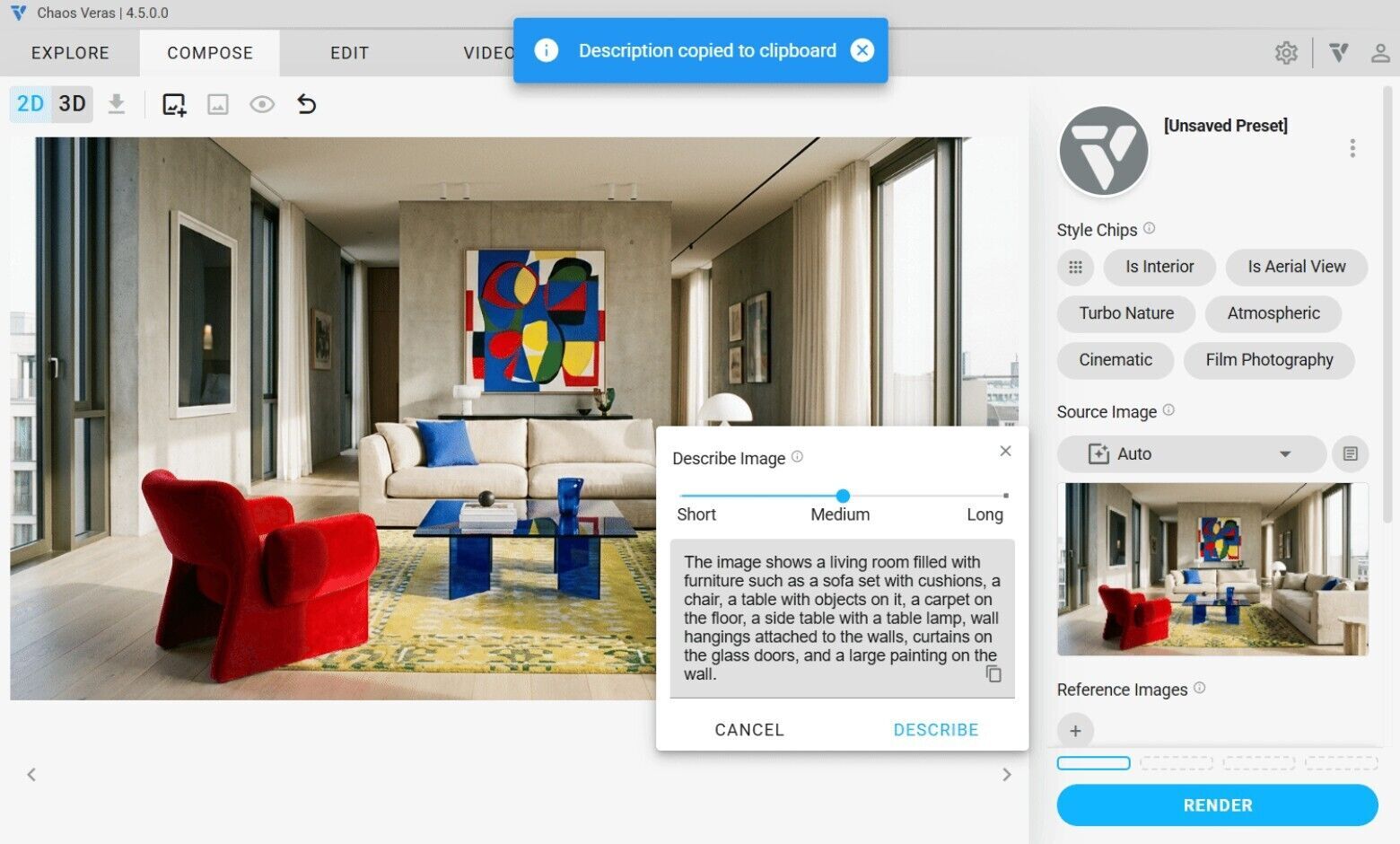
Previously available as an experimental capability, Describe Source Image is now part of the main Veras interface.
Powered by the Florence 2 AI model, the feature automatically generates descriptions of source images at three levels of detail:
These descriptions can be used as prompt foundations, helping users create more detailed AI instructions without manually describing every aspect of a scene.
Descriptions can be copied to the clipboard with a single click, and previous descriptions are automatically cleared when a new source image is loaded.
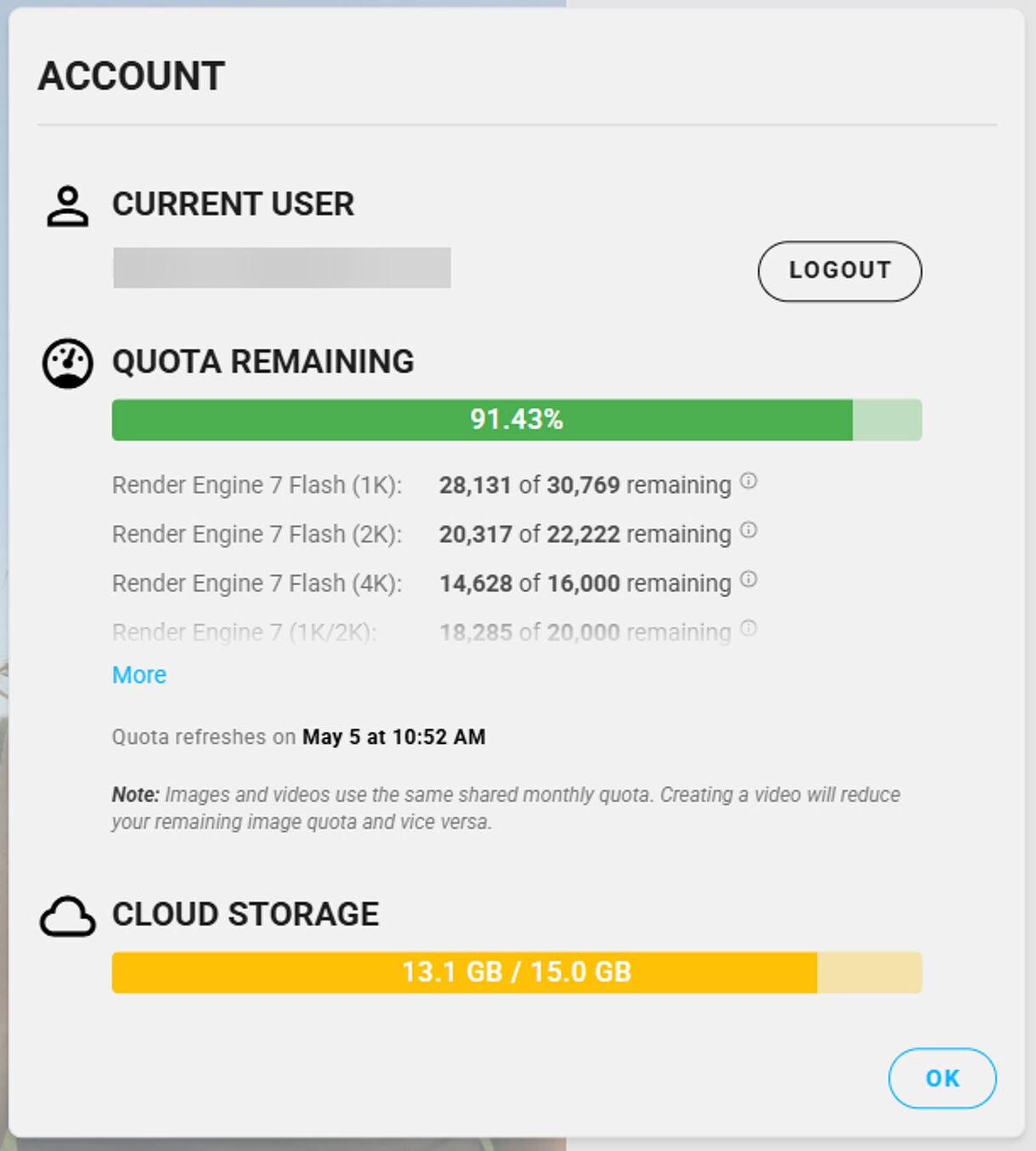
Veras now provides better visibility into cloud storage usage through the Account panel.
A real-time usage indicator shows how much storage is currently being used and updates automatically as users:
The system also provides warning and error indicators to help users manage storage capacity more effectively.
Veras 4.4 and 4.5 also include a variety of performance, usability, and stability enhancements.
Notable updates include:
The latest Veras releases focus on improving control, flexibility, and efficiency throughout the visualization process.
Features such as Smart Selection, Modify and Replace modes, Rotate Image, and AI-generated image descriptions help architects and designers make targeted changes, explore alternatives more quickly, and reduce the manual effort traditionally required in image-based workflows.
For firms evaluating AI rendering software, architectural visualization tools, and AI-assisted design workflows, Veras 4.5 introduces practical capabilities that support design exploration, communication, and presentation throughout every stage of a project.
Motion Media is an authorized Chaos reseller providing access to Veras and the complete Chaos visualization ecosystem, including V-Ray, Corona, Enscape, and other professional rendering solutions.
Whether you're evaluating AI visualization software, expanding your rendering workflow, or looking for the right Chaos licensing option for your team, our specialists can help you find the best solution for your requirements.
Contact Motion Media today to learn more about Vera's licensing, product options, and AI-powered visualization workflows.
Share: