
 Account

Sapphire 2025.5: New Features That Supercharge Your VFX Workflow
POSTED 15th OF May, 2025, Posted by Summer

POSTED 15th OF May, 2025, Posted by Summer

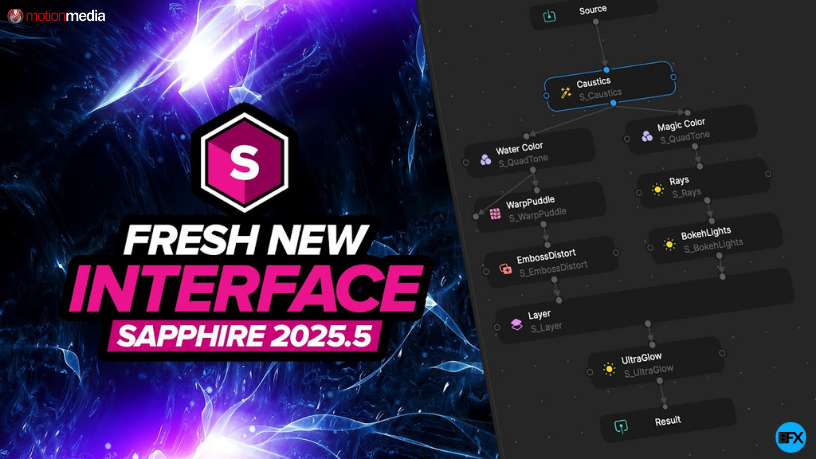
The latest release of Sapphire 2025.5 introduces powerful new features designed to enhance user experience, improve workflow efficiency, and elevate creativity for video editors, motion designers, and VFX professionals. Whether you're working in After Effects, Premiere Pro, or another host, this update brings a smarter, faster, and more intuitive Sapphire plugin experience.
Let’s dive into the top updates in Sapphire 2025.5.
The preset browser now features a more intuitive layout:
You can resize all panels to suit your preferences. Tooltips are now streamlined, but you can toggle full details via Browser Settings or by holding Shift.
Tags make finding the right effect faster. Search results can be filtered by:
Use Option/Alt+Click to quickly isolate or remove tags from your search.
Search now works globally across tags, names, and metadata. For example:
This is a huge time-saver for artists working with large libraries.
You can also:
Sapphire 2025.5 includes fresh presets like infinite zoom effects with clocks and alpha layers. Icons make it easier to identify:
This helps you visually browse and organize your go-to effects.
Sapphire’s preview and workspace navigation have been upgraded for speed:
This works across both the preset preview and Effect Builder.
The Sapphire Effect Builder has a sleeker dark interface and vibrant new effect category icons.
Nodes now display both the custom name and effect name, reducing confusion in complex compositions. Other improvements include:
Disconnected nodes now appear in red, making it instantly clear which parts of your chain need reconnection. This solves a common pain point in node-based workflows.
While the Lens Flare Designer retains its core features, it includes helpful UI tweaks:
One underrated but powerful feature in Sapphire is parameter linking. Now easier to access, this lets you:
This is ideal for building dynamic effects that respond to one another.
Whether you're creating broadcast-ready transitions or cinematic looks, Sapphire 2025.5 helps you get there faster. Its improved usability, performance, and visual cues save time and reduce guesswork, making it one of the most productive releases yet.
Ready to try the latest version?
 |
Sapphire (Avid) - Annual Subscription
Shop Now |
|
Sapphire (Avid/Adobe/OFX) - Annual Subscription
Shop Now |
|
Sapphire (Adobe/OFX ) - Annual Subscription
Shop Now |
|
Sapphire (Avid/Adobe/OFX) - Upgrade & Support Renewal
Shop Now |
|
Sapphire (Avid/Adobe/OFX) - New (includes 1 year upgrade & support)
Shop Now |
|
Sapphire (Avid) - Upgrade & Support Renewal
Shop Now |
|
Sapphire (Avid) - New (includes 1 year upgrade & support)
Shop Now |
|
Sapphire (Adobe/OFX ) - Upgrade & Support Renewal
Shop Now |
|
Sapphire (Adobe/OFX ) - New (includes 1 year upgrade & support)
Shop Now |
Share: