
 Account

What’s New in Enscape: Faster Assets, Smarter AI, and More Realistic Lighting
POSTED 10th OF Dec, 2025, Posted by Summer

POSTED 10th OF Dec, 2025, Posted by Summer

The latest Enscape update introduces a powerful set of improvements designed to make your design workflow faster, smoother, and more intelligent. Whether you’re working in architecture, interior design, or visualization, this release delivers performance upgrades, advanced AI tools, and deeper analysis features that help you create better visuals with less effort.
In this blog, we break down everything new so you can understand how each feature enhances your rendering, asset management, and real‑time design process.
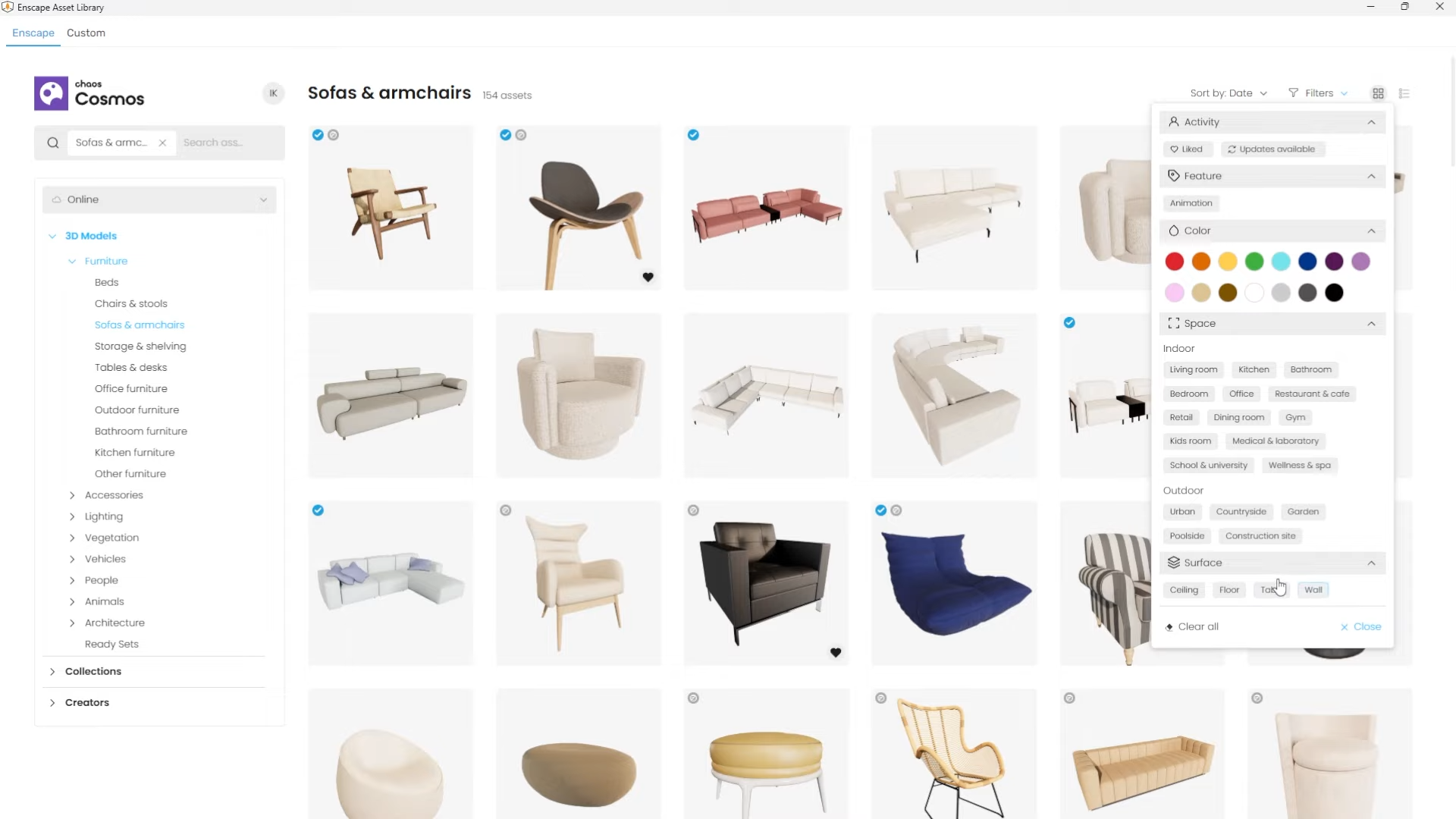
The new Chaos Cosmos experience takes asset browsing and placement to a whole new level. Enscape now uses Chaos Cosmos as its platform for asset delivery, making navigation and selection dramatically faster.
Even better? A large batch of new, high-quality assets is coming soon, automatically delivered through the Chaos Cosmos system.
With Chaos Cosmos now unified across Chaos products, Enscape users get a smoother, more consistent asset workflow.
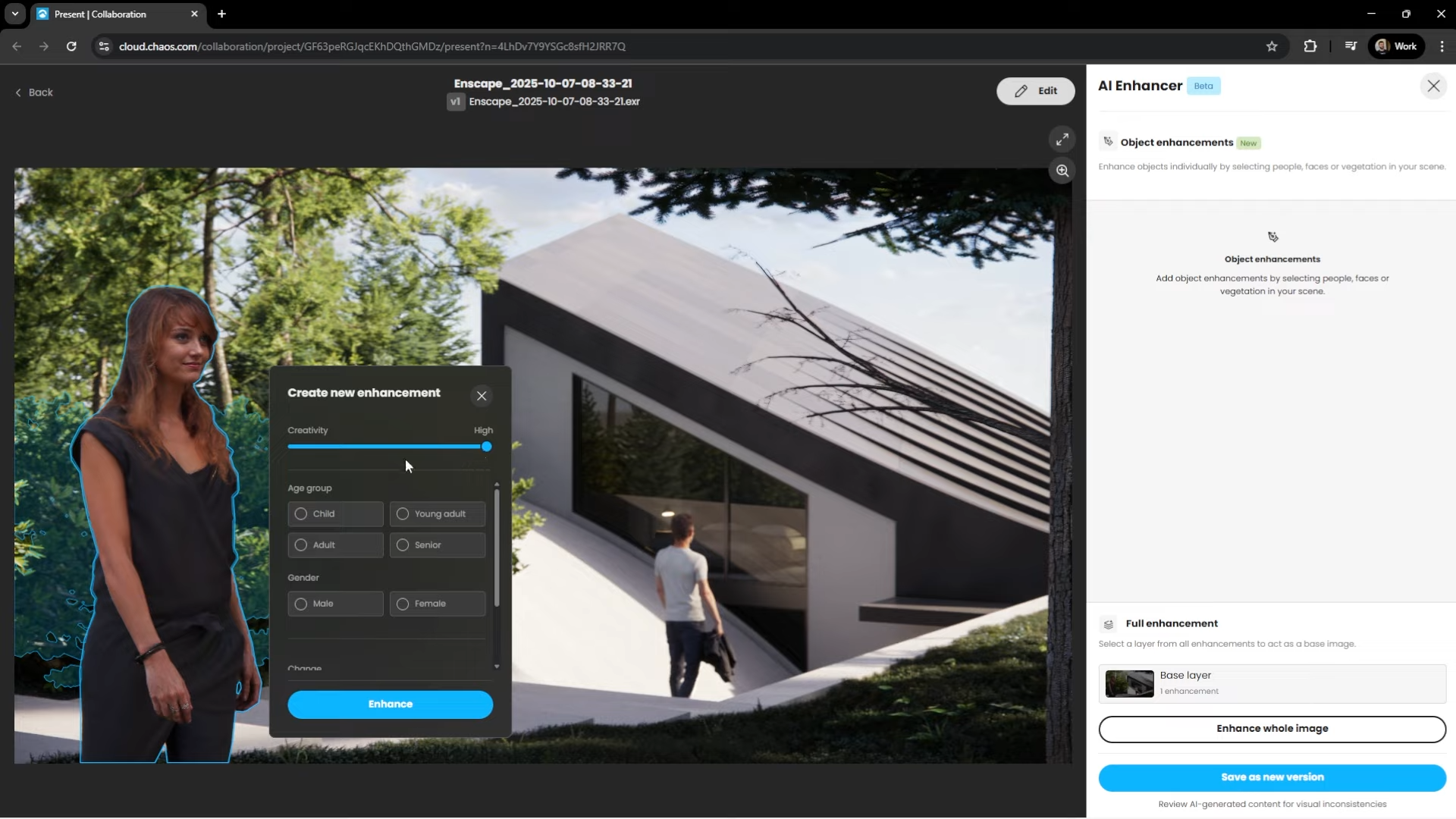
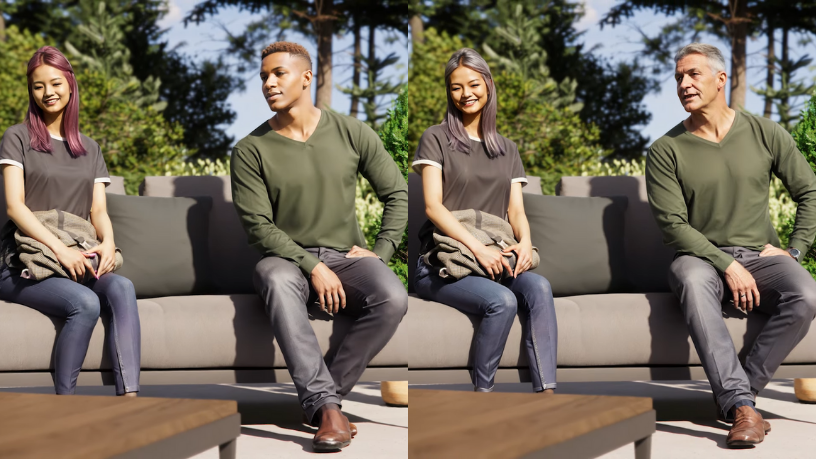
Enscape’s AI Enhancer was already a one‑click upgrade tool. Now it offers deeper customization and more creative control.
This advanced level of control helps you generate more natural, more accurate, and more expressive visualizations without manual post‑processing.
Need to boost the resolution of your render without re-rendering? Enscape now includes a built‑in AI Upscaler.
With just one click, your images gain improved clarity and detail, perfect for presentations, print outputs, or large-format boards.
Enscape Impact helps designers communicate building performance visually and interactively. With this update, thermal comfort analysis is more intuitive and insightful.
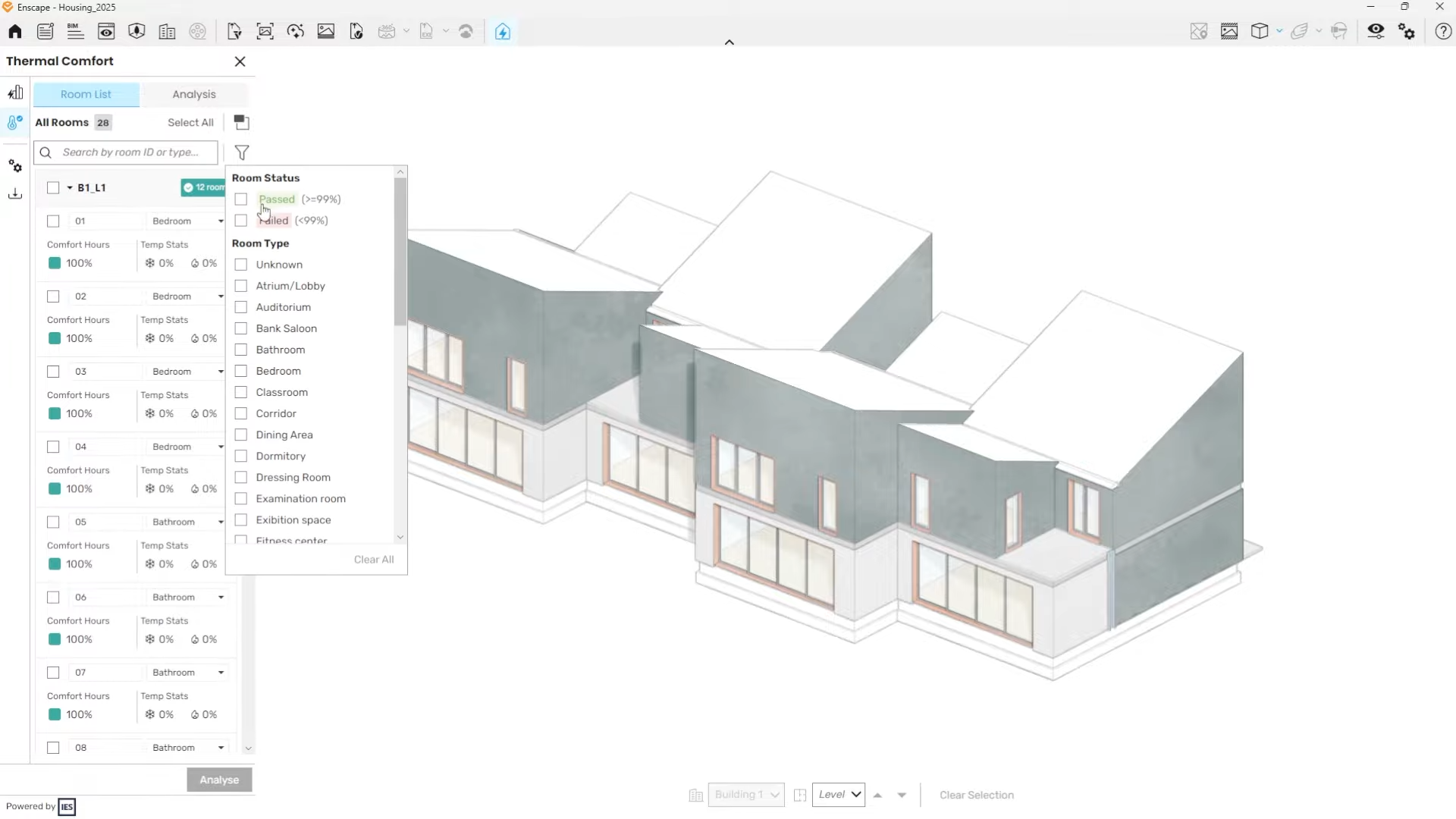

Export key metrics in:
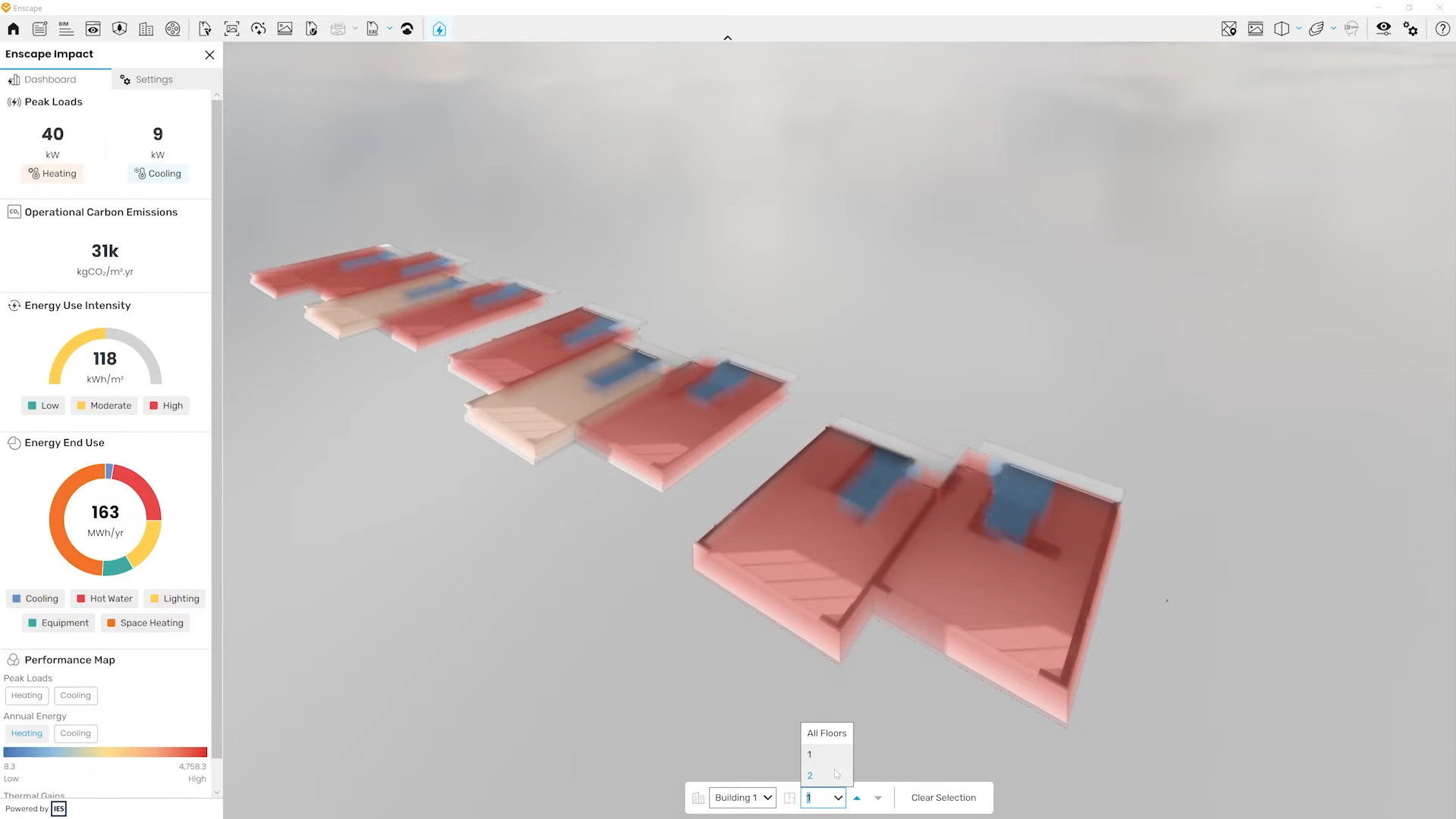
These improvements make performance-driven design more accessible during early concept and iterative workflows.
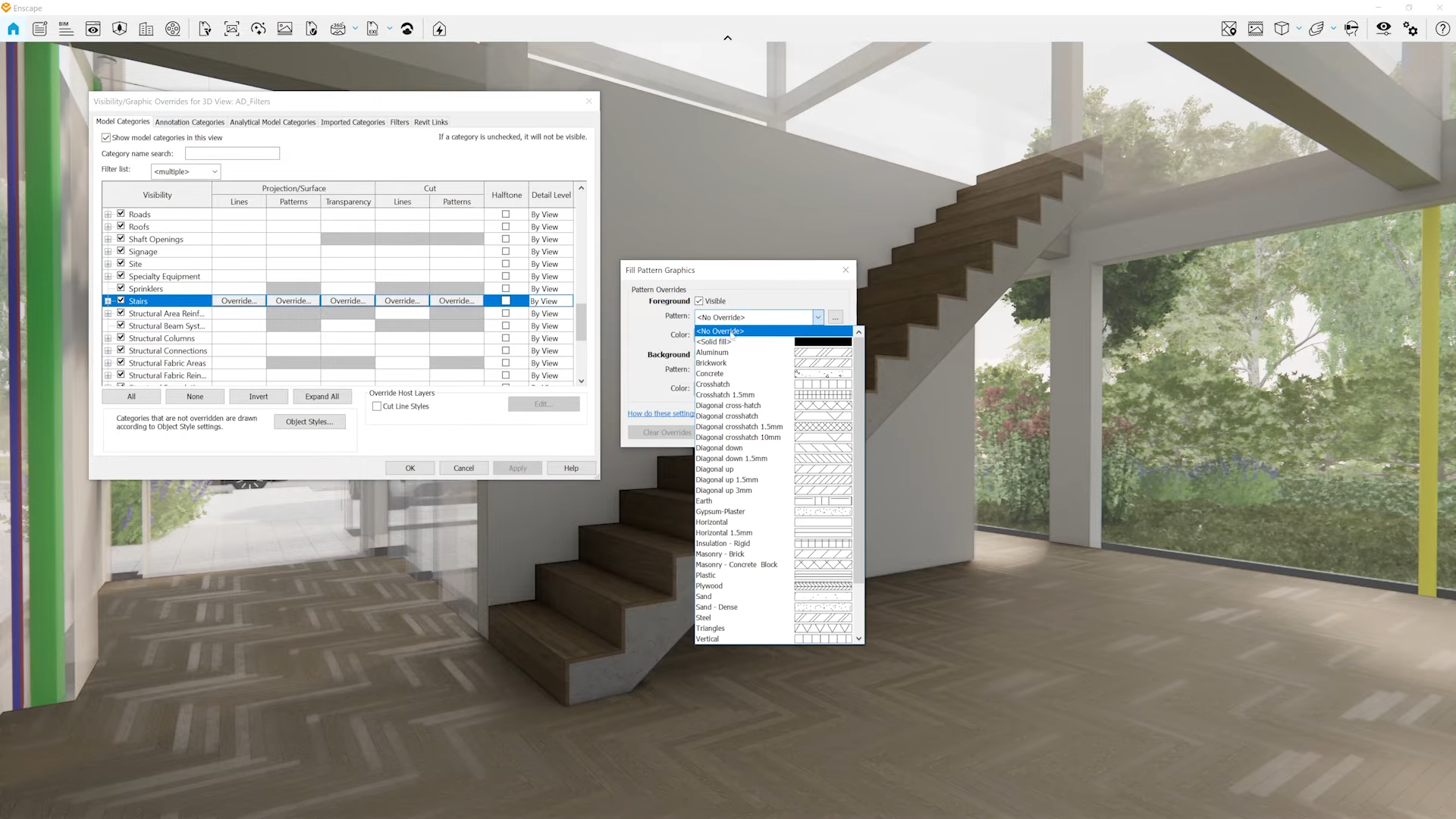
Previously, linked model overrides in Revit were not visible in Enscape. That changes now.
This ensures consistent visual representation across disciplines, structural, MEP, architectural especially in collaborative or consultant-heavy projects.
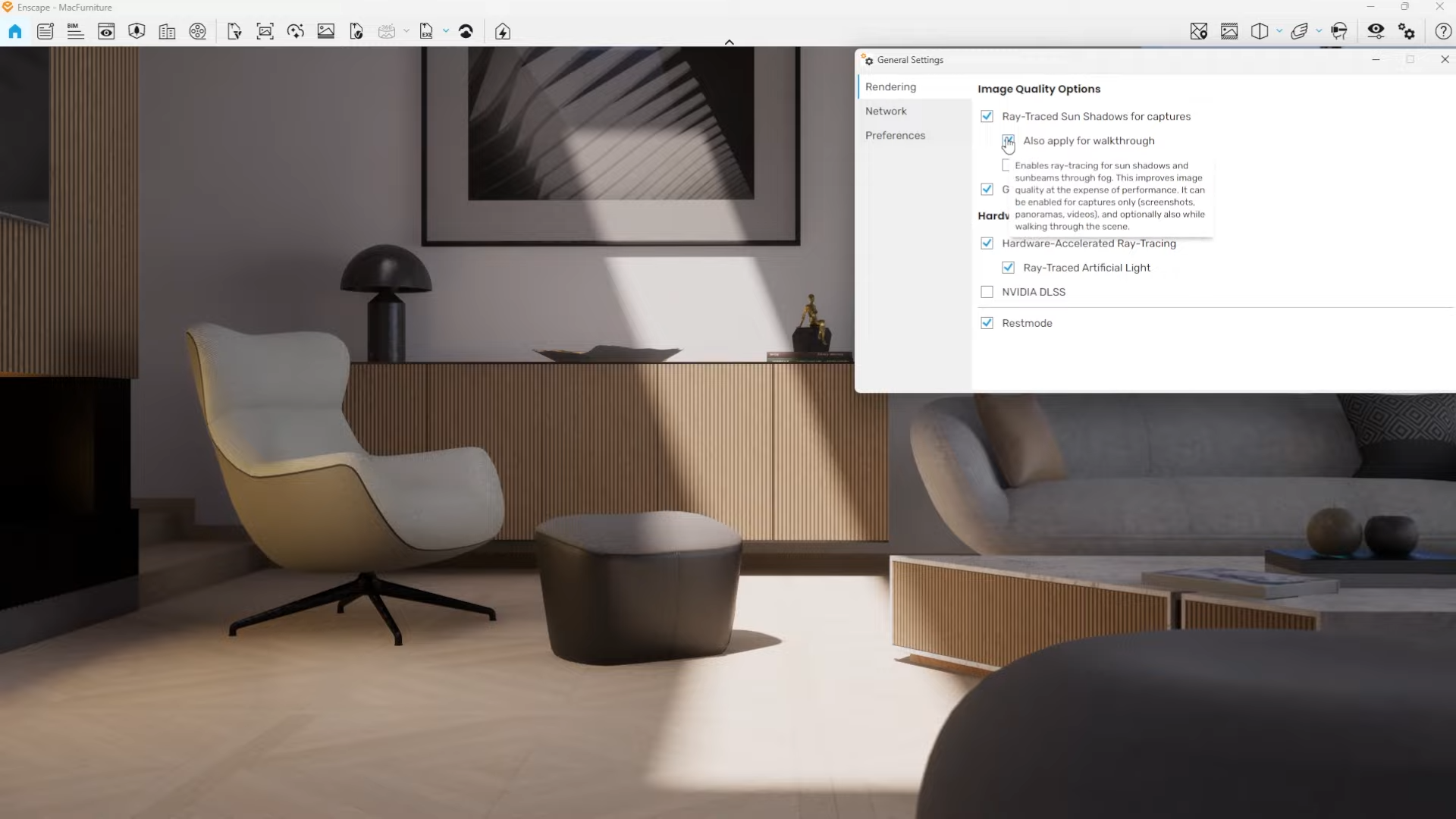
Enscape now delivers more realistic lighting with accurate colored shadows, even on computers that don’t support hardware ray tracing.
This gives users with mid-tier hardware access to high-end visual fidelity.
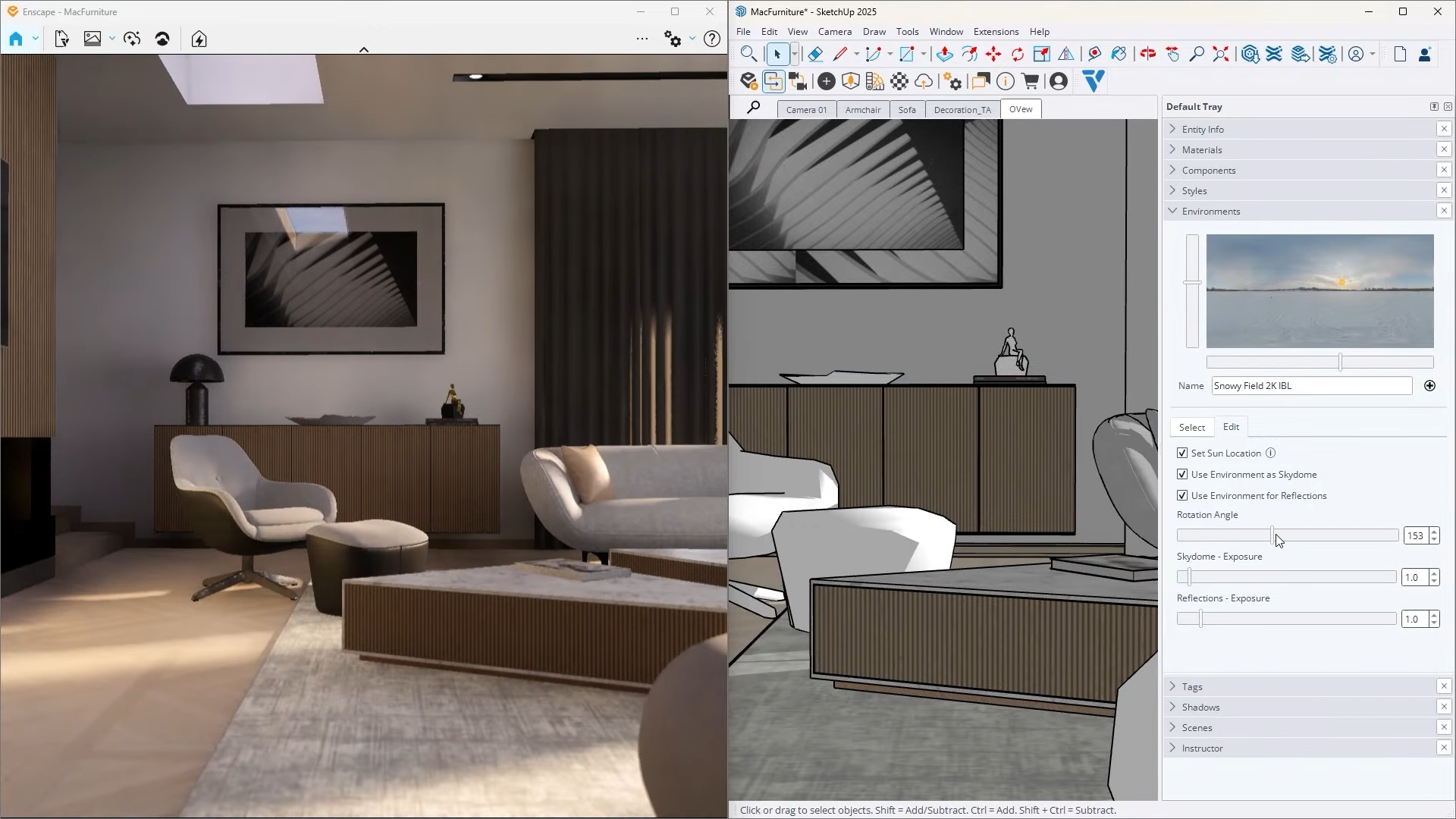
SketchUp 2025 introduces a new environmental sun control, and Enscape now fully respects it.
This Enscape update focuses on workflow speed, visual realism, and design analysis making it easier for professionals to create, communicate, and iterate at every stage.
Whether you're managing assets, enhancing people and vegetation, evaluating thermal comfort, or producing final renders, these new tools help remove friction and elevate your creative output.
Explore the latest features, upgrade your workflow, and bring your designs to life with even more precision.
Share: