
 Account

Boris FX at IBC2026: AI-Assisted VFX, iZotope RX 12, and VEGAS Pro 2026
POSTED 10th OF Sep, 2026, Posted by Summer Magdaraog

POSTED 10th OF Sep, 2026, Posted by Summer Magdaraog

Boris FX will showcase its latest visual effects, video editing, and professional audio tools at IBC2026 in Amsterdam from September 11–14, 2026. The event also marks the international debut of Boris FX’s expanded post-production portfolio following the addition of iZotope’s product family, including RX, Ozone, Neutron, and Nectar.
The IBC2026 showcase covers three main areas: AI-assisted VFX workflows in the Boris FX Suite, audio restoration and editing in iZotope RX 12, and new capabilities in VEGAS Pro 2026.
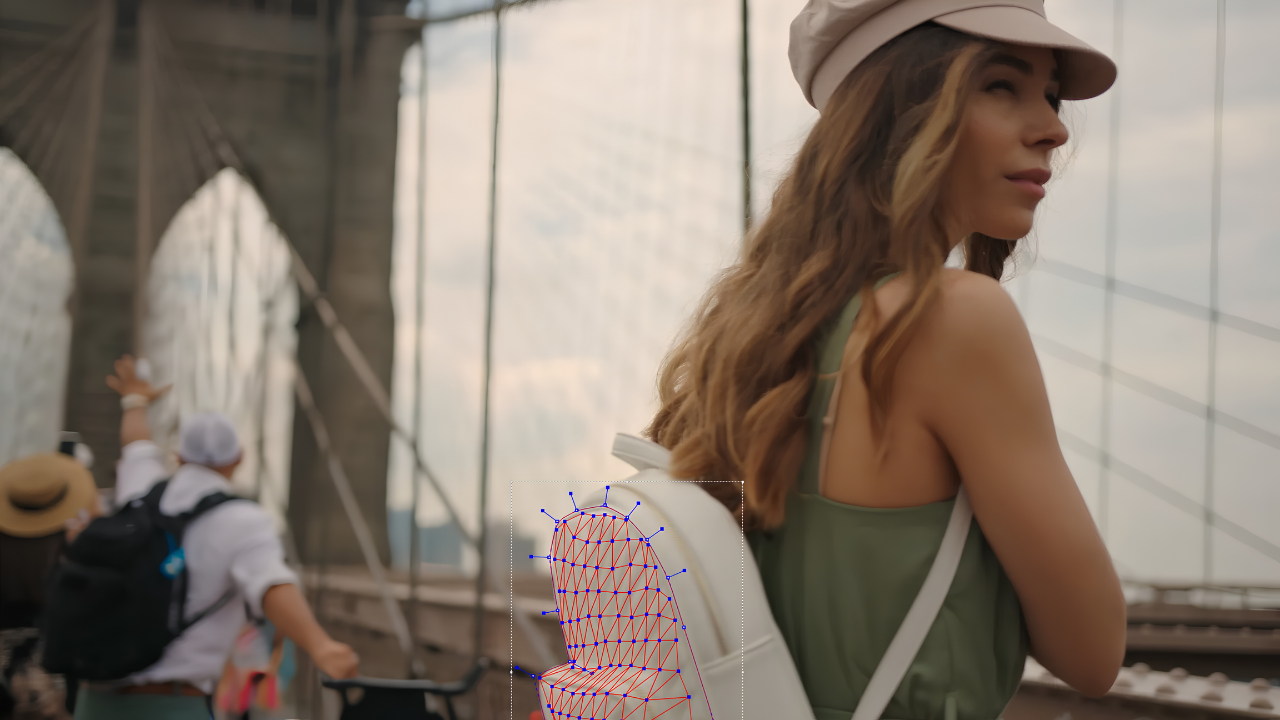
The Boris FX Suite includes more than 20 AI tools covering tasks such as masking, tracking, image restoration, audio cleanup, effects, and transitions. Boris FX says these AI tools are developed internally, trained using ethical sources, and processed locally for privacy and security.
The tools being showcased at IBC2026 include new options for masking, tracking, image restoration, and transitions.
Point Track ML analyzes tracks across a sequence while accounting for challenges such as occlusions, shadows, and surfaces that move in and out of view.
Object Detection uses text prompts to identify objects such as people, trees, and cars, then creates automatic masks to assist with rotoscoping.
Head Track ML builds and tracks a 3D head mesh while preserving facial movement and expressions. This supports effects that need to follow a subject’s face throughout a shot.
Face ML provides one-click facial segmentation for areas including the eyes, lips, neck, nose, and skin.
These tools address common VFX tasks involving subject isolation, masking, and tracking.
Boris FX is also showcasing two AI-assisted image restoration tools.
Deinterface ML automatically converts interlaced video, while Denoise ML removes unwanted image noise while retaining important visual detail.
Three transitions highlighted by Boris FX use AI-assisted processing:
The Boris FX Suite also includes creative effects such as Advanced Defocus, TextureRidges, Film Burn, Lens Flares, Warps, Dissolves, and Particles.
Other Suite updates include more than 250 curated presets, advanced rotoscoping and painting tools, Live Preview GeoH for 3D camera solves, and streamlined pipeline and export options.
The Boris FX Suite also includes CrumplePop SoundApp, available as a standalone application and plugin.
SoundApp uses AI-based stem separation to divide a mixed video or audio file into four categories:
This allows editors to isolate individual audio elements from a mixed recording for cleanup, editing, or other post-production work.
The addition of iZotope expands Boris FX’s portfolio into professional audio restoration and post-production.
At IBC2026, Boris FX will demonstrate iZotope RX 12, including tools and workflows for dialogue, music, effects, and long-form audio.
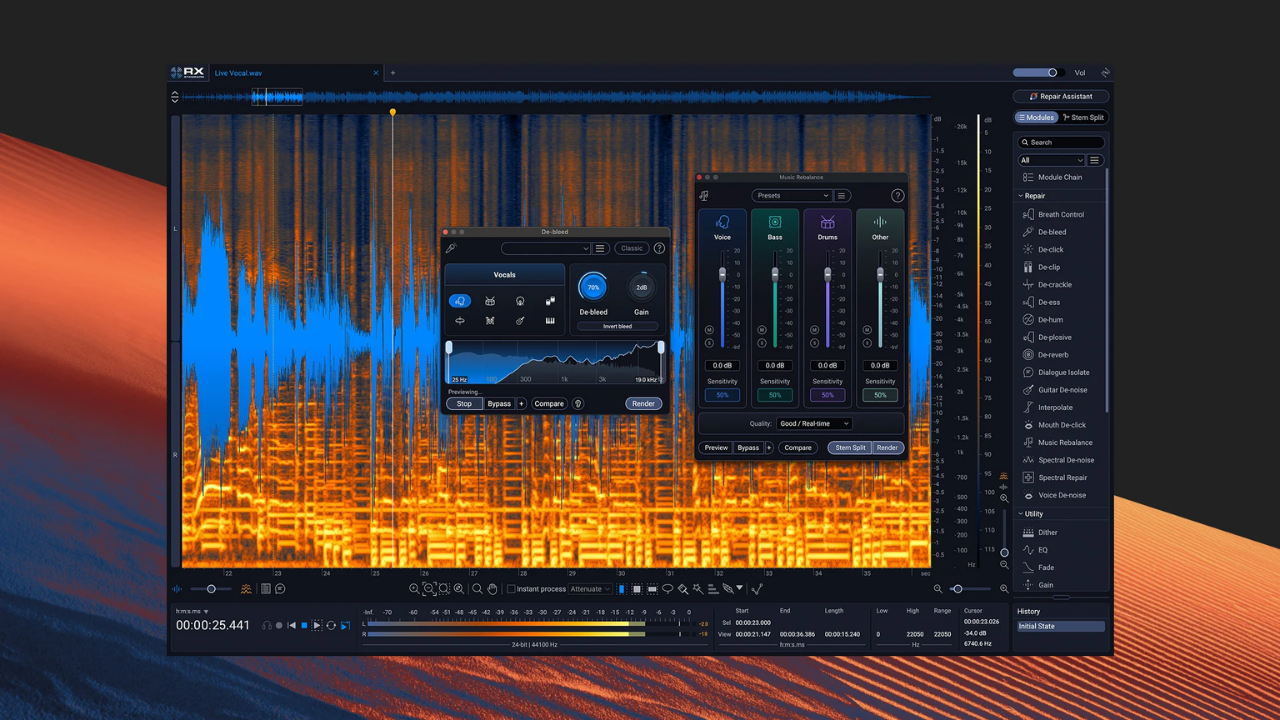
Scene Rebalance separates film and television scenes into dialogue, music, and effects components. Users can then adjust these elements independently, which is useful when the original individual tracks are unavailable.
Stems View allows RX processing tools to be applied to separated audio stems.
Stems can be created through Scene Rebalance, Music Rebalance, or Dialogue Isolate, allowing users to target specific parts of a recording rather than processing the entire mix.
RX 12 includes a rebuilt De-bleed with a new real-time plugin.
Music Rebalance and Dialogue Isolate also receive updated neural networks for source separation and processing.
Trim Silence detects and removes silent sections from long audio files. It can help speed up editing for podcasts, dialogue projects, and audiobooks, where recordings may contain extended or unnecessary pauses.
Boris FX will also showcase updates to other products in its professional audio portfolio.
Sequoia adds a new Spatial Panner that provides visual control of panning across stereo, surround, and immersive formats.
Samplitude adds OSC remote support, providing additional control for recording, editing, and mixing workflows.
CrumplePop SoundApp also adds an ARA plugin compatible with DAWs including Pro Tools, Samplitude, Sequoia, Reaper, and Cubase, among others.
Boris FX will also highlight updates to VEGAS Pro 2026 across all editions.
The release includes:
These updates cover titling and graphics, GPU performance, depth-based effects, and ProRes RAW workflows.
Boris FX will be available at two locations during IBC2026.
Walk-up demonstrations will be available throughout the event.
RX 12 demonstrations: Daily at 11 AM and 3 PM, presented by Sam Loose.
Boris FX Suite demonstrations: Available throughout the day with Christoph Zapletal, VFX Product Specialist, covering the latest AI tools and creative effects.
Pro Audio demonstrations: Available throughout the day with Sam Loose, Pro Audio Product Specialist, covering RX 12 and other professional audio tools.
Enterprise customers and resellers can schedule private meetings for deeper product demonstrations and presentations.
Meetings are available with Ben Brownlee, Director of Content, for Boris FX product presentations, or with Sam Loose for iZotope and professional audio products.
The IBC2026 showcase brings Boris FX’s visual effects, editing, and professional audio tools together in a broader post-production portfolio. The featured updates cover AI-assisted masking and tracking, image restoration, creative effects and transitions, audio separation, audio restoration, and video editing.
Motion Media is an authorized Boris FX reseller, offering Boris FX software and licensing options for creative professionals, production teams, and post-production workflows.
Explore Boris FX products and licensing options available from Motion Media.
Share: