
 Account

Pro Tools 2026.11 Adds AI Stem Separation, MPE, and More
POSTED 4th OF Nov, 2026, Posted by Summer Magdaraog

POSTED 4th OF Nov, 2026, Posted by Summer Magdaraog

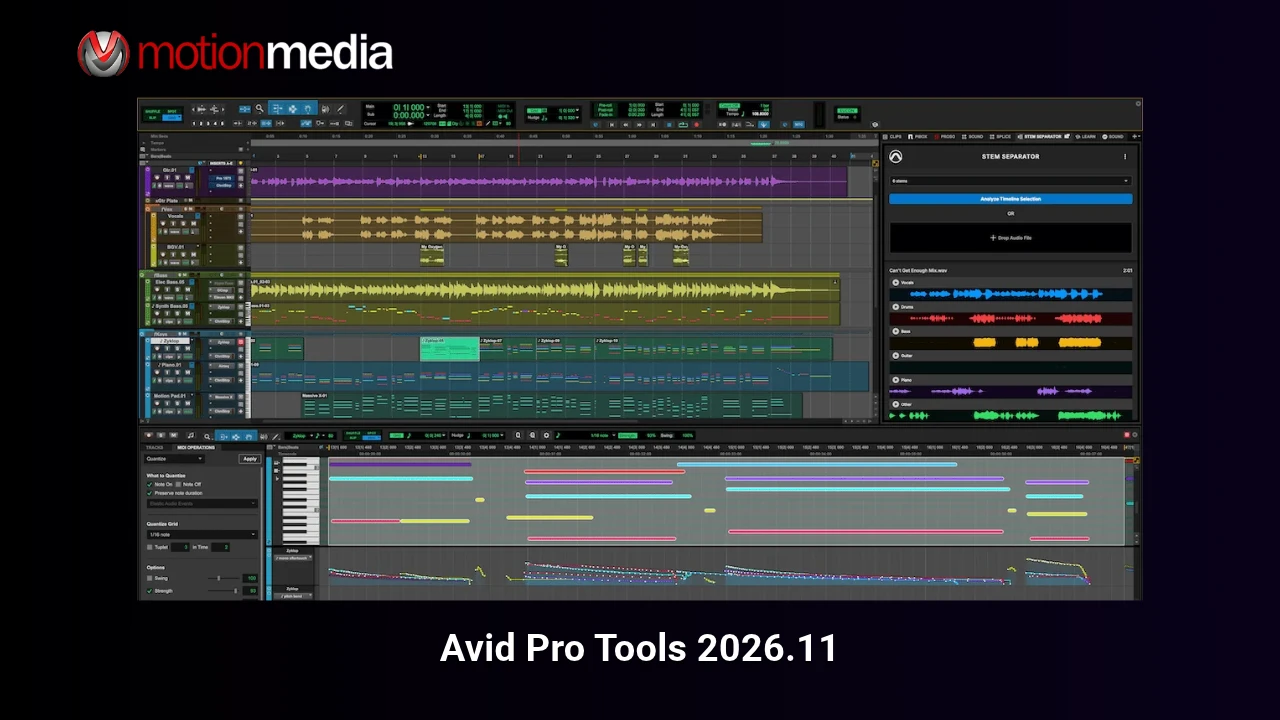
Avid has released Pro Tools 2026.11, introducing new features designed to improve music production, audio editing, and sound design workflows. The update brings AI-powered stem separation directly into the DAW, introduces a new Extensions framework, and adds support for MIDI Polyphonic Expression (MPE).
It also includes native High DPI support for Windows and improvements to alternate-take editing, giving audio professionals more flexibility and control over their production environment.
Here’s what’s new in Pro Tools 2026.11 and how these additions can improve everyday workflows.
The latest Pro Tools release introduces five notable improvements:
One of the biggest additions in Pro Tools 2026.11 is Pro Tools Extensions, a new framework that integrates additional tools and services into the application.
Unlike traditional audio plugins that primarily focus on processing individual tracks, Extensions can introduce broader workflows for sound discovery, collaboration, and other production tasks. They can also remain accessible when no Pro Tools session is open.
The initial ecosystem includes Avid's Pro Tools Stem Separator, alongside third-party Extensions from Pro Sound Effects, Forte, Soundly, and Pibox. Splice and SoundFlow also appear within the updated Extensions menu.
To make these tools easier to manage, Avid has introduced a dedicated Extensions menu and redesigned the side panel with browser-style tabs, updated icons, and a new Add/Select Tabs option.
This gives users a more centralized way to access integrated tools without having to navigate between separate applications.
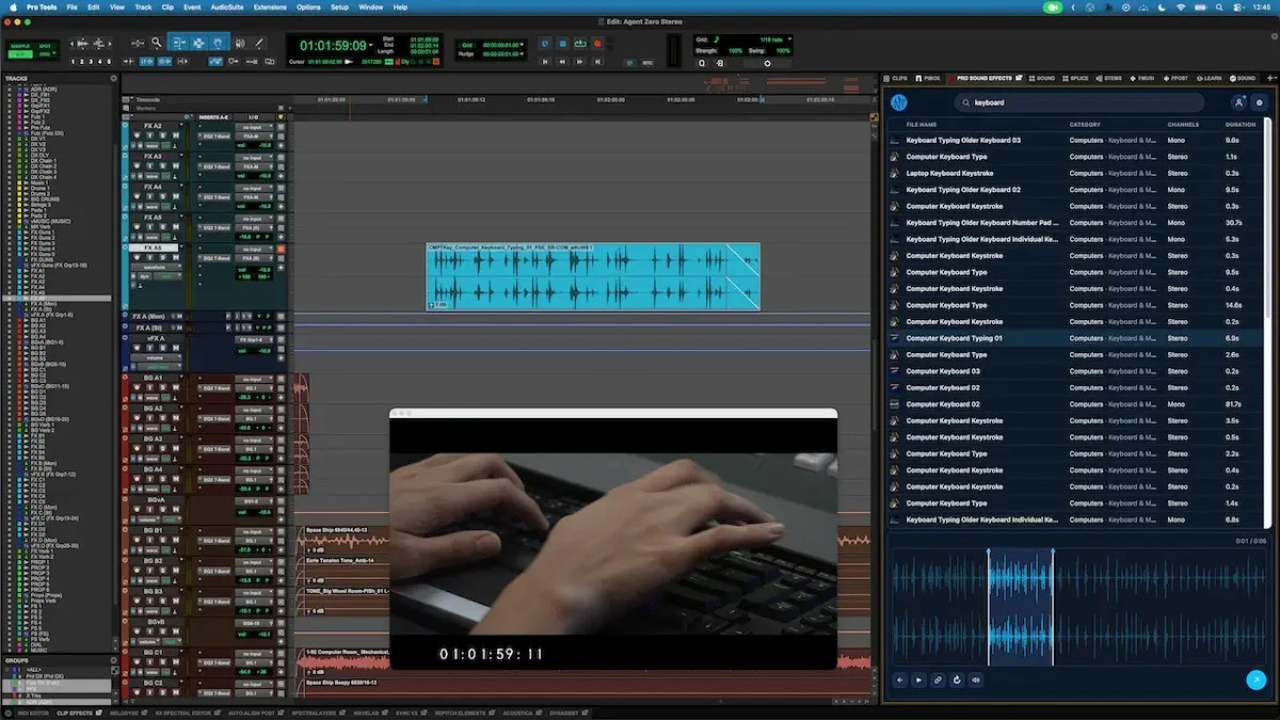
Pro Sound Effects Extension in Pro Tools (Panel View)
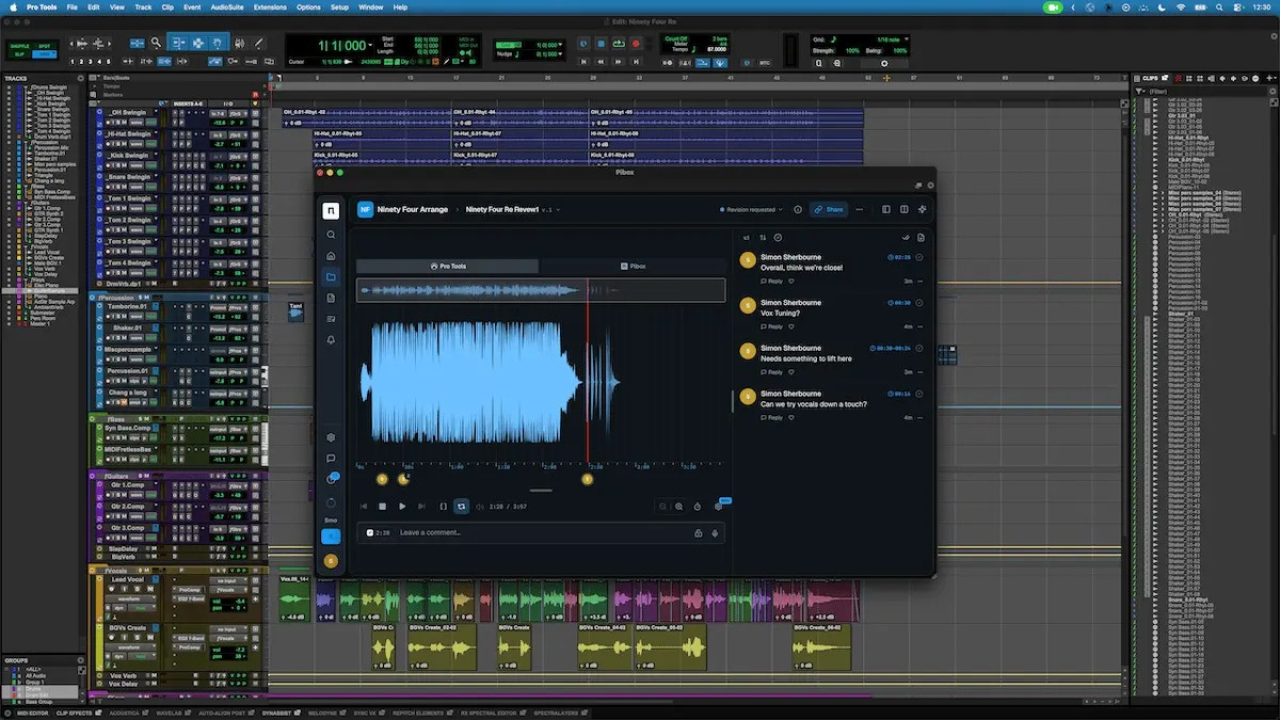
Pibox Extension in Pro Tools (Window View)
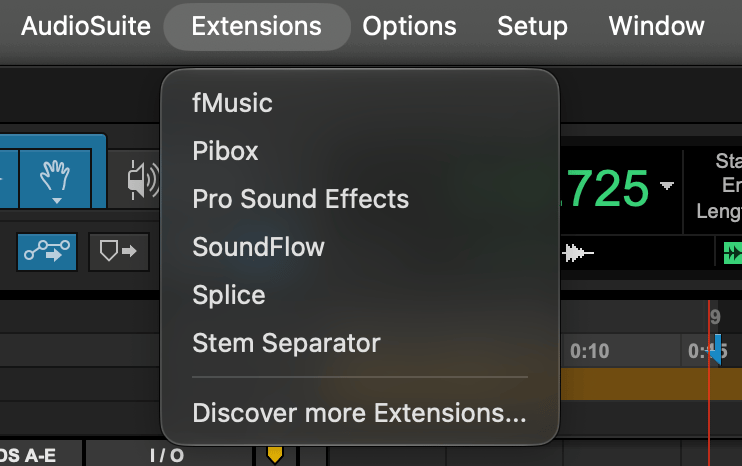
Extension Menu
Another major feature in this release is Pro Tools Stem Separator, Avid's first Extension to bring AI-powered audio separation directly into Pro Tools.
The tool can separate a mixed audio file into up to six individual stems:
Users can drag audio into Stem Separator, preview the separated results, and bring selected stems directly back into their Pro Tools session or create new tracks.
This can be particularly useful when isolating vocals, preparing remixes, extracting instruments for creative production, or working with stereo recordings that no longer have their original multitrack files.
The separation process also happens locally on the user's computer. Audio does not need to be uploaded to a cloud service or sent to an external application for processing. Avid also confirms that source content is not used to train AI models.
An internet connection is not required for the actual stem separation process, although internet access is still needed for software installation and activation.
Pro Tools Stem Separator is included across all Pro Tools tiers, including Intro, Artist, Studio, and Ultimate.
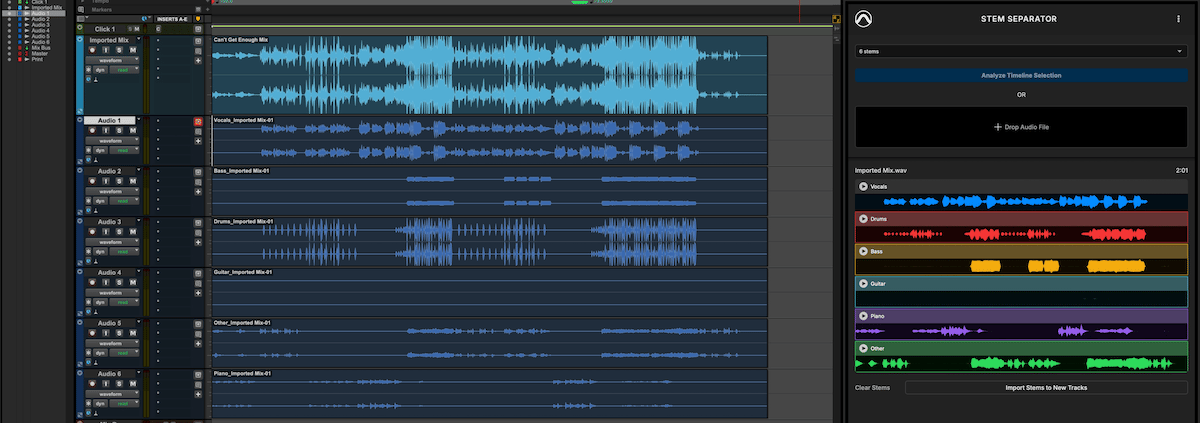
Stem Operator
Pro Tools 2026.11 also introduces support for MIDI Polyphonic Expression (MPE), a MIDI standard that allows musicians to control the expression of individual notes independently.
With traditional MIDI workflows, expressive controls such as pitch bend and modulation are often shared across notes on the same MIDI channel. MPE allows individual notes to carry their own expressive information, even when played together in a chord.
For example, musicians can bend the pitch of one note without affecting the others, apply different vibrato to individual notes, or adjust timbre and amplitude independently.
Pro Tools now supports native MPE recording, playback, editing, and automation. Users can view and modify per-note expression data through dedicated automation lanes in both the Edit window and MIDI Editor. Notes and their associated automation are also color-coded by MIDI channel for easier identification.
The update also supports MPE-compatible controllers and instruments, allowing users to capture more expressive performances without complicated MIDI channel routing.
This is particularly useful for electronic musicians, composers, and sound designers working with compatible synthesizers, virtual instruments, and expressive MIDI controllers.
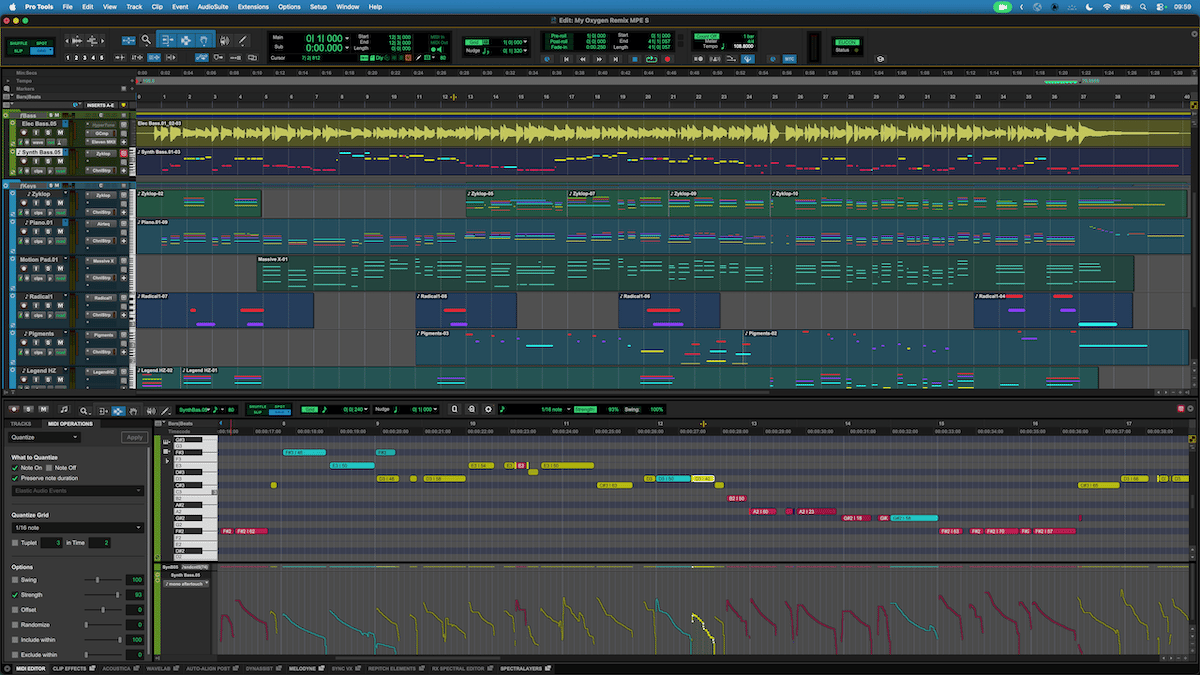
MPE
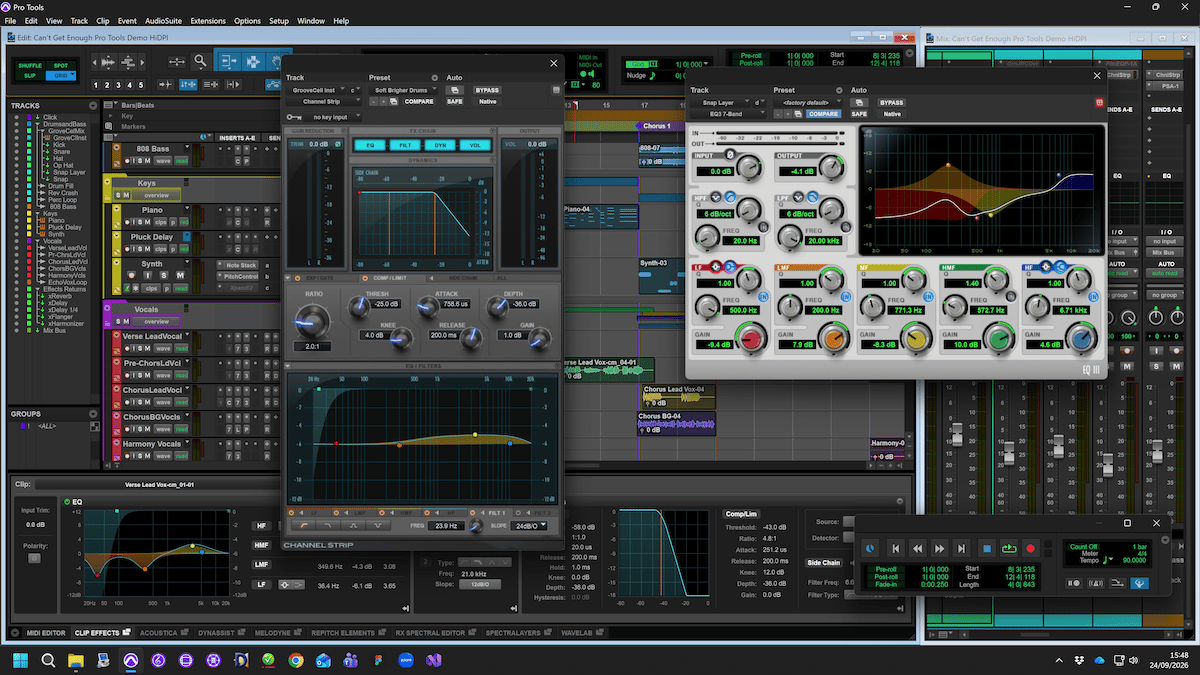
Avid has introduced native High DPI support in Pro Tools for Windows, improving the interface experience for users working with modern high-resolution displays.
The application now scales according to Windows display settings, making text, icons, and interface elements sharper and easier to read on QHD, 4K, and 5K monitors.
The update also introduces dynamic per-monitor DPI awareness. When moving Pro Tools windows between displays with different resolutions and scaling settings, the interface automatically adjusts to the destination screen.
Other Windows improvements include:
Third-party plugin scaling still depends on compatibility with Avid's updated AAX SDK and the individual plugin's implementation.
These changes make Pro Tools more comfortable to use across modern Windows workstation and multi-monitor setups.
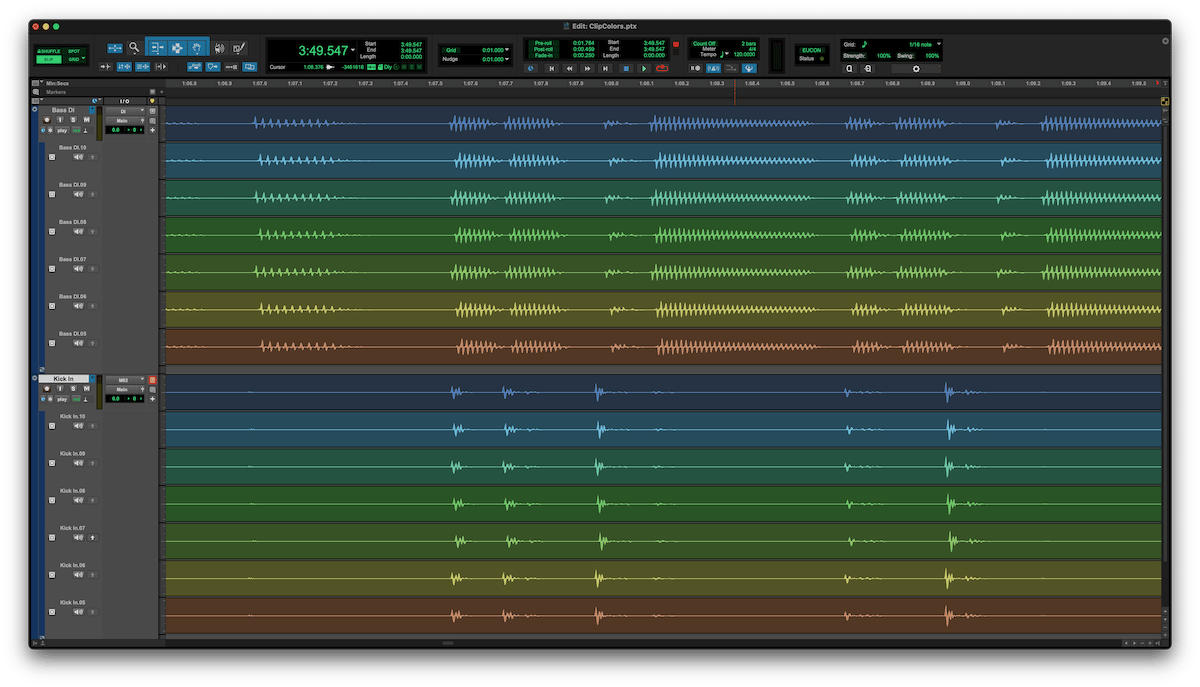
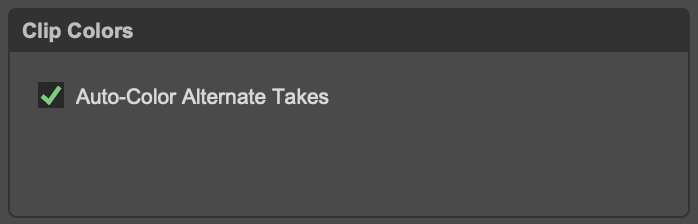
Pro Tools 2026.11 also introduces Auto-Color Alternate Takes, a feature that automatically assigns colors and take IDs to recorded clips.
The color assignments persist through playlist editing, making it easier to identify and compare takes throughout the editing process.
When multiple tracks are recorded simultaneously, matching takes receive the same color. This is especially helpful when working with recordings from multiple sources, particularly when not every track is included in every take.
Users can enable or disable automatic take coloring through Preferences > Display, depending on how they prefer to organize their sessions.
For engineers handling complex recording sessions, this provides a more consistent way to identify clips and manage alternate performances.

Pro Tools 2026.11 was released on November 3, 2026 and is available to:
Existing customers can access the release through Avid Link or their Avid Account. Perpetual license users should also verify that their iLok authorization includes the required release entitlement.
Before installing, users should review Avid's system requirements and plugin compatibility information. The published requirements include Windows 11 (24H2 or 25H2) and 16GB of RAM, with additional supported operating system and hardware requirements for Mac and Windows systems.
New users can also explore Pro Tools through Avid's free 30-day trial.
For complete technical information, installation instructions, and compatibility details, visit the official Pro Tools 2026.11 release notes.
Whether you're producing music, recording performances, mixing tracks, or working in professional audio post-production, Avid Pro Tools provides the tools to manage your entire audio production workflow.
As an authorized Avid reseller, Motion Media offers genuine Pro Tools licenses for audio professionals, producers, musicians, and studios.
Explore the available Pro Tools editions and choose a licensing option that fits your production requirements.
Ready to get started with Pro Tools or upgrade your existing license?
Explore Avid Pro Tools at Motion Media and find the right license for your next production.
Share: