
 Account

Maxon Plus: AI 3D Modeling, Texturing & Review
POSTED 26th OF Nov, 2026, Posted by Summer Magdaraog

POSTED 26th OF Nov, 2026, Posted by Summer Magdaraog

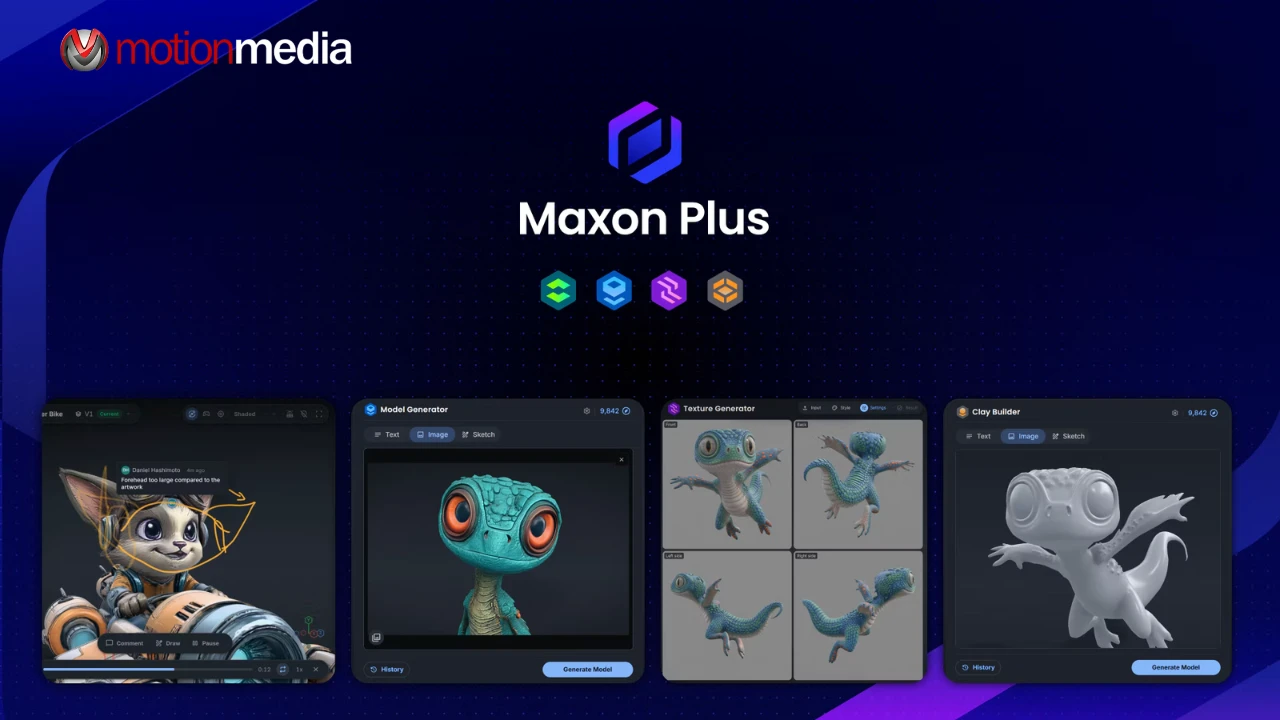
Maxon has introduced Maxon Plus, a new subscription service that brings AI-assisted 3D modeling, texturing, sculpting, and collaborative project reviews into its creative ecosystem.
Announced on November 23, 2026, Maxon Plus launches with four services designed to support different stages of 3D production. Artists can generate editable 3D models from text prompts and reference images, explore textures for existing assets, create sculpting-ready base meshes, and collect feedback on projects through a browser-based review platform.
The services are available online, with selected tools integrated directly into Cinema 4D and ZBrush. Maxon Plus is designed to complement existing creative workflows while keeping artists in control of the final results.
Maxon Plus is a separate subscription that combines AI-powered 3D creation tools with cloud-based services for sharing and reviewing creative work.
It launches with four services:
| Service | Main Function | Availability |
| Model Generator | Generates editable 3D models | Web and Cinema 4D |
| Texture Generator | Generates textures for existing 3D models | Web and Cinema 4D |
| Clay Builder | Creates untextured base meshes for sculpting | Web and ZBrush for iPad |
| Maxon Review | Enables browser-based review and approval | Web and supported Maxon applications |
Maxon Plus Model Generator turns text prompts, reference images, or sketches into editable 3D models.
Artists can explore concept previews, refine their preferred direction, and generate a model for further development. The tool is intended for creating starting assets such as props, furniture, background objects, and components of larger models.
Model Generator is available through the Maxon Plus web application and within Cinema 4D 2027.1 or later. Generated models can be further developed using Cinema 4D's modeling tools.
Texture Generator helps artists develop new surface appearances for 3D models they have already created or sculpted.
Users can guide texture generation through text prompts and reference images. The tool can generate new UVs or retain an existing UV layout, giving artists flexibility when working with existing assets.
Available online and within Cinema 4D, Texture Generator provides another way to explore material variations and develop the appearance of 3D models.
Clay Builder generates simple, untextured base meshes from text prompts, reference images, or sketches.
Unlike Model Generator, which creates editable 3D models, Clay Builder focuses on producing starting geometry for further sculpting. Its output is intended for workflows involving subdivision and additional sculpting in ZBrush.
Clay Builder is available through Maxon Plus online and directly within ZBrush for iPad.
Maxon Review introduces a browser-based platform for sharing creative work and collecting feedback on 3D models, still images, and videos.
Artists can share projects through links, allowing clients and collaborators to inspect assets and leave feedback without installing 3D software. Reviewers can pin comments to specific parts of a model, add visual markups, and compare different versions.
Maxon Review also connects with Cinema 4D and ZBrush, allowing feedback to return to the applications used to develop the work.
The service is available as a Public Preview. During this period, creating reviews requires a Maxon Plus subscription, but reviewers do not need a paid subscription or a 3D software license. A free Maxon account is required to leave comments. Maxon Review does not consume Maxon Plus credits during the preview.
Maxon Plus is offered separately from Cinema 4D, ZBrush, and Maxon One subscriptions. Having an existing Maxon product license does not automatically provide access to the service.
According to Maxon's announcement, subscriptions start at $10 / €10 per month and are available in three monthly packs: Starter, Creator, and Pro.
Each pack includes a monthly allocation of Maxon Plus credits for AI-powered services.
Important subscription details include:
Maxon Plus services are also accessible through a web browser, including for artists working with other 3D applications.
Maxon states that its third-party AI providers are prohibited from using user content, prompts, and related data submitted through Maxon Plus to train generative AI models.
The company also identifies the third-party AI providers used by its cloud-based features and allows users to disable AI functionality through their Maxon account settings.
These controls provide artists with more information and choice when incorporating AI-assisted tools into their creative workflows.
Maxon Plus expands the company's creative ecosystem with additional tools for AI-assisted 3D creation and collaborative project review.
For artists and studios looking to build or expand their existing workflows, explore the available Maxon software at Motion Media.
As an authorized Maxon reseller, Motion Media offers Maxon solutions for 3D modeling, animation, rendering, motion graphics, and visual effects, including Cinema 4D, ZBrush, Redshift, Red Giant, and Maxon One.
Share: