
 Account

FL Studio Mobile 4.9 Update: Turn Mobile Ideas into Full Desktop Productions
POSTED 9th OF Feb, 2026, Posted by Summer Magdaraog

POSTED 9th OF Feb, 2026, Posted by Summer Magdaraog

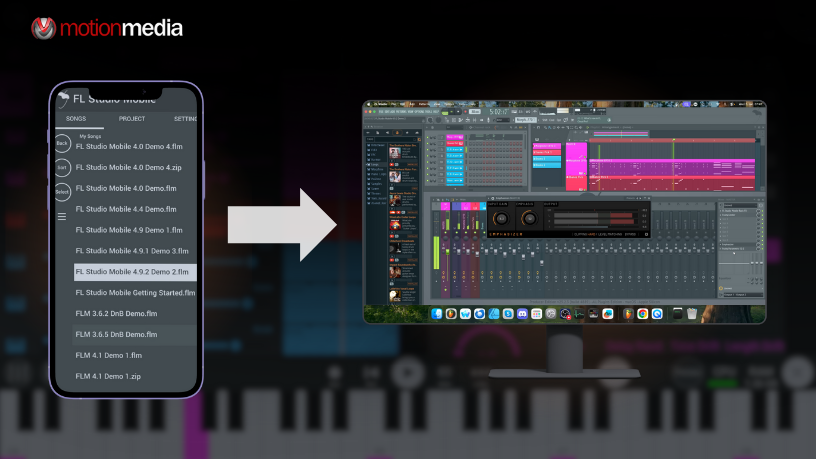
FL Studio Mobile 4.9 is here and it’s a meaningful update for music producers who sketch ideas on the go and finish tracks in FL Studio Desktop.
This release introduces new note effects, improved workflow controls, fresh templates, and most importantly the ability to export FL Studio Mobile projects directly into FL Studio Desktop. That means ideas created on your phone or tablet can now move seamlessly into FL Studio Fruity, Producer, Signature, or All Plugins Edition for full-scale production.
If you’re already using FL Studio Desktop or planning to, this update closes the gap between mobile creativity and professional studio production.
FL Studio Mobile 4.9 focuses on creative control, speed, and project continuity. Here’s what producers can expect.
FL Studio Mobile now includes Note Effects modules, designed to manipulate MIDI note data before it reaches instruments. These modules must be placed before sound-generating plugins in the rack to function correctly.
Repeat incoming notes up to 32 times, with control over:
This is ideal for rhythmic patterns, evolving arpeggios, and experimental melodies, without manually programming repeats.
Automatically randomizes:
Perfect for adding variation, human feel, or generative-style movement to static MIDI sequences.
Locks incoming notes to a selected musical scale. This helps:
Quickly shift note data by:
Useful for rapid arrangement changes and exploring new musical ranges.
All note effects are fully automatable, making them powerful tools for dynamic arrangements.
This is the most impactful update in FL Studio Mobile 4.9.
You can now save FL Studio Mobile projects as FLP files and open them directly in FL Studio Desktop with the project sounding exactly the same as it did on mobile.
This workflow allows you to:
If you own:
You can now treat FL Studio Mobile as a true companion app, not a separate environment.
Mobile becomes your idea pad. Desktop becomes your production engine.
FL Studio Mobile 4.9 introduces new factory templates designed to help you:
These templates are especially useful for beginners and experienced producers who want to move straight into creating.
Adjusting knobs and sliders is now more precise.
When tweaking any continuous control:
This is especially helpful for:
You can now:
This makes sound design faster and more intuitive.
Double-tap a module’s title bar to:
This keeps complex projects clean and manageable.
FL Studio Mobile is not a replacement for FL Studio Desktop but with version 4.9, it becomes a powerful extension of it.
Use Mobile to:
Then bring those projects into FL Studio Desktop editions to:
This workflow is especially valuable for producers using FL Studio Producer Edition and above, where full audio recording, automation, and export options unlock the project’s full potential.
FL Studio Mobile 4.9 is ideal for:
If you’re ready to take mobile ideas further, FL Studio Desktop is where they become finished tracks.
Turn your FL Studio Mobile projects into full productions with FL Studio Desktop.
Explore FL Studio Editions:
Choose the edition that fits your production style and scale your music without limitations.
Share: