
 Account

Boris FX Silhouette 2027: New AI Roto, Matte ML, and 3D Tools
POSTED 19th OF Nov, 2026, Posted by Summer Magdaraog

POSTED 19th OF Nov, 2026, Posted by Summer Magdaraog
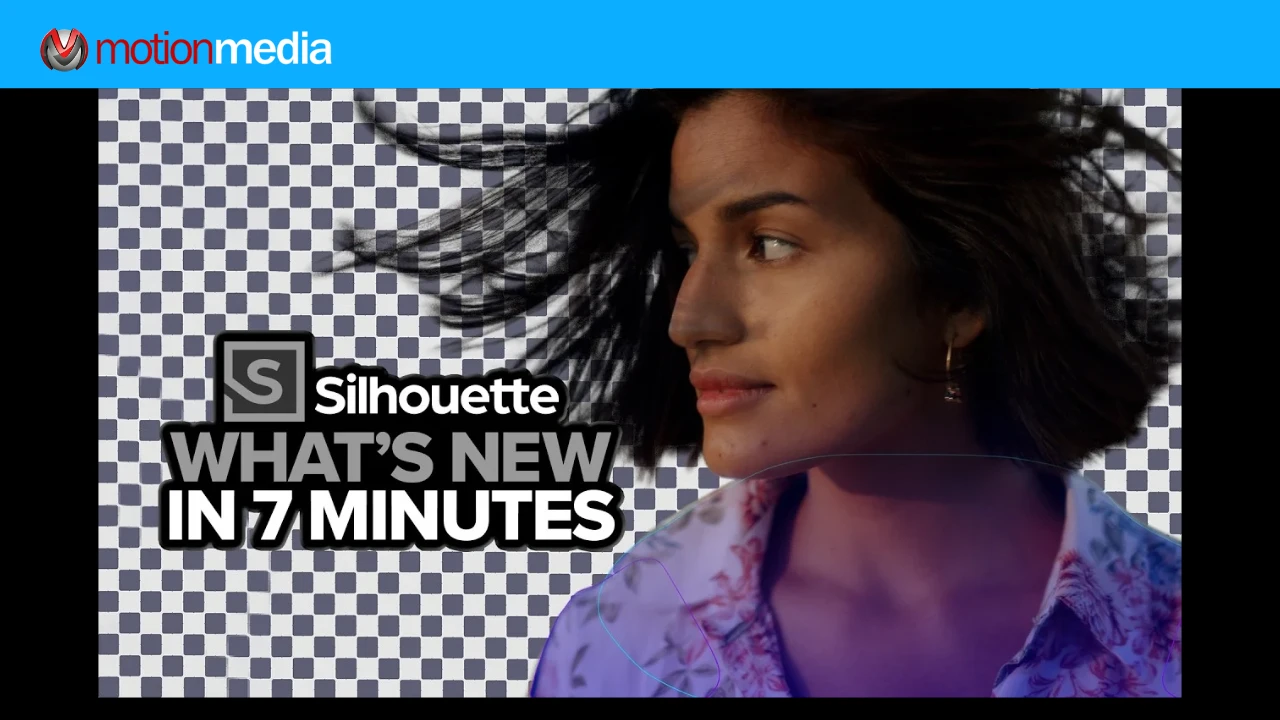
Boris FX has released Silhouette 2027, introducing new machine-learning tools for rotoscoping, a more connected matte workflow, expanded 3D compositing capabilities, and additional controls for paint and animation.
Silhouette is a professional rotoscoping, paint, and compositing application available as a standalone application and as a plugin for supported visual effects and editing software. The 2027 update builds on these capabilities with tools designed to help artists create and refine roto shapes, generate mattes, remove unwanted objects, and work with 3D scenes.
The release also introduces Runway integration, code-driven nodes, and improved background processing, expanding the tools available directly within Silhouette's node-based environment.
Here's a closer look at the major changes and what they bring to visual effects production.
The update introduces several additions and improvements across its existing workflows:
Rotoscoping often requires detailed shape creation, tracking, and repeated adjustments to maintain accurate outlines across frames. Silhouette 2027 expands its machine-learning tools to support these stages while retaining manual spline control.
Body ML generates layers and roto shapes for major human body parts, then tracks their movement across a selected frame range. These generated shapes provide an editable starting point that artists can refine further.
Roto ML fits guided closed shapes, including Body ML shapes, more closely to a reference matte. It also simplifies points or keyframes to create more manageable splines.
The update introduces Auto Roto Keyframe (K), which automatically tracks a shape, snaps its points to the object's boundary, and creates a keyframe on the current frame. Pressing K again on an existing keyframe refines the outline without retracking the shape.
For additional tracking control, Shape Tracker follows selected shapes across a frame range, accounting for movement and deformation within their boundaries. Artists can optionally snap outlines to a propagated or connected matte.
These tools provide different stages of an AI-assisted roto workflow: generating an initial shape, refining its outline, and tracking its movement through the footage.
Silhouette 2027 introduces Matte ML, a compound node that connects multiple matte-processing operations into one workflow.
It combines Mask ML, Matte Assist ML, Matte Refine ML, and optional Matte Deflicker ML, with image and data connections already configured. This brings matte generation and refinement stages together without requiring artists to connect each node individually.
The update also improves the individual tools.
Mask ML adds Auto DOD, a hover-based segmentation preview, and an Object tool for selecting individual objects, components, or all objects within a selection.
Matte Assist ML adds controls for adjusting the working image's aspect ratio and resolution to balance detail, processing time, and GPU memory usage. It also introduces Auto DOD, Inference Shape, Inference Size, and a new model designed to deliver more stable edges across frames.
Matte Refine ML uses a new Video Matting model. Standard quality performs one refinement pass, while Enhanced quality performs three passes for additional refinement with longer render times.
For temporal consistency, Matte Deflicker ML uses optical-flow-based processing to reduce flicker across neighboring frames. Artists can adjust Temporal Range and Quality to balance processing time and results.
Finally, Depth Map ML receives improved models designed to provide better temporal stability while using less GPU memory.
Together, these updates give artists a more connected matte workflow with additional controls over segmentation, edge refinement, and consistency across frames.
Removing unwanted elements from footage is another area addressed by the Silhouette 2027 update.
The new Video Inpaint ML node uses local machine learning to generate background fills for areas identified by its input alpha. This can be used for cleanup tasks such as removing objects, wires, and tracker markers from footage.
Artists can generate a result for the current frame or process the selected work range in the background. Once processing is complete, the generated result becomes available through the node's assets.
The generated fill can then serve as a starting point for additional paint cleanup. This allows artists to combine AI-generated background reconstruction with further manual refinement when working on footage.
Silhouette 2027 extends its 3D capabilities with tools for building scene-based composites, projecting painted repairs, and preparing geometry for painting.
The 3D Composite node lets artists build a shot in 3D space by placing footage on cards and adding geometry and cameras. Scene elements can be adjusted, hidden, or reparented as the composite develops, without changing the upstream solve.
For projection and texturing, 3D Projector & Texture can project painted repairs, replacement images, or graphics through a camera onto scene geometry. It can also apply an image directly as a texture.
The 3D Renderer converts scene data into an RGBA image for downstream compositing or final output. Meanwhile, Scene Transform provides controls for positioning the scene, including Make Origin, which shifts the scene and camera together relative to the world-origin grid.
The update also adds an Unwrap Node for converting supported scene geometry, including geometric primitives and imported meshes, into a 2D view for painting.
Another addition is the dedicated Head Track ML node. It exports tracked, anchor-adjusted meshes for use in downstream applications. Its new Solid Mesh option fills openings in the mesh to create a more complete surface for improved unwrapping results.
These additions connect tracking, 3D scene construction, projection, and paint-based repairs within Silhouette.
Silhouette 2027 also expands its creative AI and procedural tools through integrated Runway nodes and support for custom code-driven operations.
The new Runway nodes bring image and video generation and transformation into the node tree. Supported operations include:
Using these integrations requires a Runway developer account and API key.
For custom image processing, the update introduces SeExpr, OSL, and WGSL nodes. Artists can write code directly within a node to create procedural textures, mattes, gradients, color treatments, and custom compositing operations.
Changes can be evaluated live without compiling a plugin or restarting Silhouette.
The Build Live Tools workflow also turns expressions into adjustable tools. Declared parameters become standard controls that artists can edit and animate, while ports are generated from the code to support image-processing nodes and standalone generators.
Silhouette 2027 introduces additional background-processing controls for supported renders and other long-running tasks.
The Tasks window and Tasks dock display progress and notifications for background rendering, Roto ML, Runway ML, and Paint Rebuild. When a task finishes, artists can access actions to import renders, inspect generated results, or select the latest asset.
The Background Render option can be enabled directly from the Render Options dialog, allowing supported rendering operations to run while artists continue working.
The Output Node also receives a new port with Passthrough and Rendered Sequence modes. Artists can either forward upstream results or use rendered frames stored on disk for downstream processing without recalculating the upstream result.
Other interface and workflow changes include a new Clean node style in the Trees view, featuring darker nodes, thinner borders and connection lines, subdued unused ports, and compact controls. Schematic connections can use default settings or individual node overrides. Interface themes can also be switched to suit the user's preference.
Artists can enable or disable individual nodes inside Compound nodes using dedicated enable icons. Viewer navigation receives keyboard shortcuts: use Shift + F1–F8 to assign nodes to Viewer shortcuts, then F1–F8 to send assigned nodes to the Viewer.
For timeline and render management, Player In and Out Point controls define custom playback ranges. Show Work Range displays the selected range, while Render Options support multiple custom frame ranges separated by commas.
Parameter organization is also more flexible, allowing artists to add, remove, reorder, and publish custom parameters. A new Compare Node displays two images together for comparing a generated element, custom treatment, or revised composite against a reference or previous result.
The update also introduces more control over individual roto points and tracked shapes.
With Per-Point Keyframing, artists can correct a drifting point without keyframing the entire shape. Only adjusted points receive keyframes, while untouched points continue interpolating between their existing keys.
The timeline supports inspecting and deleting individual points' keyframes, providing more control over point-level animation.
Silhouette 2027 also adds dedicated shape refinement actions. Artists can convert shapes to Bezier, B-Splines, or X-Splines, remove automatic keyframes, and smooth point jitter.
For tracking, the Tracker's Smooth control reduces jitter in matrix-based transforms generated by Body ML and Roto ML. This provides additional control over both tracked motion and spline refinement.
Boris FX Silhouette 2027 is available as a standalone application and as a plugin for Adobe After Effects, Adobe Premiere, Foundry Nuke, Blackmagic Resolve and Fusion, and Autodesk Flame.
For existing customers, Boris FX provides Silhouette 2027 as a free update for users with an active Silhouette subscription or upgrade and support plan. Silhouette is also included with the Boris FX Suite.
Updated installers are available through the Boris FX Hub.
The Silhouette 2027 update brings together AI-assisted rotoscoping, connected matte processing, object removal, expanded 3D compositing, and more precise animation controls. It also introduces Runway integration, programmable nodes, and background-processing improvements for artists working across visual effects production.
For VFX artists, compositors, and paint professionals evaluating their production tools, these additions expand the ways machine-learning assistance and traditional controls can be used within the same node-based environment.
Explore Boris FX software at Motion Media to review available products and licensing options, or contact our team for assistance with your Silhouette licensing requirements.
Share: