
 Account

Veras 4.0 Is Here: A Major Leap Forward in AI Architectural Rendering
POSTED 10th OF Feb, 2026, Posted by Summer Magdaraog

POSTED 10th OF Feb, 2026, Posted by Summer Magdaraog

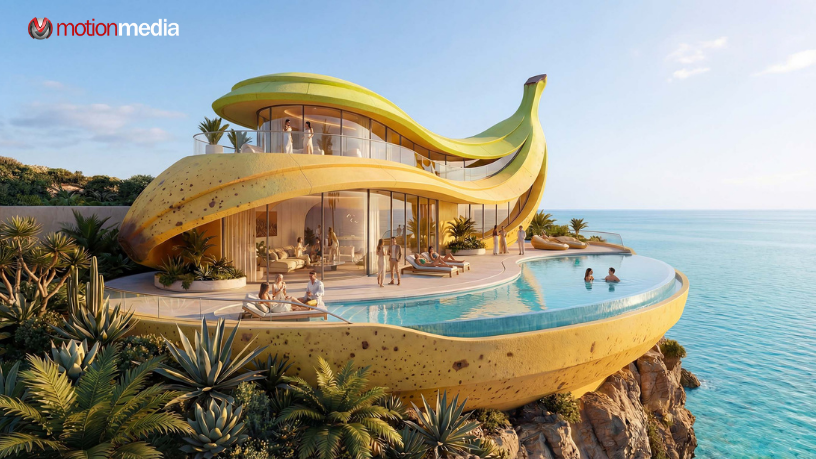
Chaos has officially released Veras 4.0, and this update marks a significant evolution in how architects and designers use AI for ideation, visualization, and early-stage design exploration.
Built specifically for AI architectural rendering inside CAD and BIM workflows, Veras 4.0 introduces a powerful new rendering engine, smarter prompt behavior, image-based inputs, and workflow enhancements that make AI-generated visuals more accurate, consistent, and production-ready than ever before.
If you’re using Veras for concept development or planning, this update changes what’s possible.
At the core of Veras 4.0 is a brand-new rendering engine, but the update goes far beyond that. Every improvement is designed to help architects move faster, explore more design options, and maintain visual control as projects evolve.
Here’s a closer look at what’s included.
The biggest upgrade in Veras 4.0 is Render Engine 7, powered by Nano Banana Pro.
This new AI rendering engine delivers:
In practical terms, this means your AI renders look cleaner, more believable, and far closer to something you could confidently present to clients or stakeholders.
If you’re already working with Enscape, the good news is that this engine fits directly into your existing workflow with no disruption, no extra setup.
Nano Banana–powered rendering uses a quota system based on your Veras subscription. For users who need higher-volume asset generation, Chaos now offers:
The previous Stable Diffusion–based render engines are still available and remain unlimited, giving you flexibility depending on your rendering needs.
With improved geometric cohesion and near-elimination of visual artifacts, Veras 4.0 opens the door to workflows that were previously unreliable or simply not possible with AI rendering.
You can now confidently use Veras for:
The result is a more reliable AI visualization tool that supports real architectural decision-making not just concept art.
One of the most impactful changes in Veras 4.0 is how prompts are interpreted.
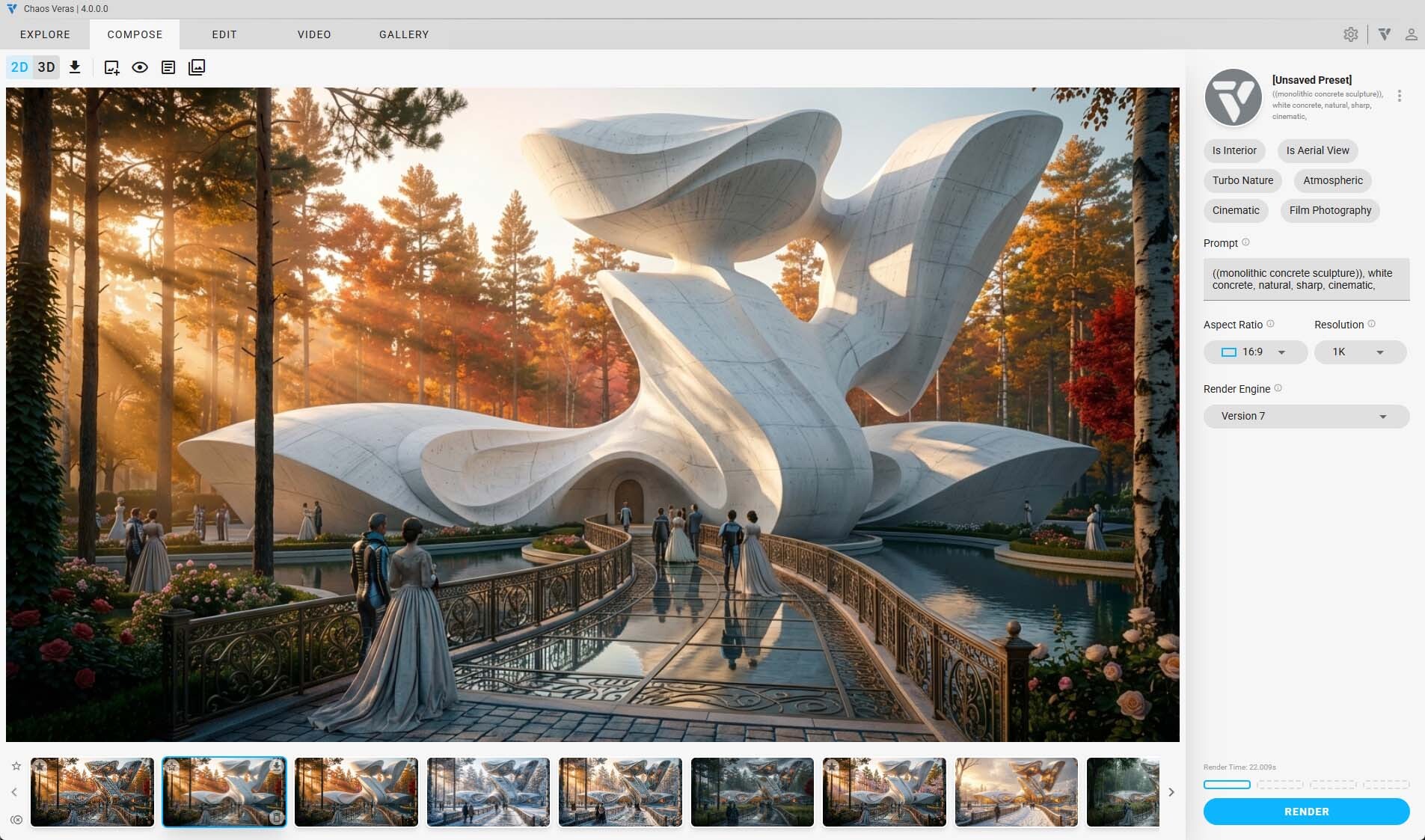
Instead of loosely influencing the output, prompts now behave like direct instructions. Veras understands what you want to change and where it should apply.
For example: If you prompt Veras to convert a building into a monolithic concrete structure, only the building is transformed without unintentionally altering the rest of the scene.
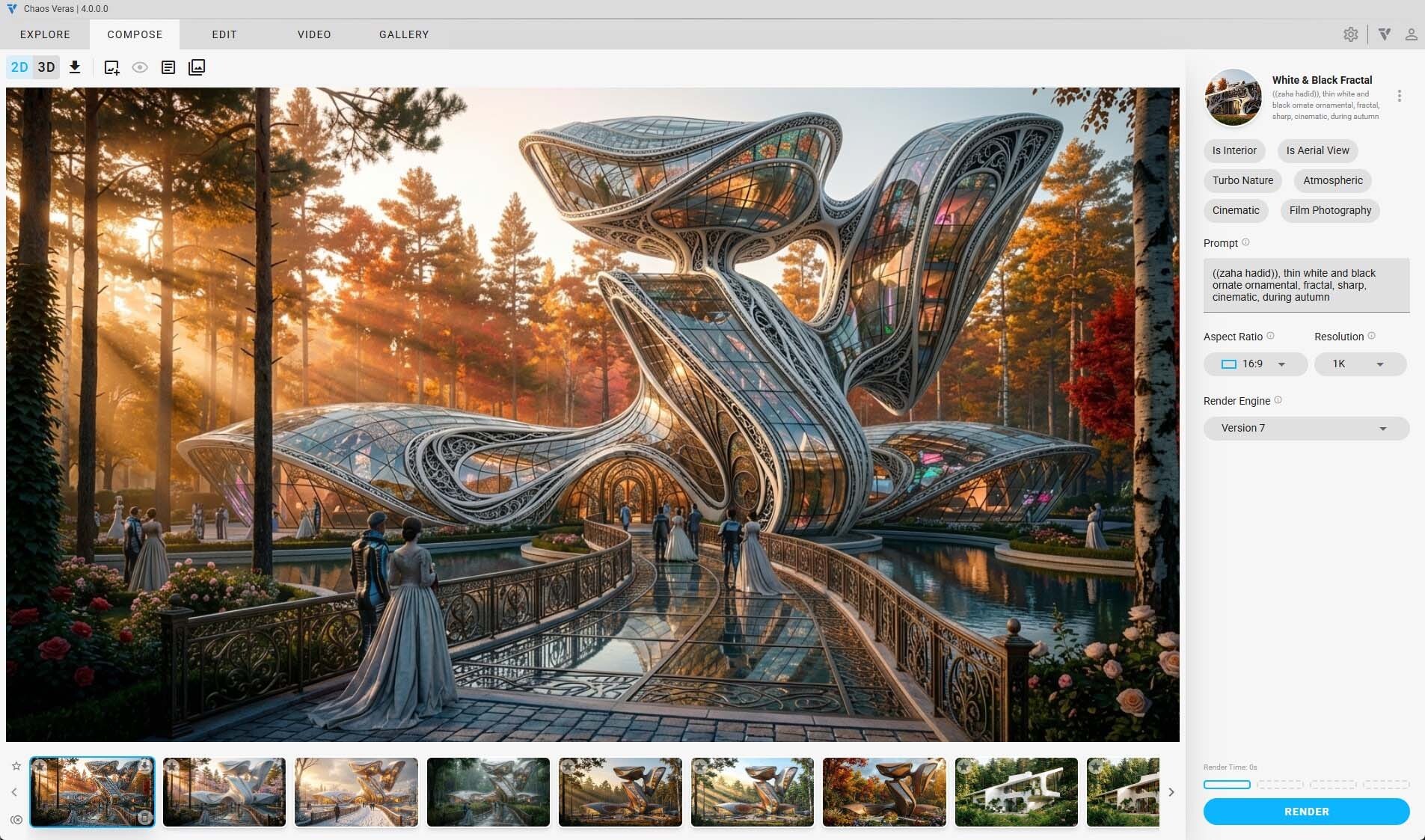
Another example: If you request a winter setting, Veras intelligently dismisses visible linework where snow would realistically obscure it, while preserving other architectural elements.
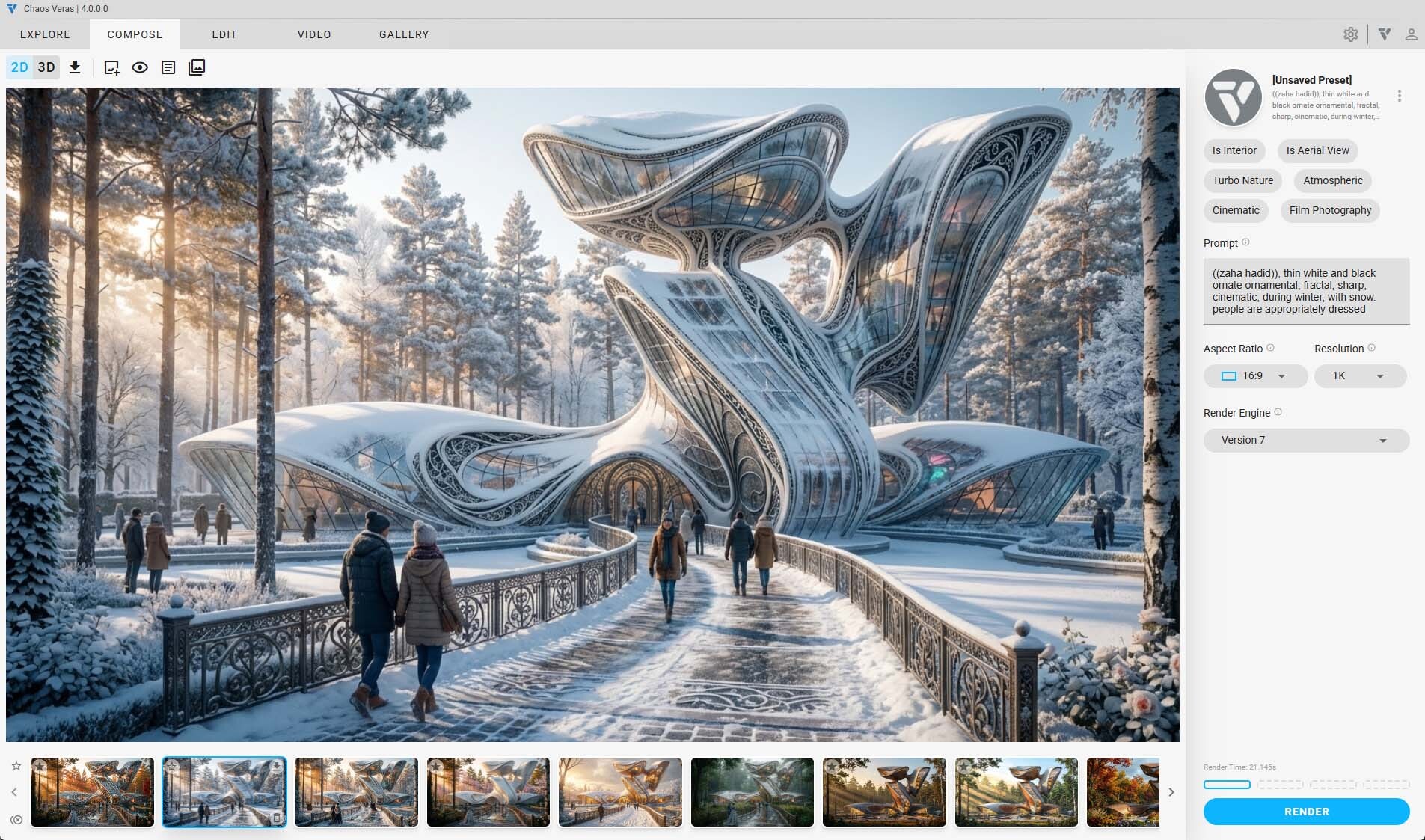
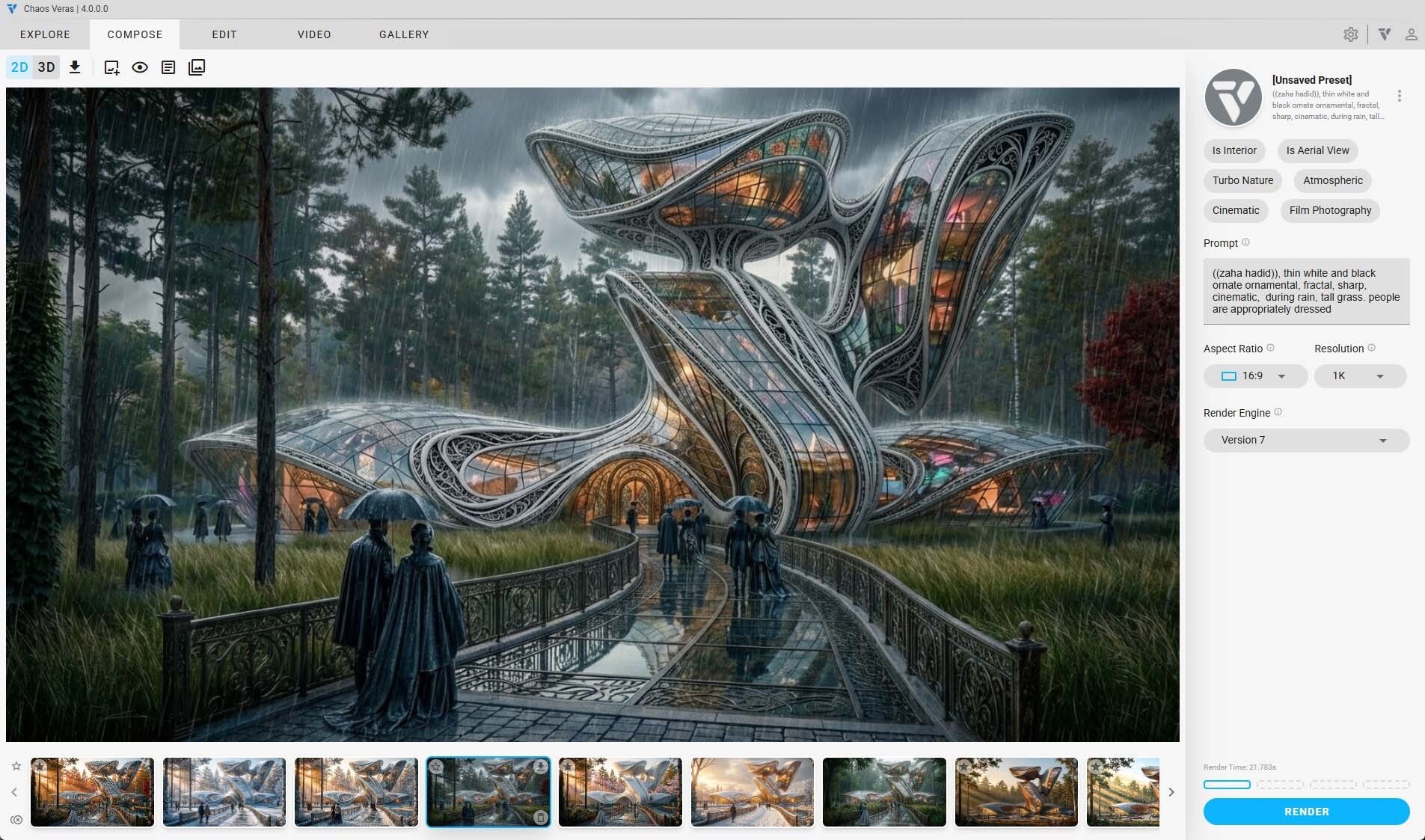
This localized, semantic understanding allows for more precise material overrides, geometry changes, and contextual edits making prompts more powerful and predictable than ever.
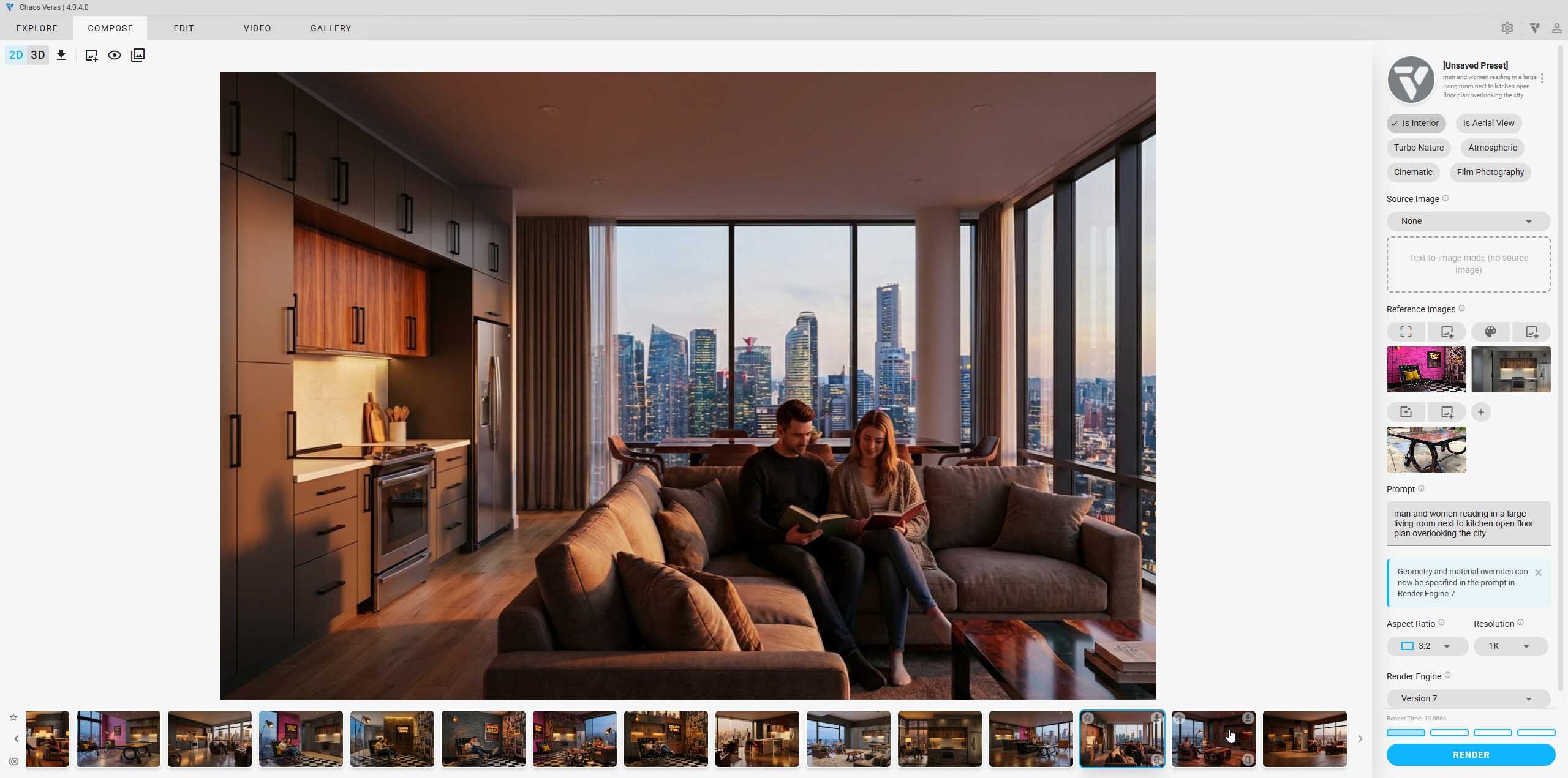
With Image Reference as Input, Veras 4.0 lets you guide new renders using existing images instead of relying on text alone.
You can upload or select a reference image, and Veras will:
This is especially useful for teams who want to refine, evolve, or remix previous design explorations while keeping a consistent visual language across iterations.
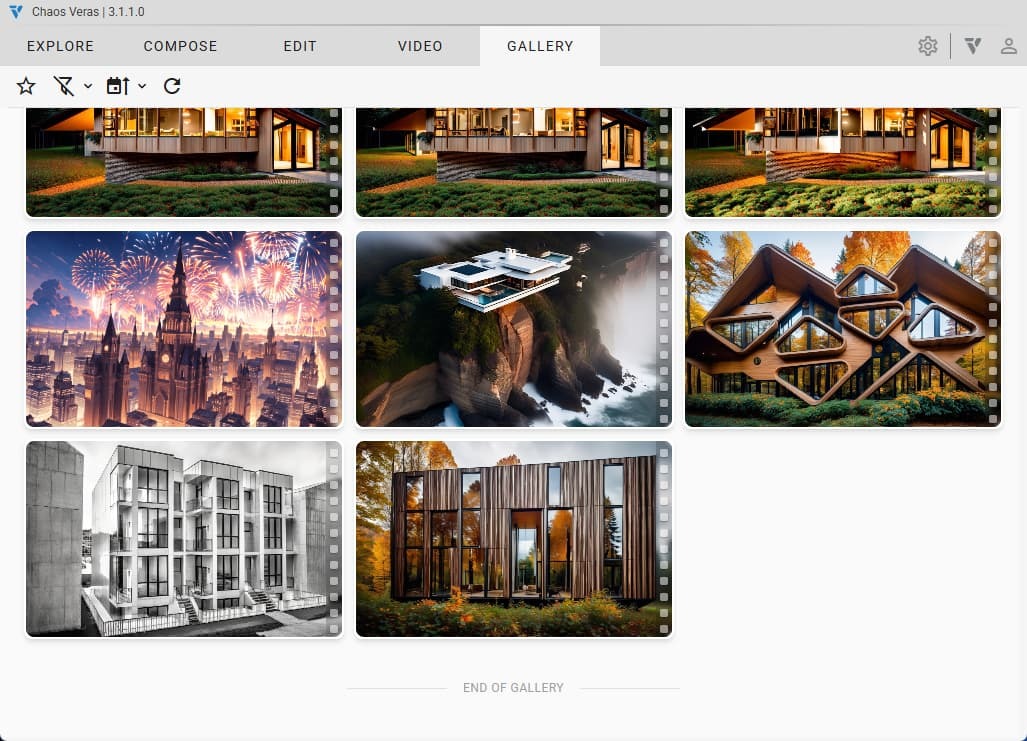
Gallery Mode introduces a clean, visual way to browse your past renderings and animations.
Instead of searching through folders, you get:
It’s a simple addition, but one that significantly improves workflow efficiency during fast-paced design exploration.
Veras 4.0 now separates video presets from image presets, ensuring you’re always using tools optimized for the medium.
With 12 new video presets, you can generate:
These presets make it easier to create compelling AI-driven walkthroughs and animated concepts straight out of Veras.
Veras 4.0 is built specifically for architectural AI rendering inside CAD and BIM environments. It works directly from your models and sketches, making it ideal for ideation, concept development, and early design visualization, something general AI image tools aren’t designed to handle.
Veras is best suited for architects and designers who want to quickly explore and refine visual concepts. The outputs can then be shared with visualization specialists, collaborators, and clients for early feedback.
No. Veras integrates seamlessly with Enscape and runs inside your CAD/BIM application. You can explore AI-driven design variations without leaving your existing workflow. Veras is available through Enscape Premium and ArchDesign Collection.
Veras 4.0 offers significantly improved geometry preservation. Visual artifacts are now almost non-existent, making it far more reliable for architectural accuracy and design intent.
Veras 4.0 sets a new standard for AI-powered architectural visualization, combining higher-quality rendering, smarter prompts, and workflow-ready features designed for real-world design practice.
If you’re ready to upgrade or want to start using Veras for your architectural projects you can purchase your Veras license through Motion Media, an authorized Chaos reseller.
Get Chaos Veras from Motion Media
Access expert support, genuine licenses, and the latest Veras updates all in one place.
Join Bill Allen, Director of Products at Chaos, for a live Ask Me Anything session and learn how the latest evolution of Veras expands everyday workflows, supports design intent, and opens new possibilities for working with AI in practice. Sign up here.
Share: