
 Account

Chaos Corona 12 Update 2: New Features, Chaos Scans in Cosmos, and Performance Upgrades
POSTED 23rd OF Apr, 2025, Posted by Summer

POSTED 23rd OF Apr, 2025, Posted by Summer

Chaos has rolled out Corona 12 Update 2, and it's packed with powerful new features aimed at improving realism, productivity, and ease of use for 3D artists, architects, and visualizers. This latest update brings better material handling, rendering accuracy, and a streamlined workflow experience—especially for those using Chaos Cosmos and virtual tour creation.
Let’s dive into what’s new in Corona 12 Update 2 and how it benefits your creative projects.
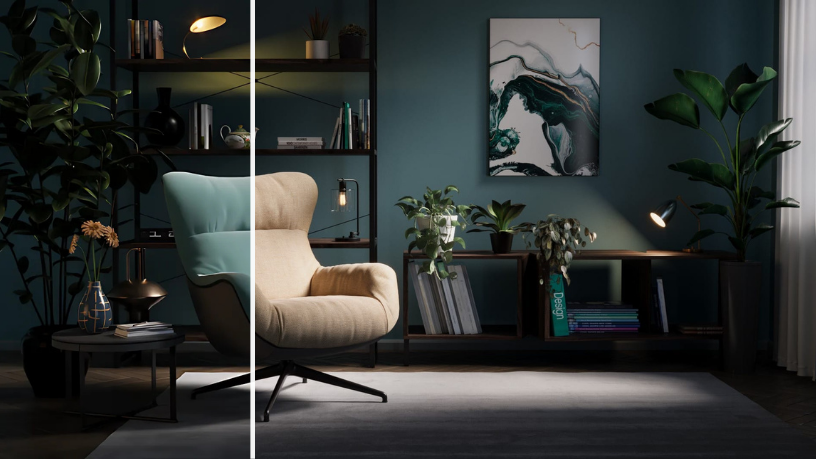
The most exciting feature of Corona 12 Update 2 is the integration of Chaos Scans into the Chaos Cosmos library. Users now gain access to over 3,100 ultra-realistic scanned materials, including:
Premium subscribers can even edit these scanned materials directly, offering complete control over look and feel, making it perfect for product visualization and photorealistic interiors.

The new Auto Hotspots feature simplifies the creation of interactive virtual tours. It automatically generates navigation points within panoramic renders, making it easier for clients and stakeholders to explore your scenes seamlessly—perfect for architecture visualization and real estate presentations.
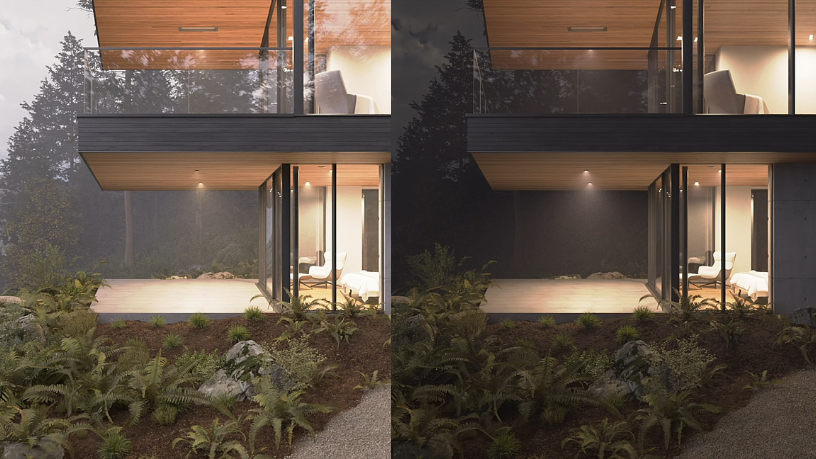
Creative control just got a huge upgrade.
With the new Per-Camera Global Volume override, you can apply unique volumetric effects like fog, mist, or underwater haze per camera. This gives you the ability to craft distinct moods and atmospheres from different angles in your scene—ideal for storytelling, cinematics, or stylized architecture renders.
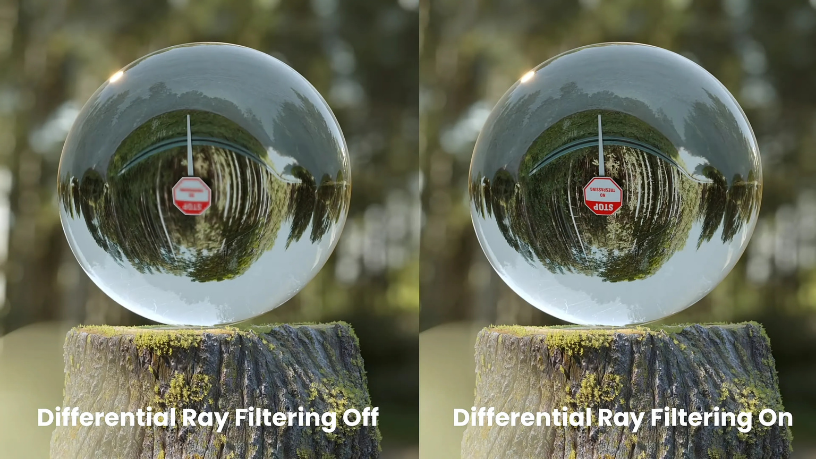
Corona 12 Update 2 introduces Differential Ray Filtering, a feature that improves texture sharpness when viewed through glass or other refractive materials. This leads to:
This is a must-have for artists working in interior design rendering or product shots involving glass or clear surfaces.
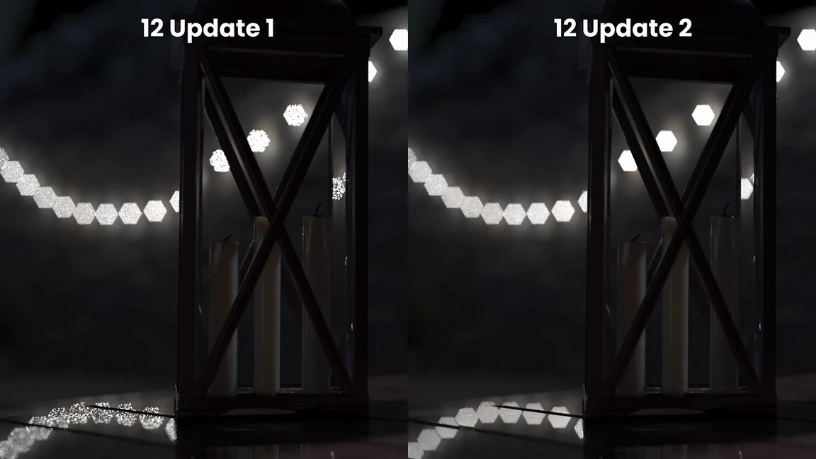
Depth of field (DOF) is getting a realism boost with the new DOF Highlight Solver. You’ll see:
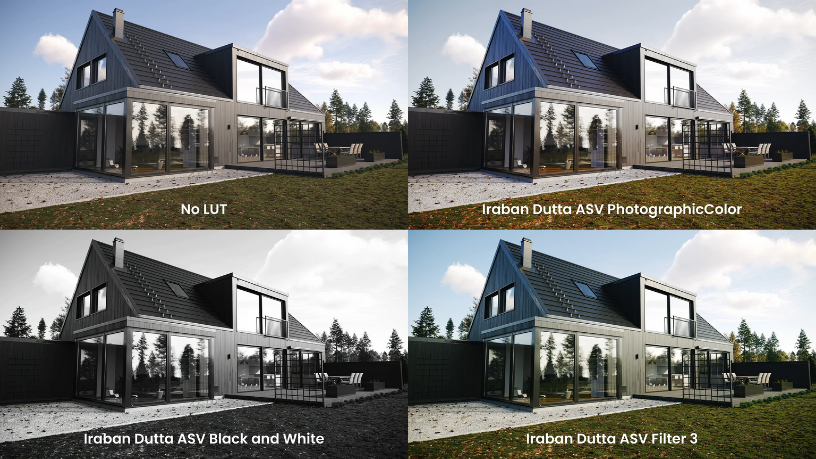
The update also adds new community-created LUTs (Look-Up Tables) to the Corona VFB (Virtual Frame Buffer). These new color grading presets help you:
It’s a great addition for artists who want more creative control over color grading directly inside Corona.
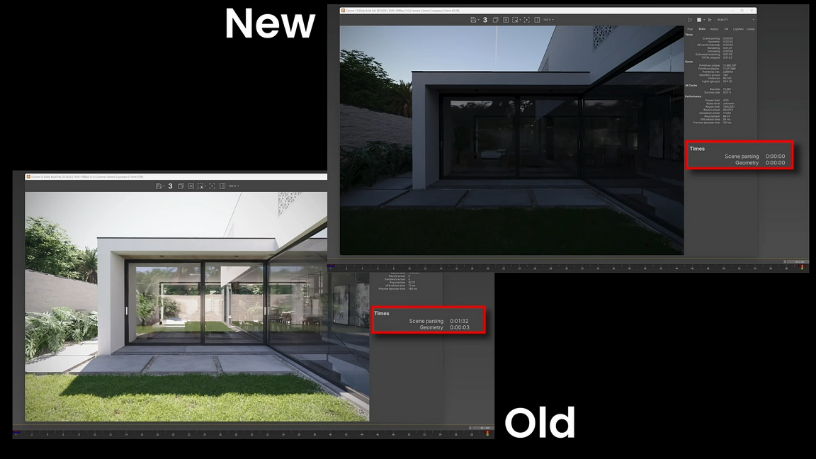
Update 2 isn’t just pretty—it’s fast.
Populate your scenes with animated humans and vehicles using Anima 6—now fully supported in Corona. Expect:
Chaos has made it clear: Corona 13 is already in the works. Many of the performance improvements in this release are paving the way for features like real-time rendering with Vantage Live Link and further enhancements to usability and realism.
All Corona versions are now available in the Downloads section on My Chaos. This change reflects our ongoing mission to streamline how you access and manage your tools.
Share: